The chemistry of LFP batteries is such that the voltage is very flat across most of the range of SoC. As discussed, the recommendation is to regularly allow the battery to fully charge and to fully discharge, which allows the BMS to better track the energy available. If the battery SoC drops unexpectedly then its a sign that the system losing track of the true state of charge.
Thank you for the detailed explanation, much appreciated.
It appears that I may have spoken too soon; the 3022 battery firmware upgrade has somehow set the ‘Calibrated Capacity Ah’ value of one of my batteries to ~30% less than before!
Would a scheduled calibration be likely to revert this capacity back to what it was before (near enough the factory 183Ah)?
I would try a calibration, yes. And if possible, do the calibration at a slow charge speed (you can change the charge and discharge power ratings when the calibration is running). A slower calibration can give more accurate results
I ended up triggering a manual calibration via the BBC Basic Inverter app, and it seems to have run both batteries down to 40V and stuck charging at 2W…
I didn’t know you could do calibration from the BBC basic app, never seen that option myself on my inverters. Only ever done the calibration from the portal.
But a calibration is a standard thing you’d think.
40V seems very low. What status is the calibration showing on the android app? Still in discharge stage?
Seeing some other funny business now though; I’ve reset all schedules to what they were before, and enabled Eco mode, but the batteries are now discharging twice what the current house load is…
And the secondary battery is now at 90% whilst the primary is still at 100%! So it would appear that the calibration wasn’t entirely successful…
the calibration determines the high and low SoC/voltage “water-levels”, i.e. what voltage corresponds to full and what to empty, and from that the BMS works out what the SoC is. It doesn’t seem logical that that would impact battery discharging at twice the require rate, but I am surmising here …
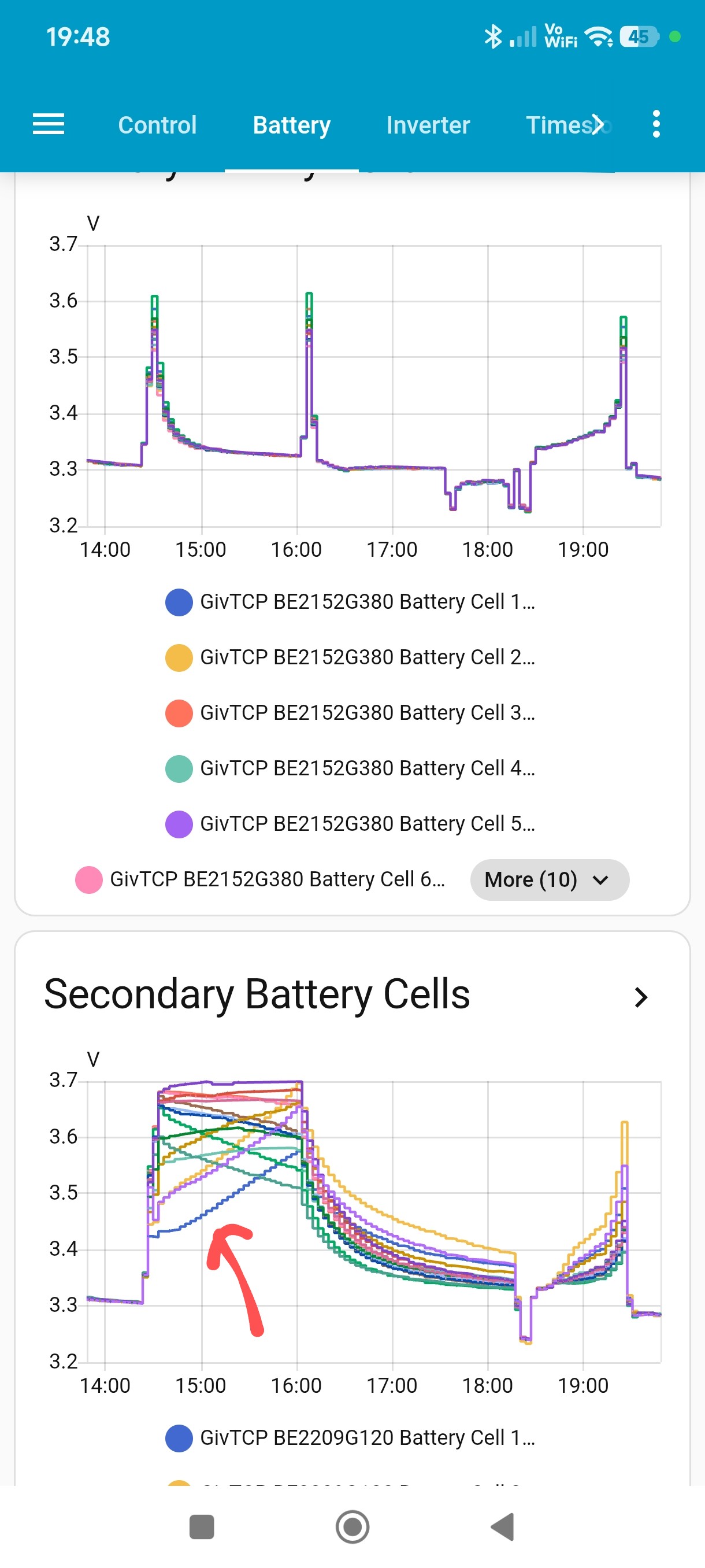
I know what’s happened here as exactly the same happened to me on 3022. In my case the primary battery finished calibration very quickly (top chart), but the secondary took around 2 hours extra to trickle charging to raise cell 1 voltage.
When the calibration finished (at 4pm), the overall voltage of the secondary was significantly higher than the primary, which had time to settle.
I think the limit is 0.5V between the 2, so when my batteries started to discharge, only the primary discharged and the secondary was stuck at 100%.
You’ve said yours were at 56.1V and 54.1V, so much more than 0.5V difference.
All you need to do to fix is charge them (normally) back up to 100% and they will recombine. Don’t panic and just wait for your next cheap rate.
When you say discharging twice as quick, I assume you mean the SOC is going down twice as fast as you expect, as only one battery is supplying.
I’ve different batteries, 5.2kWh that have different cells to the 9.5s. They don’t seem to discharge quite as low. However just checked and I did a ‘charge only’ calibration, so I didn’t fully empty them.
A calibration does push to the limits, so I don’t think 2.8 is necessary a worry.
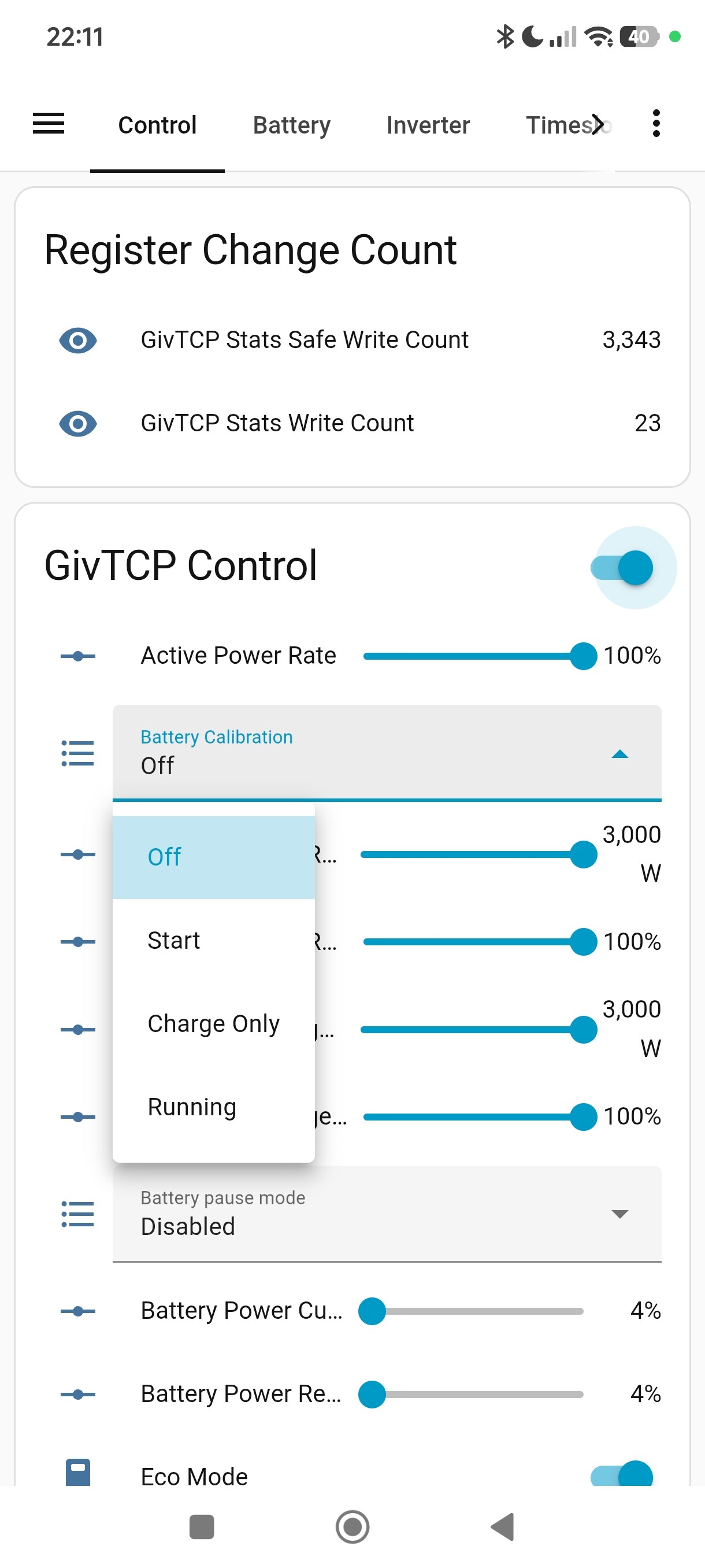
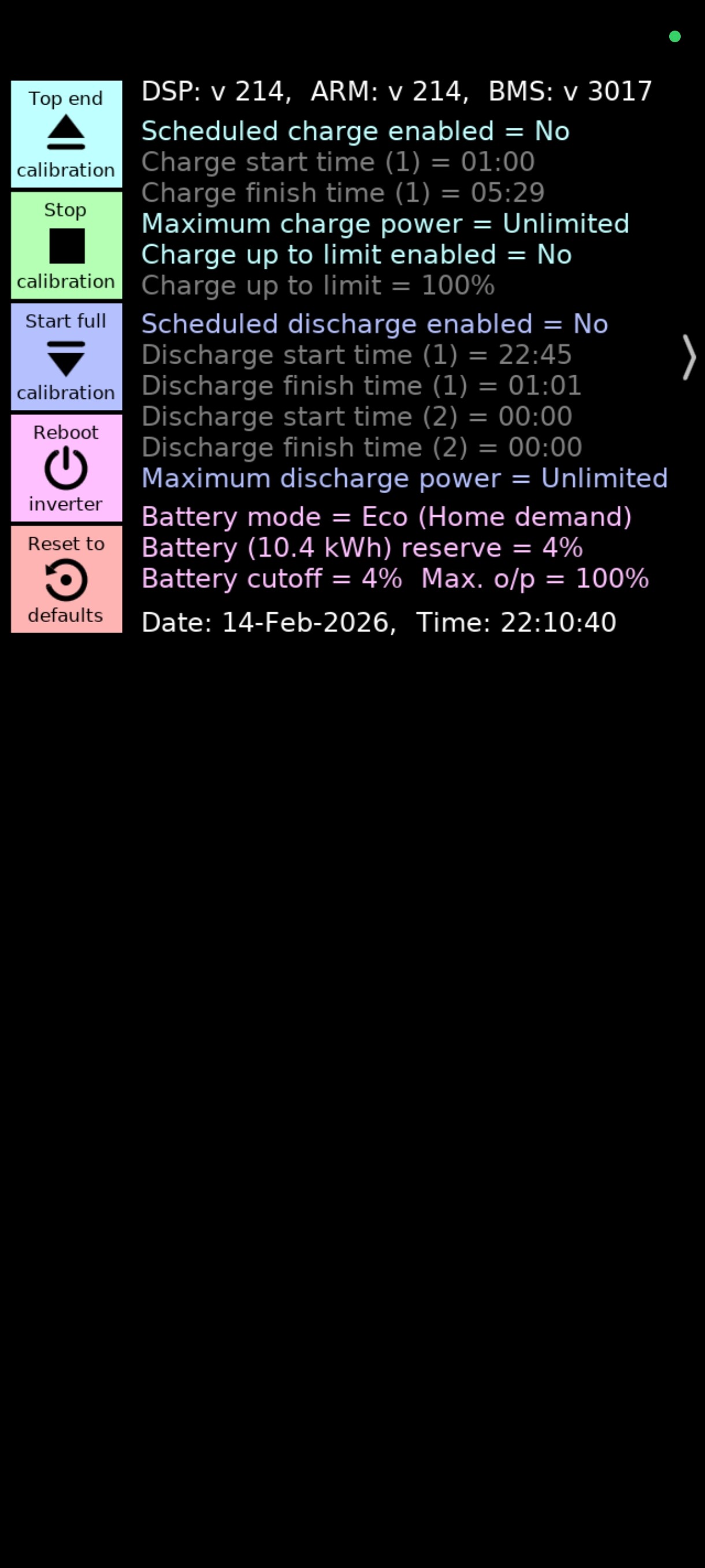
I use GivTCP via homeassistant, but you can also do via the BBC basic app if you have that (from Richard Russell). It’s called ‘top end calibration’ on that
Thanks; I triggered my full calibration via the BBC Basic app, but had to stop it after it discharged the batteries down to 40V and seemed to want to keep going… I then triggered a ‘top end’ calibration, which also kept going for a very long time, so I ended it manually after 18 hours.
Got you. Sounds like it may need doing again, but if you’ve got your capacity set correctly then they should ‘auto calibrate’ on this firmware. I’d use them and see what happens.
Presumably you’ve only got a max of 3.6kW charge/discharge, so that will take over 6 hours to charge from completely empty
Hopefully some other 9.5 battery owners can say if 40V is normal
how do you get into the calibration screen in the BBC basic app? I’ve never seen it and can’t find that option only charge/normal/pause/discharge/set clock
It’s detailed in the App Store info page: press and hold just to the right of the control buttons for ~2 seconds, and the ‘secret’ control buttons appear.
Learn something new every day. Very useful to be able to do that from the app as well as givtcp.
I only learnt recently that I could change most of the inverter settings, charge rates, charge times, reserve, etc by clicking in the appropriate text area.
TBH most of the time I use Predbat or GivTCP, but useful to have alternative options