In the portal there is an option but I think it only shows if the charger is set to hybrid control it’s n the EVC menu but it could be an inverter function, I use this along with Solar charging and they both work perfectly with the Ge app.
Tom, I’m very interested to hear the answer to this question - what is the Web UI default password. I’ve tried 12345678 and every number I’ve found on the side of the EVC. Also, my installer does not know either. Paul
Don’t press enter, you need to click the login button on the page. Default password will only work after a reset.
There are virtually zero use cases where the password would have been changed from default. An installer would not need to (and probably wouldn’t know how to) change the password as it’s largely an undocumented feature accessing that portal.
As @tom.b said, don’t press enter, you have to click the button. If it doesn’t work, try a different browser - the javascript is buggy as hell. Also try incognito/private browsing mode.
The password is, I guarantee it, the default password.
My EVC doesnt seem to allow any way of accessing a UI during setup, no SSID or password on the QR code sticker. I’ve been told that the only way to get the EVC configured to respond to OCPP is via the installer Portal. Does anyone else here have any experience of that or is there a way of accessing the UI that is not published?
If you scan the code with a QR code app it will decode the content.
I’m surprised to hear you have a sticker with no details on.
The EVC can only be set up locally. There is no option to do it remotely.
That did it - thankyou - have now successfully installed and configured GivEVC-OCPP. Working great! Finally unshackled from the Giv Cloud.
1 Like
Superb! Thanks for the Ko-Fi too.
Hi All. Preparing to set up this excellent OCPP server. I’ve got the integration installed and showing in HA. My next step it to connect the EVC through the factory reset process. But I have a slightly basic question about the OCPP server address I need to overwrite in the EVC. Is this the local address of my HA [so homeassistant.local:XXXX OR with the listen port added instead [e.g homeassistant.local:7655] ? Thanks for your help!
Ignore! I solved. with a bit of reading… I was miss reading @djbenson excellent readme! As ever with these things - user error! I’m connected and now building the controls onto my HA dash
Just so I understand, my sticker on the side of the box has faded to nothing. Found some stickers inside but no idea if they will provide a way into the AP mode? I am hard wired ethernet. Any way I can get its ws:// changed without factory reset?
I’m led to believe (and @TheDragon can maybe confirm) that once the EVC is provisioned by the GivEnergy app, its default password is changed so that’s why it’s necessary to do the factory reset.
Happy to be proven wrong though.
Some people have reported that there is a duplicate sticker inside the cover of the EVC - have you had a look inside there?
i pulled it apart in an attempt to find a sticker. There was one that is potentially useful, but i doubt it contains the password. It simply had: 2404WYSC
23-453512
39. I’ve gone through all my paperwork and photos taken around the install time, but there’s nothing about the EVC. Insane to leave such an important part on the outside a) for the world to see and b) to be primed to disappear! I think i’m stuck then? as soon as I do a factory reset, i’d be left with a bricked charger, even though i’m on ethernet?
help@predsupport.com can create new QR Codes.
But need the full 14 digit serial or the EVSE-xxxxxx wifi name
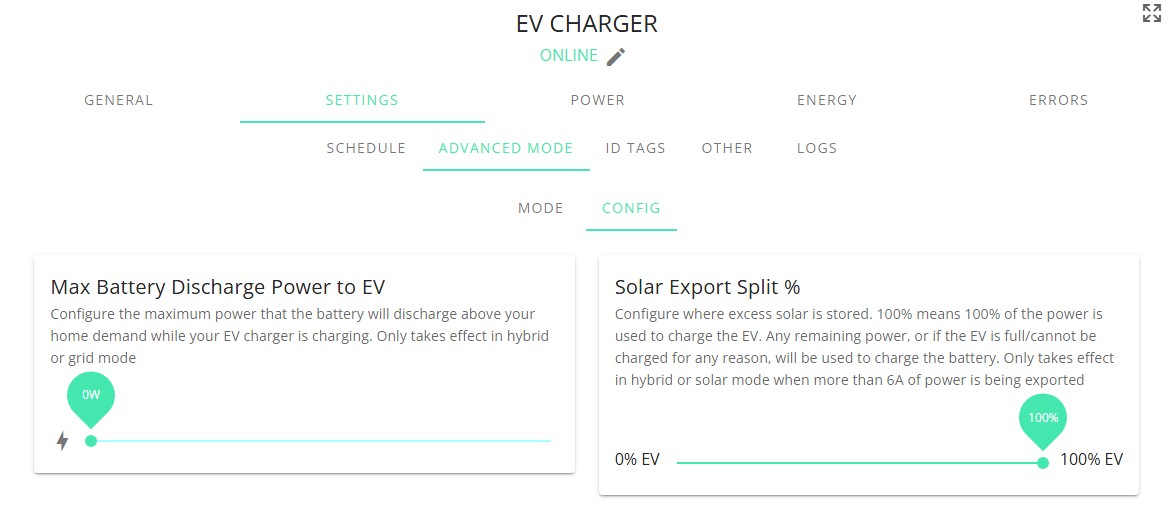
Are these settings also available on homeassistant via GIV-OCPP? @djbenson.
I don’t want my batteries to be used to charge the car and I want the inverter to prioritise the house batteries before charging the car