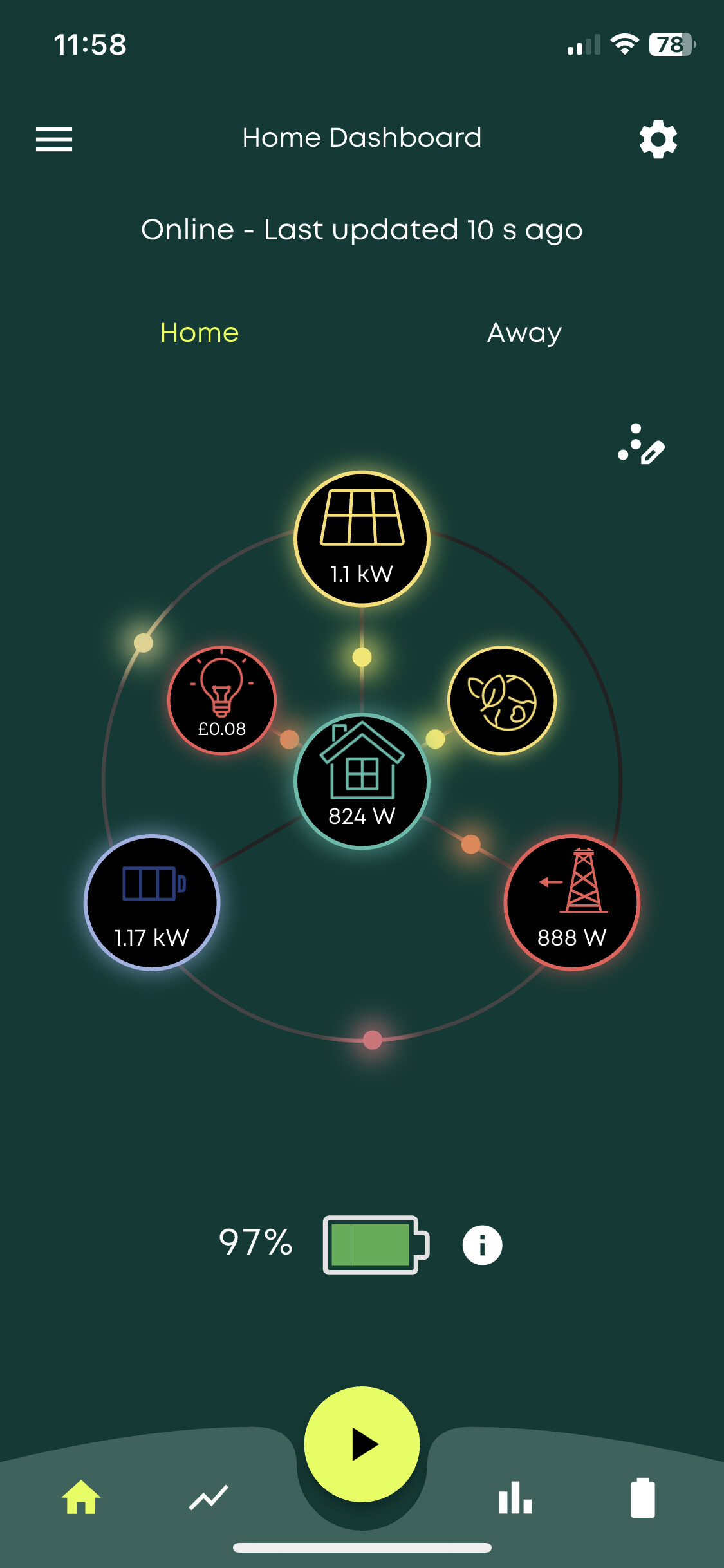
Battery force charging always, not adhering to schedule charge

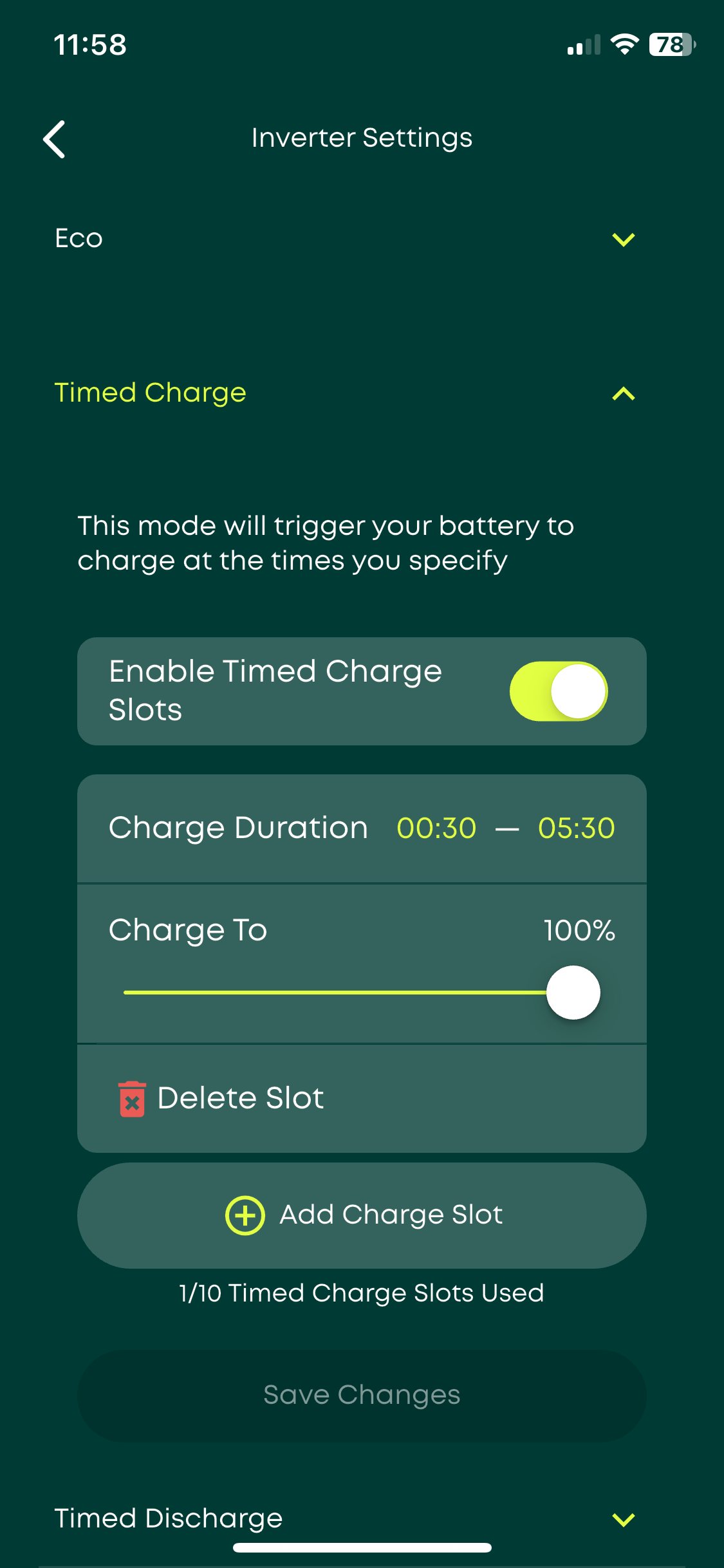
Hiya, I noticed that for the last week, our 9.5k battery is being charged during our cheap night rate (00:30 → 5:30) and then continuing to be in Charge mode until about 11am. Which means it isn’t supplying the house at all during that time, it just stays on 100%.

I tried resetting all settings in the app, toggling off/on Eco, quick modes, etc, but the only way I can get it to discharge to the house is if I disable our scheduled charge.

And if the battery is then on 97% etc, and I re-enable the scheduled charge (while outside the scheduled time), the battery starts charging from the grid immediately!

See screenshots:

It’s probably not a coincidence that this issue started happening the day after I updated our wifi details (switching it onto a mesh network with much better signal).

I powered down the system because the app told me to do so in order to update the wifi, but turns out that wasn’t required. Instead I connected to the inverter’s wifi network and adjusted the wifi settings there. And of course powered everything back up again.

But since then, we’ve been having this issue - and no other issues. If I disable the scheduled charge then everything works as expected!

Does anyone have any advice? Do I need to just revert back to our old wifi??

Oh I also logged into the portal and enabled DC Discharge in the inverter settings on the advice of another thread here. But that doesn’t seem to have affected anything.

I just found an option in the portal to Sync Inverter Time, so I tried that. It might have done something.. It shows in my graphs that for the last week, the night charge was actually starting at midnight, not half past.

But I might have to wait until tomorrow morning to see whether that fixed the scheduled charge setting blocking discharging to the house after 5:30am!

Charge slot 2 was 0000-1200
Ive deleted it for you

1 Like

Oh, so even though there was no 2nd charge slot showing in the app, it was still active? And I wonder how it got like that after I reset settings/schedules back to default? :open_mouth:

Either way, thank you!

One observation.

The screenshot with the charge schedule clearly says 1/10 charge slots used, so definitely an App bug (or very misleading at best) if slot 2 was set.

I have a similar issue with my inverters only showing 1 of the 2 available discharge slots.

I’m sure that this app bug is responsible for many of the calls that GivEnergy get, saying “my inverter is charging / discharging at times when I have no schedules set”.