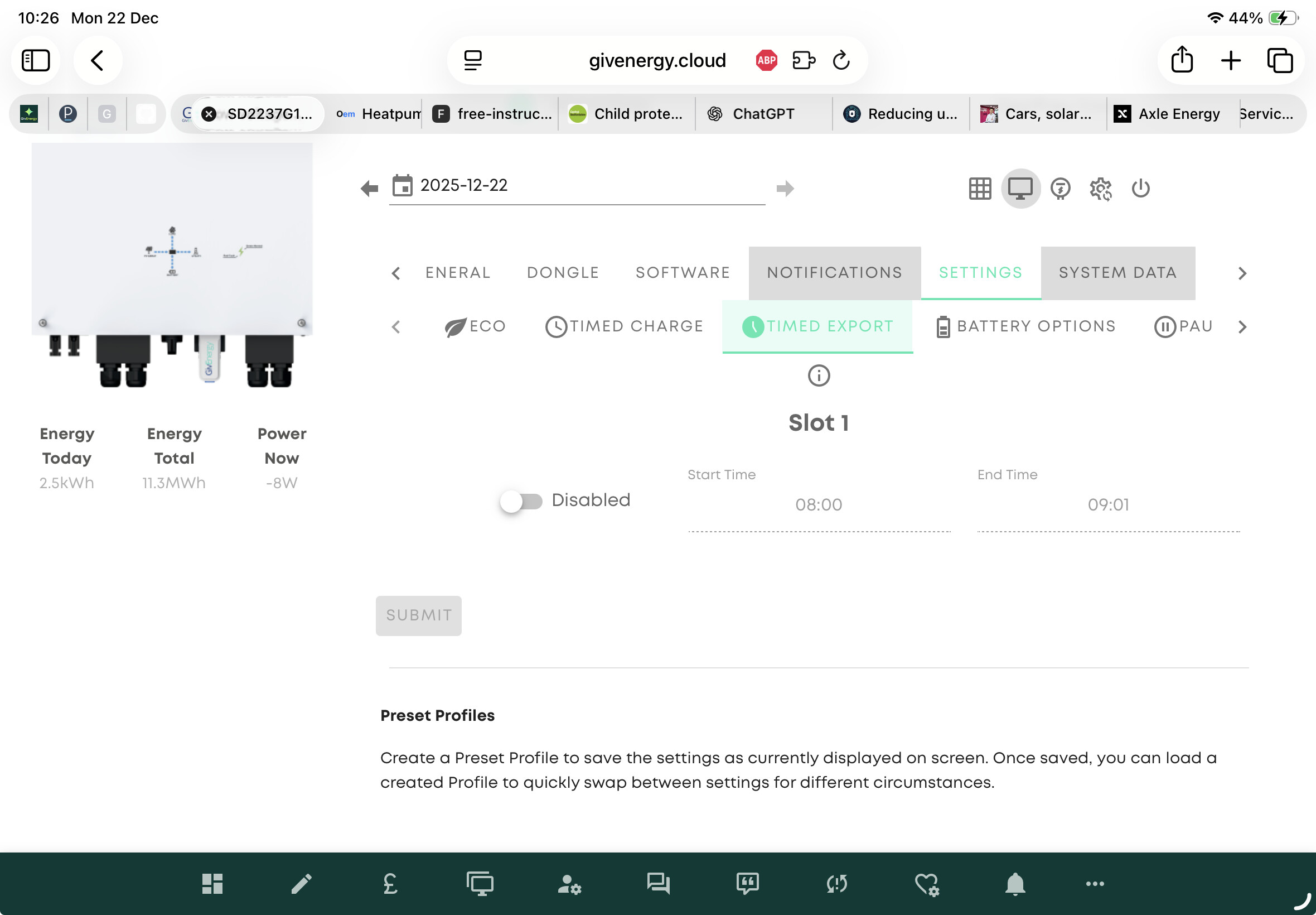
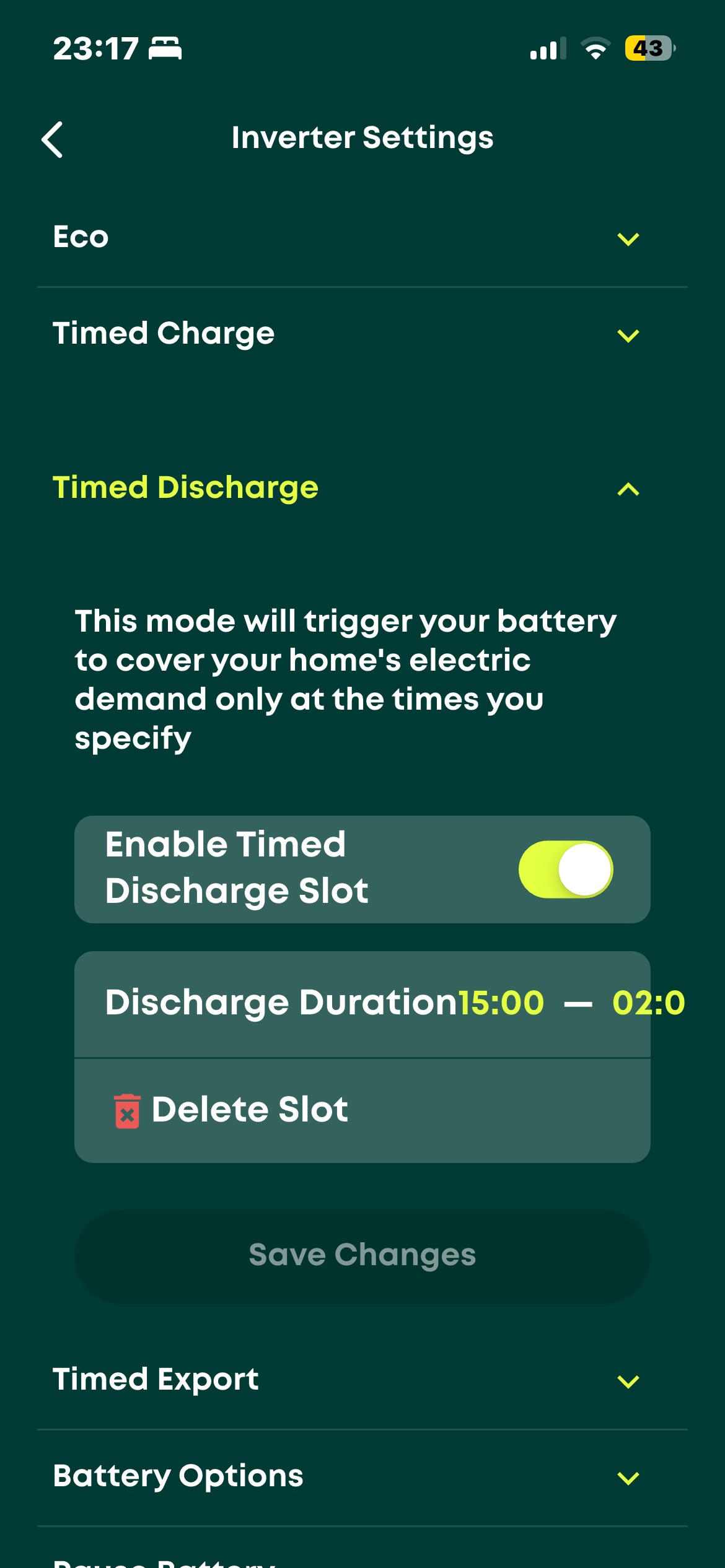
We have recently undated our battery software to version 4009 and since then the timed discharge is not working correctly. Our original setup was eco setting off and timed discharge from 4pm. Since the update, eco needs to be off to stop discharging at any other time but this stops the timed discharge. I either have to have battery discharge at all times or not at all. The help desk thought it was due to eco being on and suggested turning it off, but now the battery hasnt discharged for two days! Any ideas?
do you mean timed discharge or timed export, they are slightly different things?
What are you trying to achieve?
Timed discharge controls when your battery discharges to the home, and timed export controls when your battery exports to the grid.
If you want your battery to discharge to meet home demand you need Eco on all the time, and a timed export for the period of time you want to discharge to the grid.
If you only want your battery to support your home demand in a specific period, say 4-7, then use timed discharge.
I am a brand new user and am struggling with this too. When I set up timed discharge my battery supports the load but also exports. There isn’t a separate setting for export. The export setting gives timed meeting home demand and export. Could you clarify please? I am on the Octopus flex tariff and find it annoying that the battery is kept full when I would like to prevent grid import from 4pm until 2 am so that I can make full use of the low tariff to charge the battery between 2 am and 5 am. Any suggestions please?
For many users, timed discharge is a bit confusing. What a timed discharge does is control your inverter so it will only discharge to meet house load during the hours you set, the rest of the time the battery will be paused and you’ll run off grid import.
e.g. set timed discharge 16:00-19:00. Inverter will only discharge during this period. Useful if you are on a tariff like Octopus Flux which charges a peak rate and you want to preserve the battery for this period.
Quite separately you can setup a forced export which will discharge your battery at full rate with your house taking what it needs and the excess going to the grid:
And separately again you can setup a forced import to fill your batteries during a specified time period, e.g. overnight 02:00-05:00.
To understand precisely what you want to do, can you map it out over a 24 hour period what you want the battery to do (and what your tariff rates are would be useful context)
Thank you very much for your useful comment. I use about 12-15 kWh of electricity per day and have a 9.5 kwh battery battery. I do not have an EV and the panels don’t produce very much in the depth of winter. I signed up for the Octopus Flux tariff as recommended by Octopus for. my set up. I let the system run for a month before looking into it in detail and am basically disappointed that the only way I was making use of the cheap tariff between 2 and 5 am was by setting the dishwasher and clothes washer on timers. The battery was always full by then. The battery however did feed the house demand between 4 and 7 pm.
I therefore started searching the net for advice. I came across this forum and some Givenergy videos. I also asked for help from the two companies involved but have nothing back.
I have found the Givenergy portal and tried to make settings as follows:
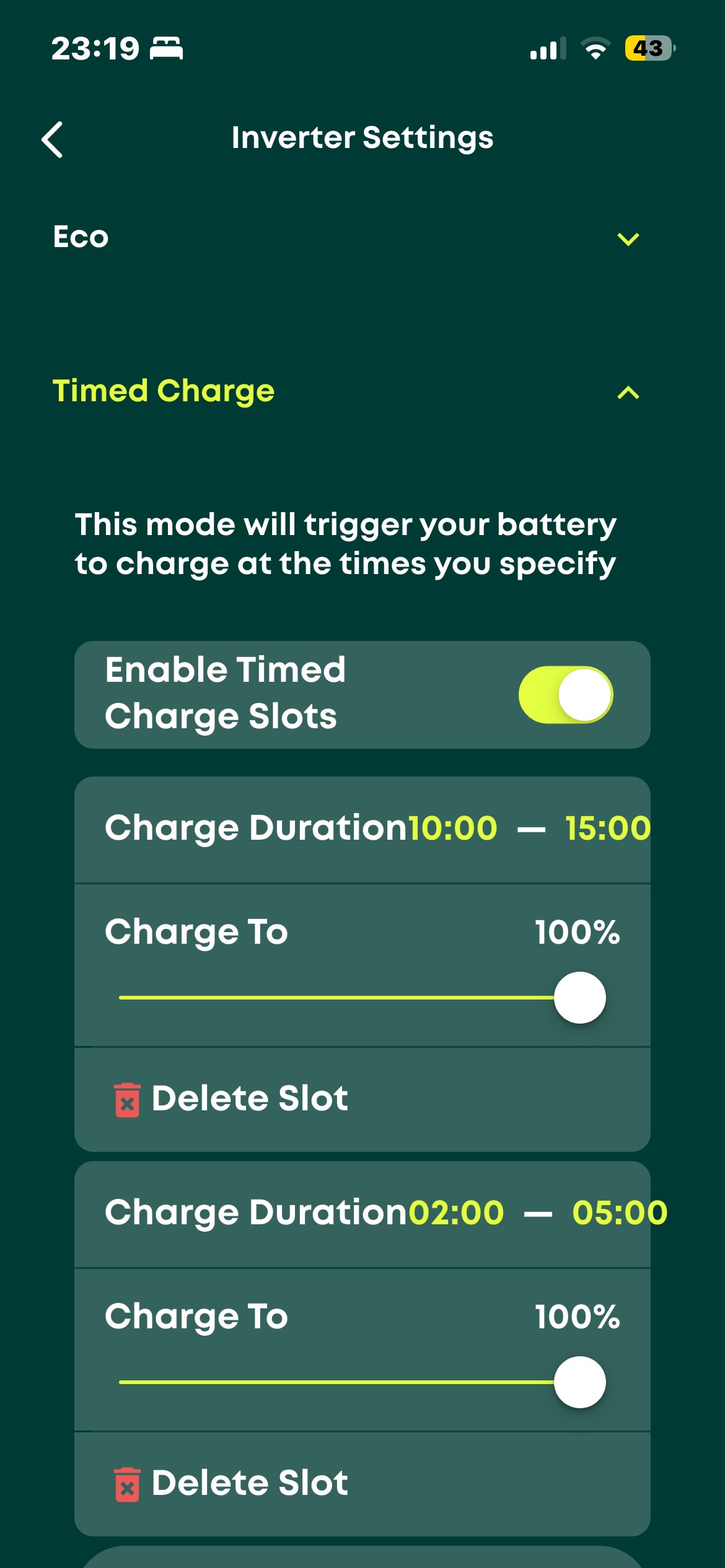
00:00-02:00 Battery to feed load and not be charged from the grid.
02:00-05:00 As above but full charge from the grid
05:00-10:00 Battery to feed load and not be charged from the grid. No point in the sun coming out when the house load is less than the solar generation.
10:00-15:00 All systems go with battery full by 15:00
15:00-00:00 Battery to feed load and not be charged from the grid. There is enough battery capacity to do this in normal circumstances.
These are the settings I made as seen on the App although I made them on the portal.
Before I went to bed last night this was working fine but at midnight the battery started charging again. I happened to wake up to have a look and changed the setting again.
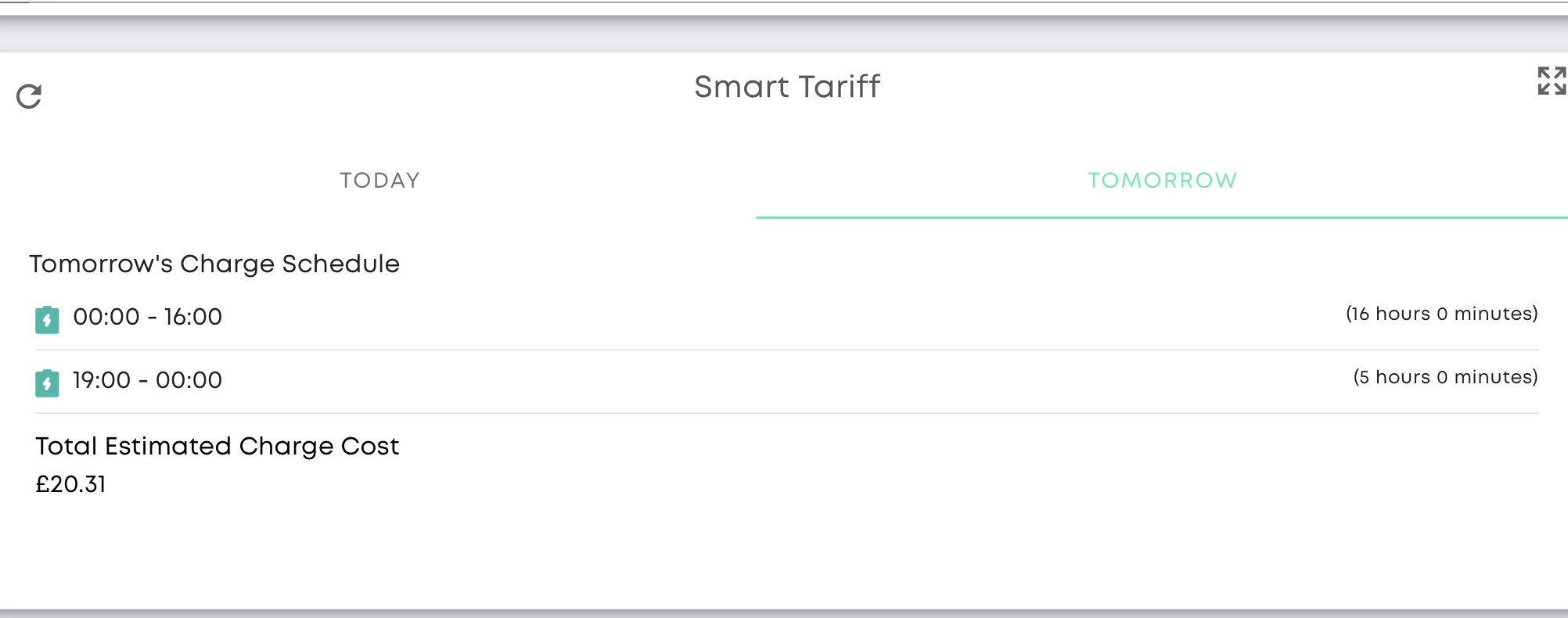
The problem could be this screen
that I have only just seen. I guess that this might be something to do with the parameters I set when I signed up for Octopus Flux. How do I modify this I wonder. Would be grateful for any advice.
Thanks for all the detail, very helpful. In terms of your specific question about your schedules and why you inverter was charging when you didn’t expect it to, the problem is that you have setup two “masters” to control your inverter.
You have setup a series of charge and discharge activities yourself, and they’re fine, but you have also setup the ‘smart tariff’ card in the GivEnergy portal and that will program your inverter based on GivEnergy’s analysis of your tariff. Those commands will overwrite what you had previously setup. Since you have a good handle on what you want the inverter to do, simply delete/disable the smart tariff configuration and you should then be able to control it all yourself.
Stepping back a bit, and some thoughts on your schedule and tariff. First of all, Flux isn’t a great tariff any more, and it’s especially not so great in the winter when you’re hardly generating anything. You may find its better to go onto Economy 7, to charge your batteries overnight on the cheap rate, and then use the during the day. You’ll have a longer cheap rate period overnight and no 4-7pm peak period if your batteries do run out.
But sticking with Flux, you’re going to get the most out of Flux if you can run your home as much as possible on the overnight cheap rate electricity. So as you have found definitely do shift high usage loads like the washing machine, tumble dryer, dishwasher and hot water (if you are using an immersion heater) to overnight. Charge your battery up overnight as you are doing.
Then I’d suggest you keep your battery charged all day and run your home off grid import and any solar you generate (very little I know). To do this, just change the timed discharge times to say 4pm-midnight or whatever you can meet your house load over. The important thing is to not consume any electricity in the peak rate, so hence preserving the overnight cheap rate in the battery until then.
I’m suggesting you don’t charge the battery during the day as you are doing, because every time you cycle energy in and out of the battery you incur conversion losses, and these can add up to around 10-20% round trip. So charging during the day effectively means you’re paying 10% more than the day import rate.
Thank you again. You have made it very clear. I cannot actually find out how to make the first step which would be to delete the smart tariff setting. Would I be correct in thinking that it has to be done by contacting one of the companies and if so which one? Just wondering whether I would get faster results if I ask Octopus to change the tariff to Economy 7 directly?