When I set up the timer to charged the battery at specific time. It didn’t come at that time, it came on earlier.
I would have to manual rather than using the timer
I can’t see how how I can resolve this problem
1 Like
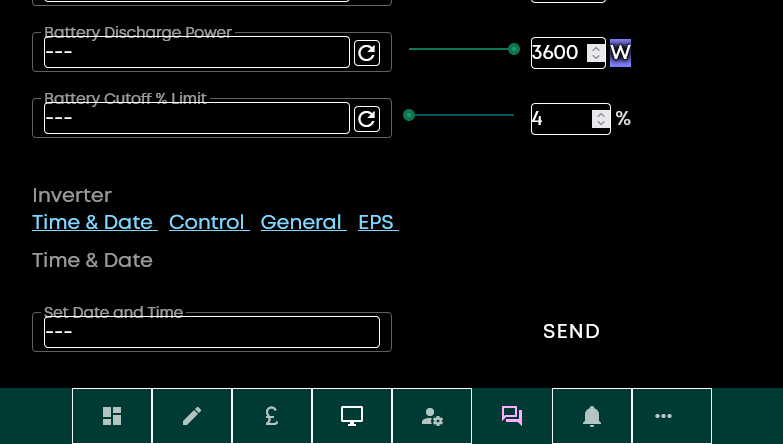
Go to GivEnergy cloud portal. Remote control page. Set date and time.
1 Like
check in the givenergy portal that your account settings time zone are set correctly before you set the date and time
1 Like
I may be having the same issue.
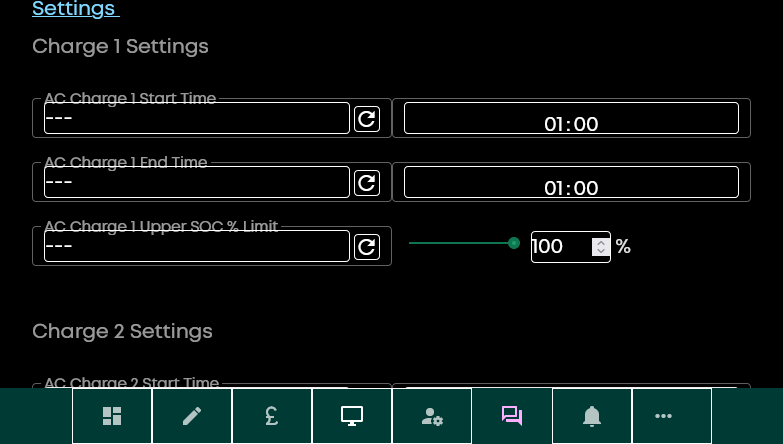
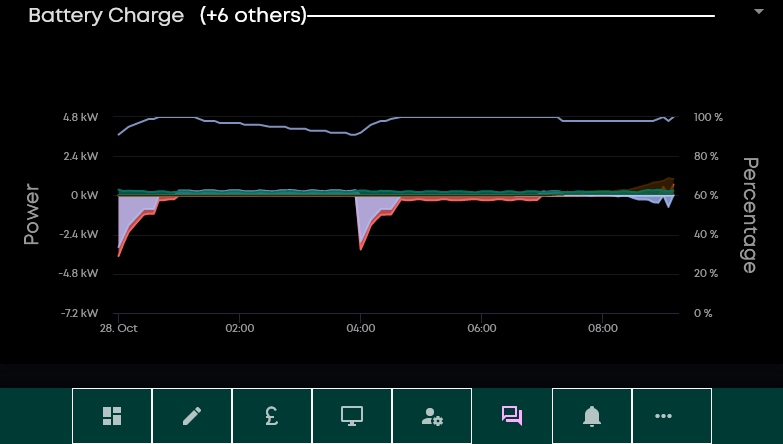
I’m on Octopus Cosy but although I have a final charge 22:00 - 23:59) its got activity 0000-0100 which I’ve not asked. Battery stays locked at 100% & draws mains.
I also seem to randomly find in the cloud a charge entry I didn’t add like 0100-0100. My 1300-1600 entry is now missing.
Is this a time and date issue?
1 Like
Thanks! Sorted.
1 Like
are you using the smart tariff card on the portal? This will automatically program your inverter charge slots.
If you’re on Cosy and have a reasonably new inverter (with multiple charge periods) then you can just program the 3 charge slots yourself.
Make sure you have the time zone set correctly and then sync the date/time to your inverter to eliminate that as being an issue.
2 Likes
1yr old hybrid inverter that has been programmed via the cloud. I have saved my preferred options but as I say from time to time I find one goes awol and is left with a 0100-0100 or 1600-1600 as though it has stuck!
How do I check the time it thinks its running & change the time exactly if needed?
1 Like
if you install the BBC basic ‘inverter’ app (search for givenergy on the app store) you can see the time your inverter has set
1 Like
Sorry do you mean the official givenergy app if so i have that on my ipad but can’t see any time on it? or do you mean
Inverter 4+
Access your GivEnergy inverter
Richard Russell
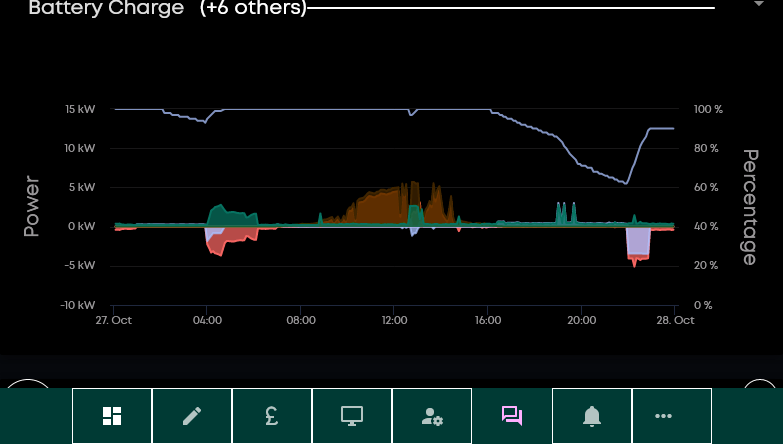
it seems to me if the clock is wrong should not all my charge times be wrong by 1hr. Whereas the 0400-0700 and the 1300-1600 and 2200-2359 all seem to start and stop as expected (bar that strange no time slot slot I mentioned). The ‘strange’ timing seems only to impact 0000-0100. eg look here. I set 2200-2359 to charge to 90% which it did and holds there. But as it ends it charges to 100% in the 0000-0100 even though I can find no such slot? Unless I am misreading something?
Ok. I have a new bit to add. Looking on my ipad I have smart tariff and smart tariff legacy installed. STL says ‘cosy’ and properly shows me the data about export and import costs. ST doesn’t say ‘cosy’ and has no amounts but does show a series of bars which are priced for my previous tariff IOF. It also shows in yellow bars at 1300-1600 and 0000-0100. When I use the spanner all the switchs are to the left ie disabled and it gives me error message “problem loading your settings”
Is the issue here perhaps even if its disabled but if so the best way to unfix?
Does the log back this up?
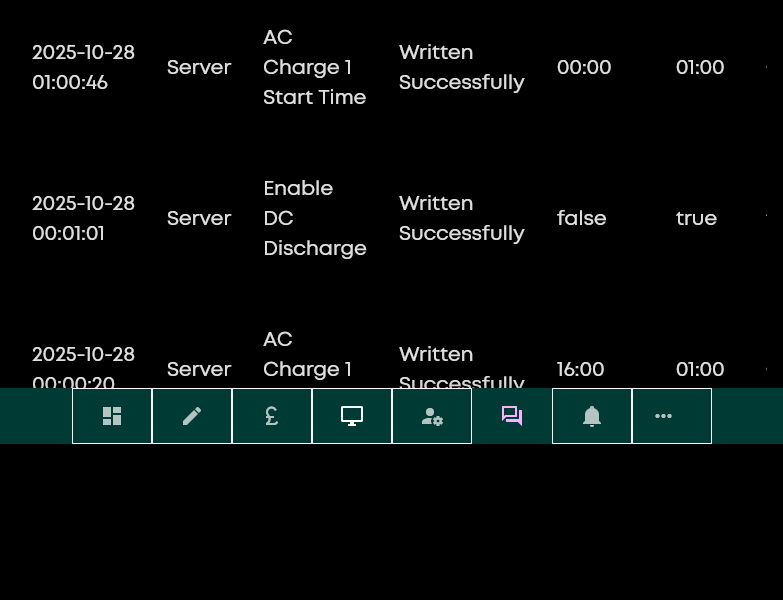
1 Like
Yes, it’s the Richard Russell app I was talking about.
The logfile shows that the charge was programmed to finish at 01:00, by “server” which is something running on the givenergy side.
I suspect if you have two different smart tariff configurations going then this could well be the source of your problem.
I’ve never used them so can’t advise how you unconfigure/remove them, but suggest if you go to account settings/security/api access, can you see an API key that the smart tariffs use? I would delete this if it’s there and that might stop them.
If you are on Cosy there really is no need to use the smart tariff card, simply set the charge periods you want. Make sure you don’t set a timed discharge period because these act as a ‘pause the battery from discharging’ of the inverse of your timed discharge period.
2 Likes
I only really used it as it gives rolling daily weekly etc total of income/cost.
1 Like