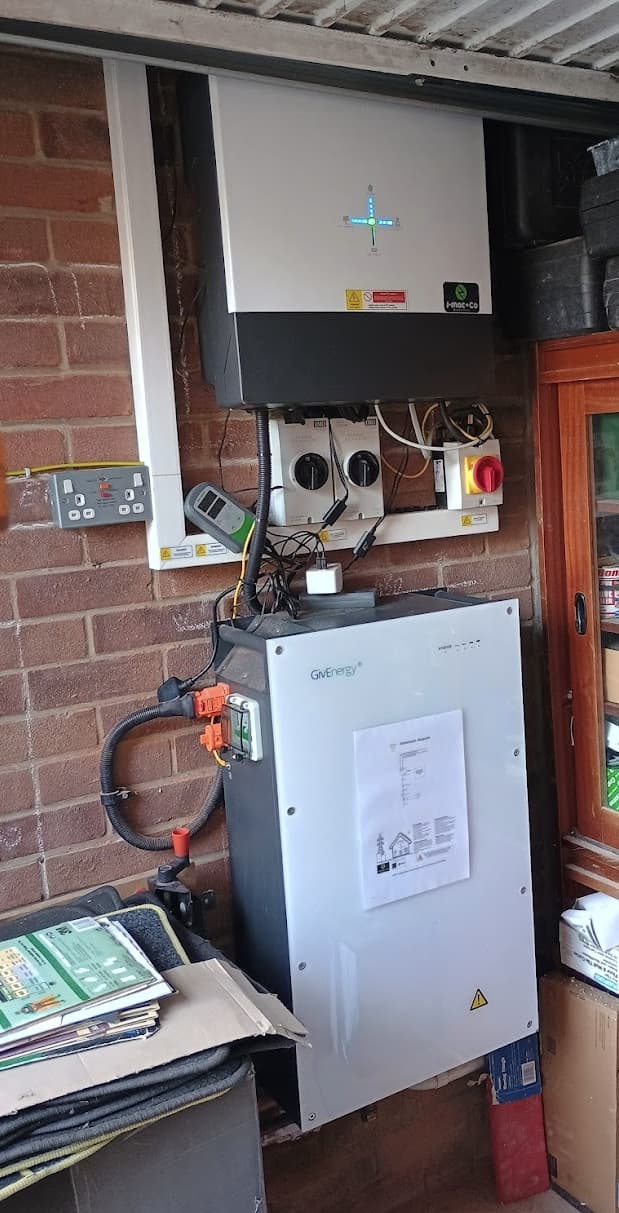
I have an older 3.6 hybrid inverter, I see it has EPS wiring terminals but nothing connected to them.
Whilst I’m not planning to do a whole house backup or anything that advanced, I was thinking it would be handy to wire out from the EPS connections, through a breaker to a couple of double sockets on the wall next to the inverter (In my garage) - so in the event of a power outage I could run out an extension lead to power my fridge and one or two other items in the house. (router, phone chargers, maybe the TV.)
My question is - If I hook this up will it just work as it stands or do I need to have the EPS facility enabled by Givenergy support ?
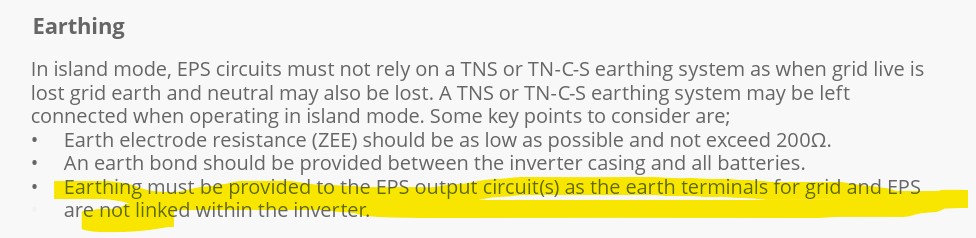
I think you need your original installer to enable it. You will also need a dedicated earth rod for your house system, because when the grid fails, your inverter disconnects from the grid so your PV/battery does not feed into the grid and possibly injure anyone working upstream fixing the grid supply. This disconnection means you will have lost your grid earth.
Thanks - I can see the need for a separate earth connection, but there won’t be a “house system” or “full property backup” - just a double socket on the garage wall that I can plug an extension lead into if there’s a power cut.
Basically, I’m just asking if the EPS function within the inverter needs to be “activated” by G.E. or the installer to work, or if it just works as standard ?
If it’s just a DIY wiring job (I’m electrically trained) then I’ll sort it myself. If I need to get my installer back just to enable the function within the inverter then I’ll pass. It’s not something that I’m particularly bothered about, it will just be a “nice to have” addition to the system if I can do it easily & cheaply.
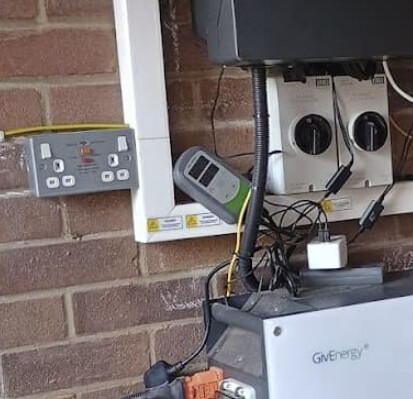
This is ours, an RCD double socket and the extra CPC above off to a rod.
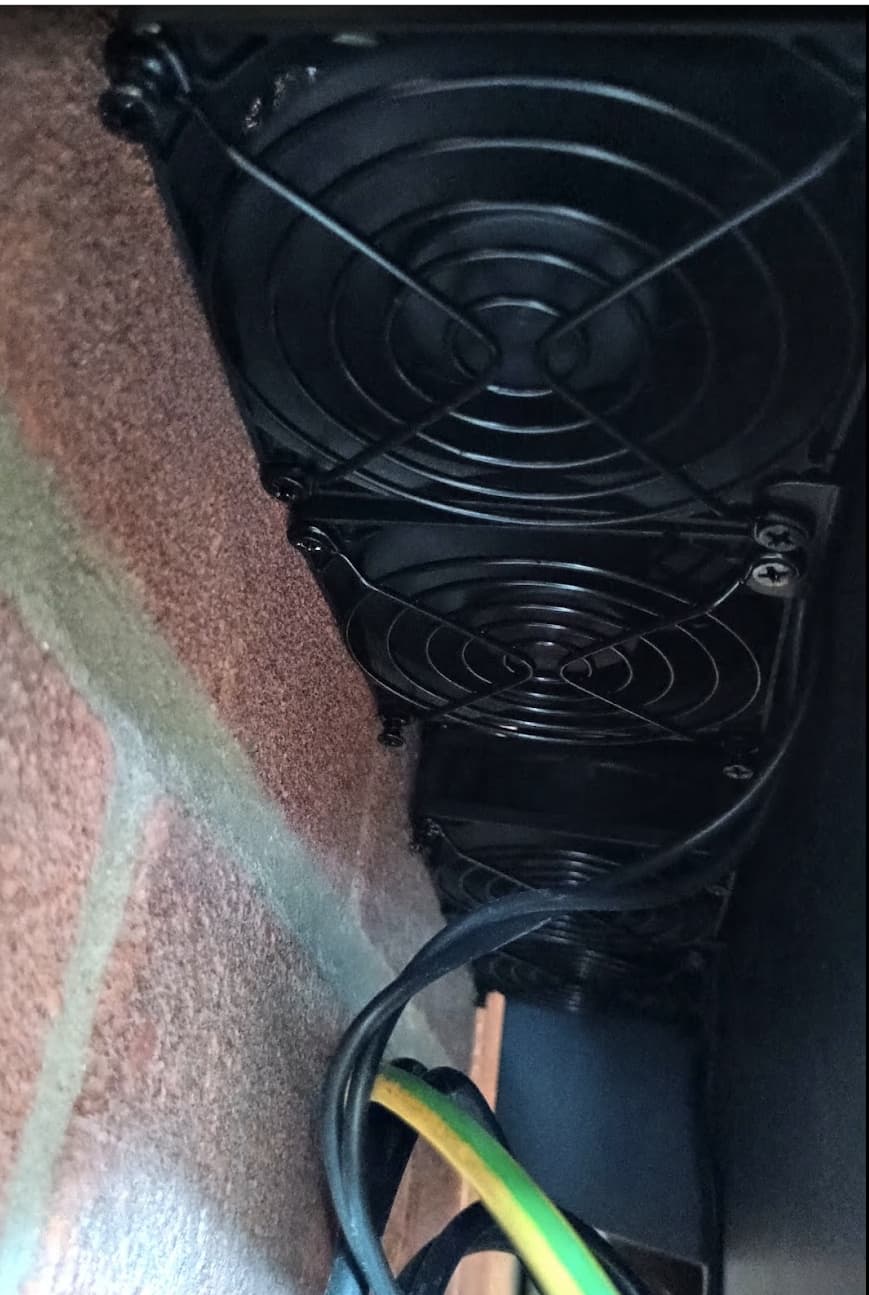
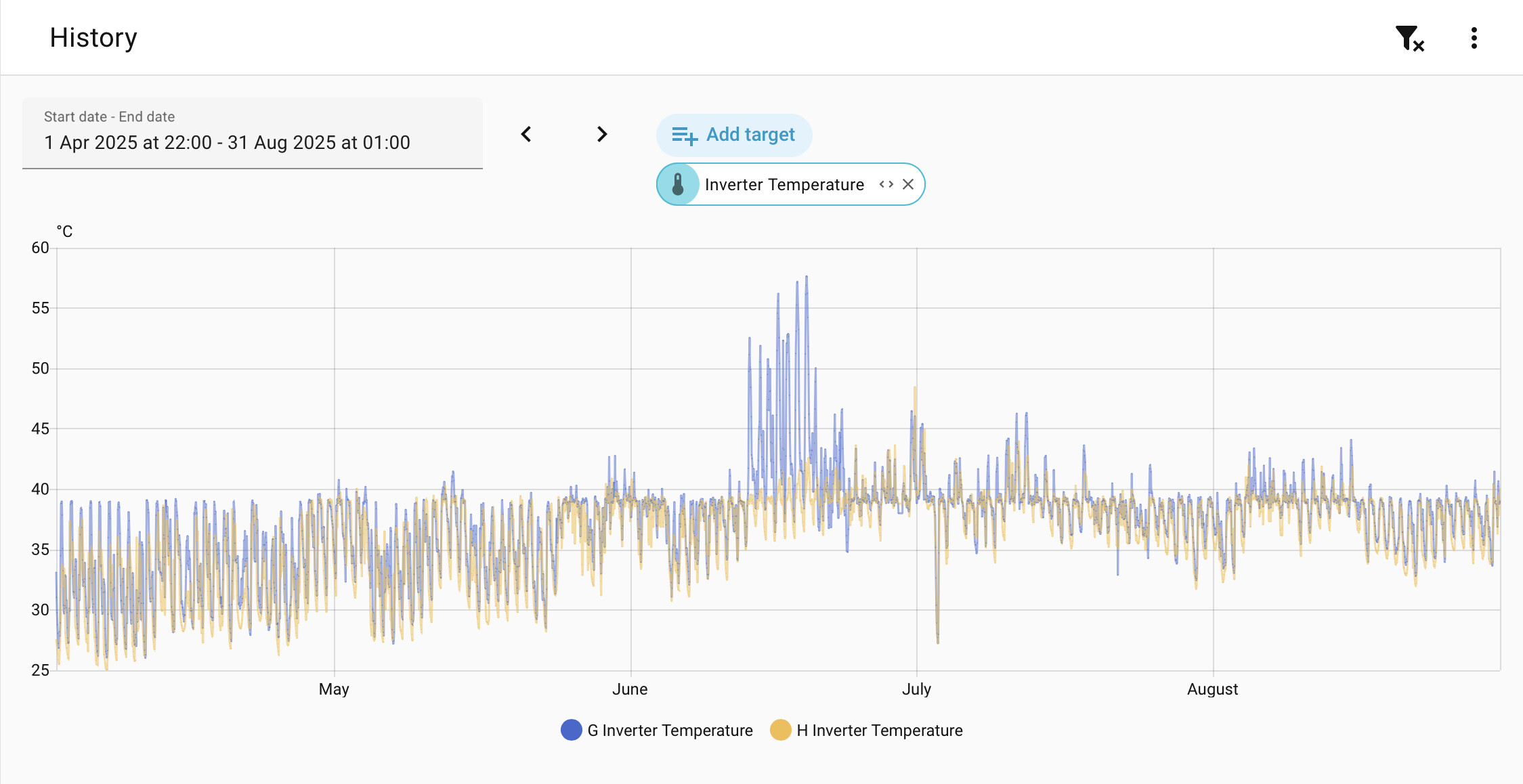
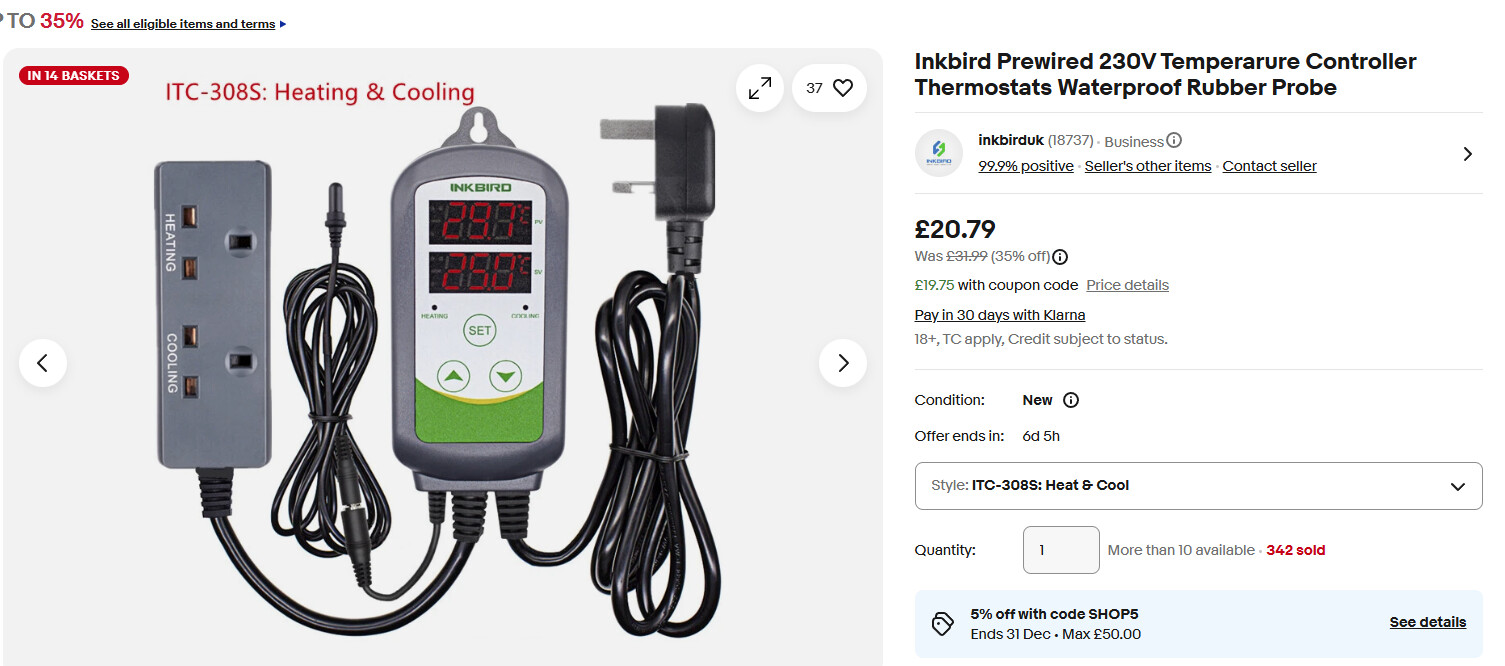
Excuse the mess, I have 4 80mm fans on a temp controlled inkbird to keep the inverter cool below 40C… It still failed.
I am sure the wiring is pretty straight forward(TBH i did most of the work for my EPS system and then paid my installer to check it all) , but you will need a new earth path for your house even if you only have 2 sockets. (Luckily I live in the sticks and the house has its own earth). When the grid goes “off” and the inverter goes into islanding mode, you will have no earth to protect your installation and you.
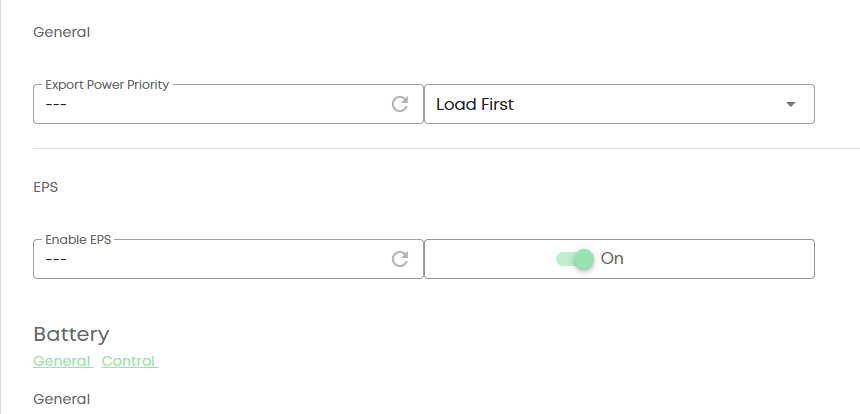
So I’ve done a bit of investigating… Firstly there is no EPS setting on the portal for my inverter unlike that shown above, (Mine is a 1st gen 3.6 from 2022)
So I’ve just put my meter on the EPS terminals to check, and yes, it just works out of the box as it is. The EPS terminals are live with mains voltage when the inverter is connected to the mains supply and when you disconnect the mains it breaks the circuit for 5 or 6 seconds, then the EPS terminals go live again, but powered by solar / battery.
So my biggest hassle is going to be where to place the earth rod, I’ll probably have to dig up the garden again ! Doh !
What about if your RCD double socket would be used only for an appliance which does not have an earth? For example, a 5V USB adapter for powering a PWM fan controller? Would an earth rod be required in this case?
as you’ve discovered the EPS sockets are live all the time that the inverter has power and its just a matter of connecting something up to the EPS terminals
I have a gen 1 inverter as well, and it works fine, we have our house sockets and lights wired off the EPS connection. The portal setting is I think to enable the EPS to switchover faster, by default there is a 10 second delay.
r/e an earth rod, depends where your inverter is, but you could just drill a hole in the garage floor, as long as you get down into soil, that’s all you need
@wrighar looks like your installer didn’t install your inverter in accordance with the givenergy documentation, there should be more space at either side, and the power breakers shouldn’t be there. My installer didn’t install mine in accordance with the instructions either, there was a big cupboard above the inverters, which I subsequently removed as the inside of the cupboard was getting warm…
I have 4 computer CPU fans underneath my inverters and mine work quite well at keeping the inverter temperature below 40 degrees C
Yes, there is only about 235mm not 250mm to the face of the wood/glass cabinet on the right, but that cabinet is to be replaced, and doesn’t go all the way to the wall the inverter is mounted on, but is just over 100mm off it to allow plumbing up and down the wall..
There is 1000mm above.
The cutoffs are close though.
I wouldn’t have thought 15mm would have made any material difference to the side of the inverter. Since it has no active cooling, cooling is down to airflow up the cooling fins at the back. That’s why I picked up on the cutoff switches, they’re probably disrupting the flow of air up the back?
How do you have your fans arranged? I have mine on a small wooden frame that is held in position at the bottom of the inverter with an elastic bungee tied around the top of the inverter.
So basically the fans are right at the bottom of the cooling fins and force air up the back.
I have mine set to come on at 40 degrees. Over the last week they’ve been on very briefly a few times, but in the summer they’re on pretty much all the time
Mine are wedged between the wall and the back of the inverter with rubber their ‘feet’, up against the bottom of the fins, blowing up, set to 38C on temp.
that’s very similar to my setup, only you’ve got bigger computer fans, I’ve got smaller 57mm (?) CPU fans. I’m surprised that yours don’t keep your inverter temperature down to 38 degrees.
Just to check, yours are sucking air and pushing it up over the back of the fins? Someone did some tests on the other forum and pulling the air up was more effective than pulling it down.
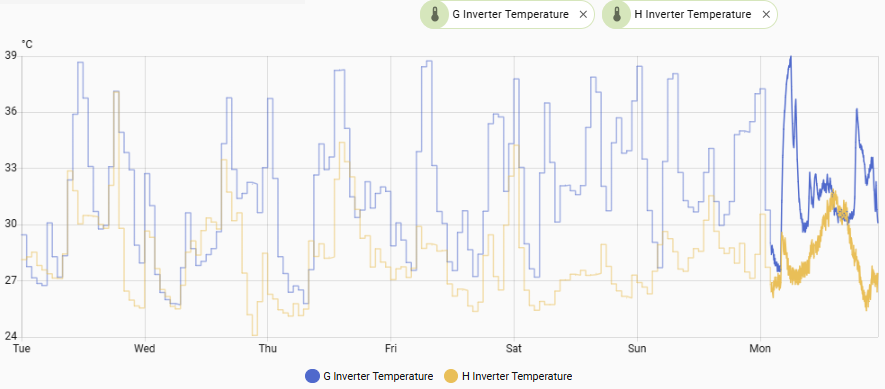
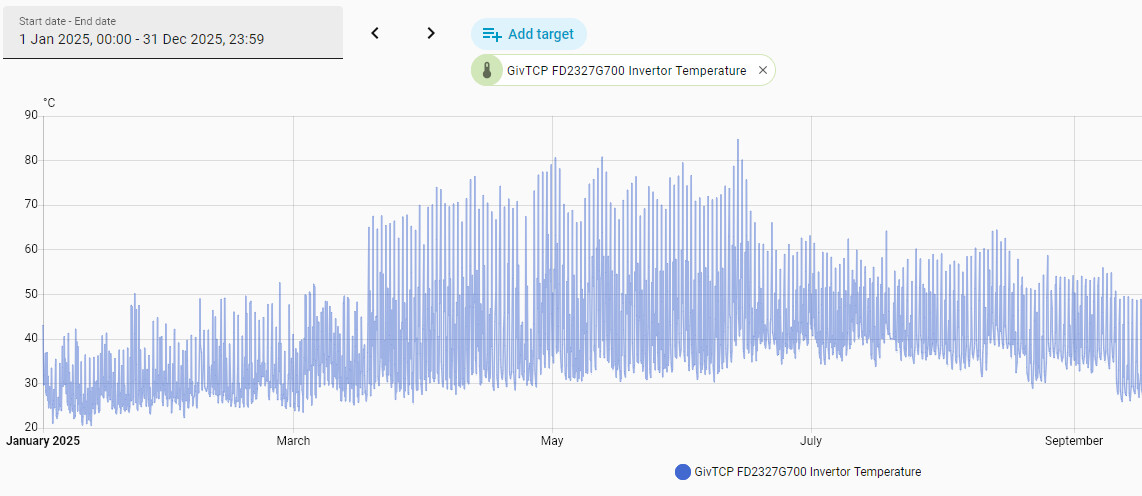
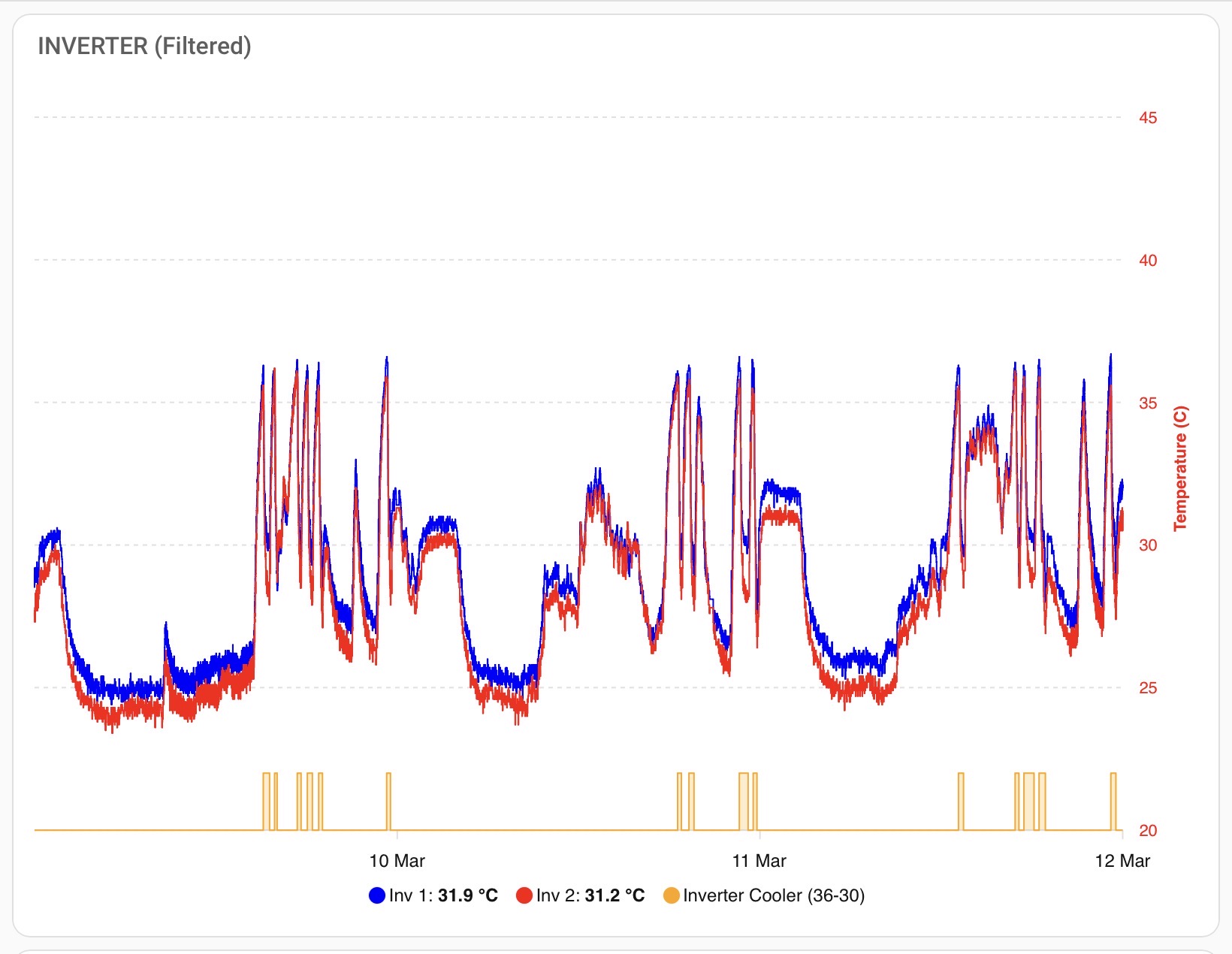
the TL/DR for those that are wondering what we are talking about, the GivEnergy inverters don’t have any active cooling and as a result can get too hot in the summer both from ambient temperature and the heat energy created from peak solar DC to AC conversion. Fitting computer PC fans to the bottom of the inverters, either with a time switch or temperature sensor (as we have done in Home Assistant) can reduce the temperatures down to more sensible levels
I did think about that, and it would be the easiest way as I do have a very long SDS drill bit that I could start it off with but there’s a waterproof membrane beneath my concrete garage floor and after that it wouldn’t be waterproof any more.
I’m going to have to take the earth wire outside through the garage wall and lift a flag next to the garage and install it under there. Seeing as I’m going to have to drill through the garage wall anyway I will put a second EPS socket (Waterproof) on the outside wall of the garage, It will be easier to run an extension lead from there if it ever needs to be used in anger.
So now you lot have got me worrying about high temps !!!
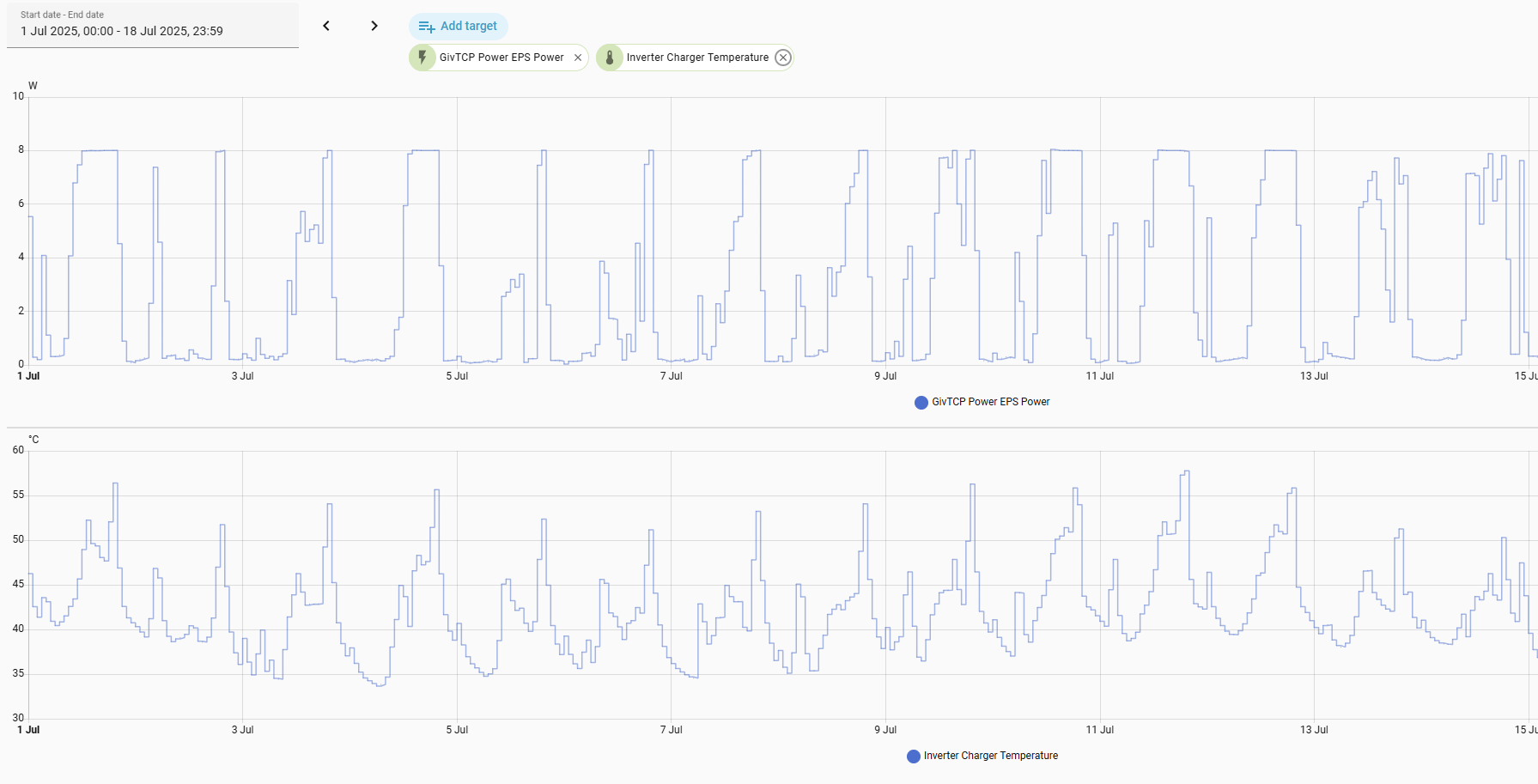
Just had a look at my logs on the portal and I had probably the best solar day this year so far, peaked at 2.4 kw of solar, all being consumed / sent to the grid. My inverter got up to 29 Deg C in my nice cold garage that’s probably about 6 or 7 degrees air temp in there at the moment.
Charging the batteries last night on cheap tariff, it got up to 40 degrees.
So I take it the theory is that the inverters will last longer and be more reliable if they run cooler then ? It makes sense to me.
Any tips for some suitable thermostatically controlled fans ? I’m not going to go down the HA route, I like to keep things as simple as possible.
you really want to keep the inverter temperature at no more than 40 degrees if you can. In the past Givenergy have confirmed that this will prolong the life of the equipment, they are tested to higher temperatures but if they do start to get too hot then they will shutdown solar conversion which isn’t what you want
even as simple as a fan heater (heater not on) on a time switch will do the job, blowing air up the back of the inverter
more sophisticated with a temperature probe
I’m fairly sure you can find something suitable on amazon.
It’s actually ambient temperature that should be kept below 40 degrees, which can be a challenge in lofts or direct sunlight. The inverters themselves are rated up to 60 degrees, but I wouldn’t want to see mine go above 50 degrees, as performance is de-rated beyond this point. Nothing to worry about if temperature of the heatsink exceeds 40 degrees. This is quite normal.
Me? I have HA controlled fans on my inverters (bottom, blowing upwards) and HA controlled heat mats under my batteries. Fans come on at 36 degrees and go off at 30, meaning that they can be on for long periods in summer, but they only draw a few Watts. I wouldn’t say that they are essential or that anyone should worry if they don’t have them, but they certainly give peace of mind.