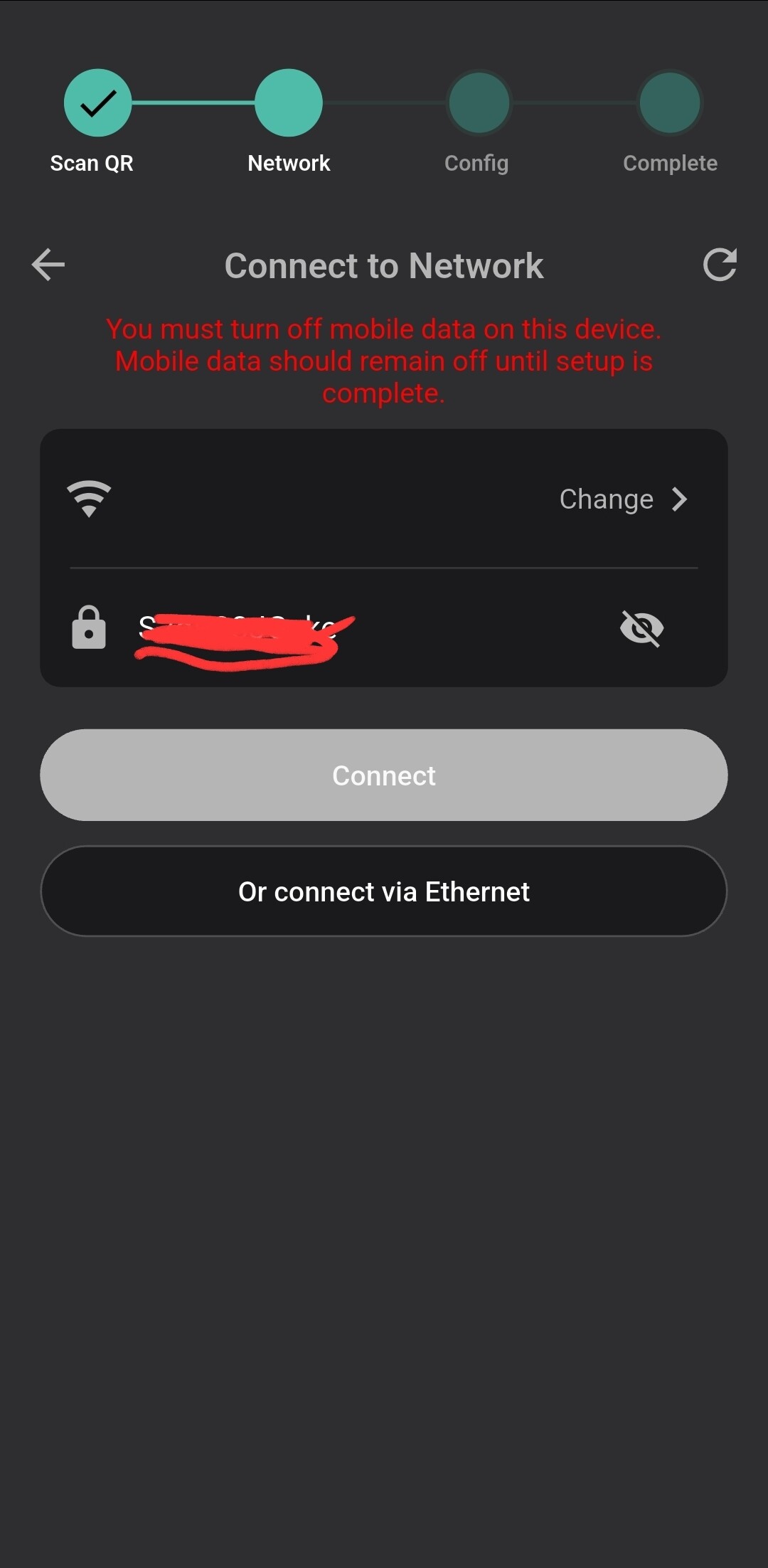
I am attempting to install a GIV-EV-7.2 and have got as far as the screen in the app where it’s asks for the home WiFi details but there’s no way to type in the top box (I assume for SSID) and when I enter the WPA key for the network that is currently selected on my phone, the connect button remains greyed. I must be doing something wrong …does anyone know what?
From the screenshot, the Connect button is disabled (greyed out), and the app is displaying this message:
“You must turn off mobile data on this device. Mobile data should remain off until setup is complete.”
The most likely reason you cannot continue is that mobile data is still enabled on your phone.
Try the following:
Turn Mobile Data completely OFF.
If your phone has Wi‑Fi Assist / Smart Network Switch / Mobile Data Fallback, disable that as well.
Keep your phone connected to your home Wi‑Fi network.
Return to the setup screen and tap the refresh icon in the top-right corner.
Check that both:
the Wi‑Fi network name (SSID) is selected,
the Wi‑Fi password has been entered correctly.
Make sure the app is updated to the latest version.
If the Connect button remains greyed out after mobile data is disabled, try tapping Change > and reselecting your home Wi‑Fi network, then re-enter the password.
Update…I never managed to solve the issue with the greyed connect button in the app but have managed to connect the EVC with a cable so as to access the web interface on 192.168.4.1.
Having done that I was able to set the WiFi connection manually, save it and restart.
I then went to the GivEnergy cloud page in the browser and inserted the serial number there, and it seems to have “claimed” the charger which is, so far, behaving as expected.
Thanks for the reply Doodo. All worked out, I think.