Hi, I have a PV system with AIO and GE Gateway (18 months old). Just had a GE EVC installed with hardwire to router and power connection to the gateway. Also just moved to Octopus GO tariff so have charged both AIO and car in the overnight period - charging works OK.
But I want to reduce the charge rate, for the AIO, from 6kW to 4kW as I now have a 5 hour ‘window’. Each time I change the AIO charge rate from 6 to 4kW the “EV Charger” automatically changes it back to 6kW (within a few minutes)?
I suspect (hope?) there is a simple configuration setting, currently all left in default accept EV mode set to ‘hybrid’.
A solution would be appreciated…
2 Likes
Hi yah, how are you setting these values please? I am guessing within the GE cloud?
Using the GE app (Dashboard/Settings/Battery Settings) to set the "4k"charge level, then checking on the GE Cloud/Remote Control/Logs to see my change promptly changed back by “GE Charger (server)” …
1 Like
Set this value to 67% 2/3 power (Inverter Charge Power Cap)
Which applies only to AC Charge from grid (Schedule)
This register is not messed with by automation
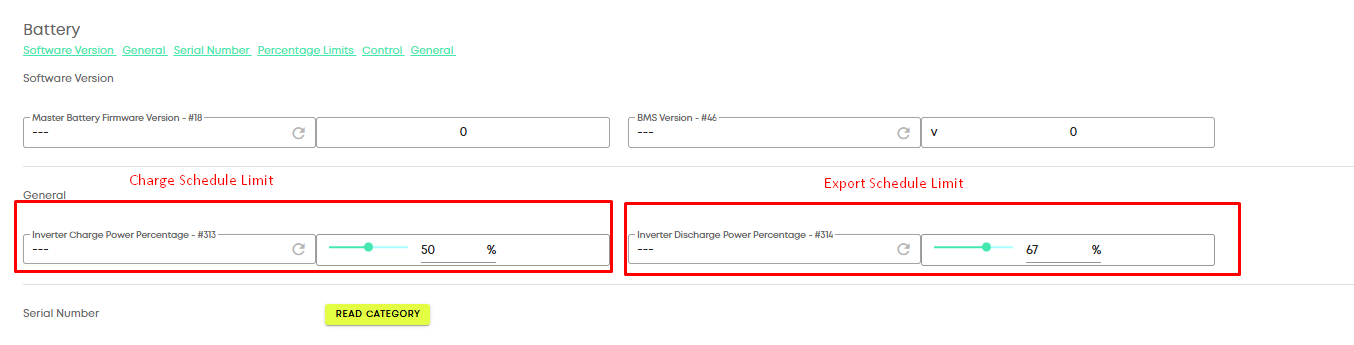
These are not in the APP. These are only in the portal
The EVC Automations can change the battery power all it likes, but this limit will overide it in an AC Schedule
2 Likes
Thank you Paul was just about to say the same, you beat me to it again 

1 Like
Thankyou both for a very speedy and effective solution. The overnight charge of the AIO was at the desired ‘reduced’ value.
The next overnight charging session will be for both the AIO and the EVC.
Hope you both have an enjoyable and peaceful Christmas.
2 Likes
I had this same issue with my hybrid inverter and EV charger last year. Good to know for when next summer comes around! 
1 Like
How did you get to that battery screen? I’ve got the same issue with charge rates since the app ‘update’ & while I can set both charge & discharge rates n the app, it resets itself to zero!
I’ve tried the portal but simply can’t find a screen or option to alter the charge/discharge rates.
1 Like
Hopefully these notes will help…
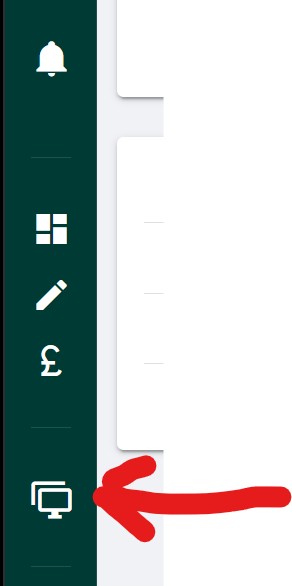
- From the Portal, select from the main menu on LHS “My Inverters”…
- From the list of inverters, select the “cog” symbol (re. Remote Control)…
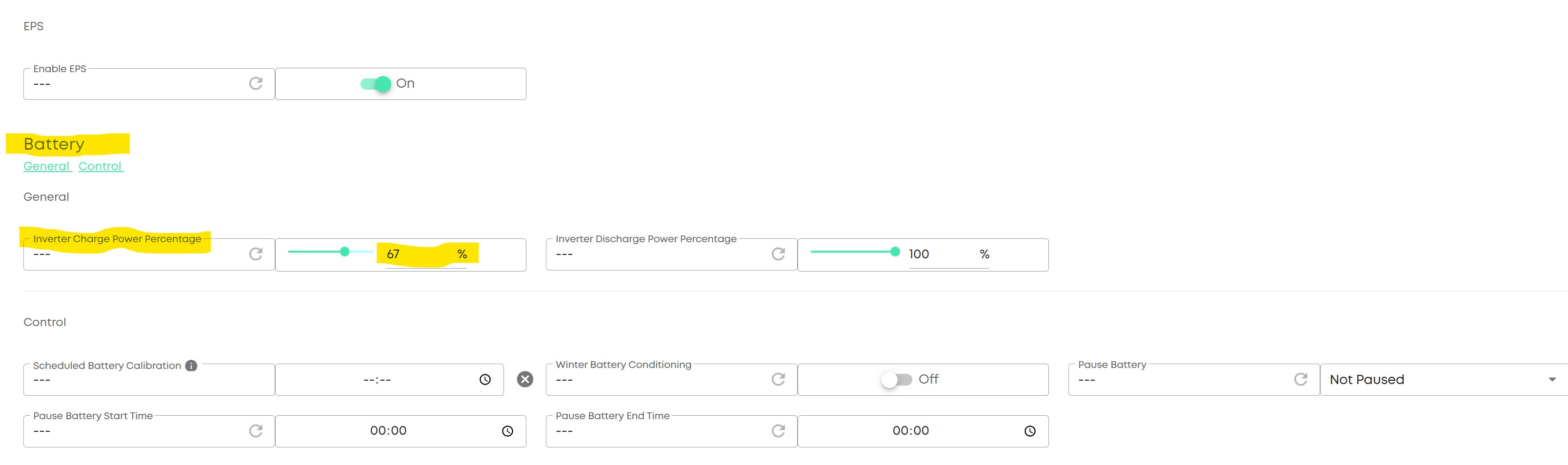
- Page down till you find the “Battery” section (of ‘registry’ values)…
- Change the value for “Inverter Power Charge Percentage” to an appropriate lower % eg 4kW is approx 67% of maximum of 6kW, so input 67% then click on the large black ‘arrow’ that appears - this will write the new value to the registry… hopefully!

1 Like
ISSUE: AIO discharge rate is not reset to its normal (6 kW) value on completion of an overnight charge?
Not sure if this is a related issue or a total different issue - but a solution would be appreciated…
Initial ‘overnight’ (Octopus Go tariff) appeared to work ie. the AIO discharge rate was reset to its normal value of 6kW. But the last two overnight charges have left the ‘battery discharge rate’ at some (meaningless?) small value (639 watts). After the first failure I manually (cloud, remote control) reset the discharge rate and it was accepted. But today it appeared to need an EVC power off/on before the normal (6kW) value was accepted…?