Has anyone integrated GivEnergy equipment in to Home Assistant?
I have a friend that uses Home Assistant installed on a Raspberry pi to monitor and control all elements of a mixed solar/battery/EV installation. It seems like a great way to have a overview but also seems suitable to provide additional control.
1 Like
Yes, lots of us have.
If you’re a beginner to all this, the videos by Speak to the Geek (YouTube channel) are a good place to start.
2 Likes
100% yes…
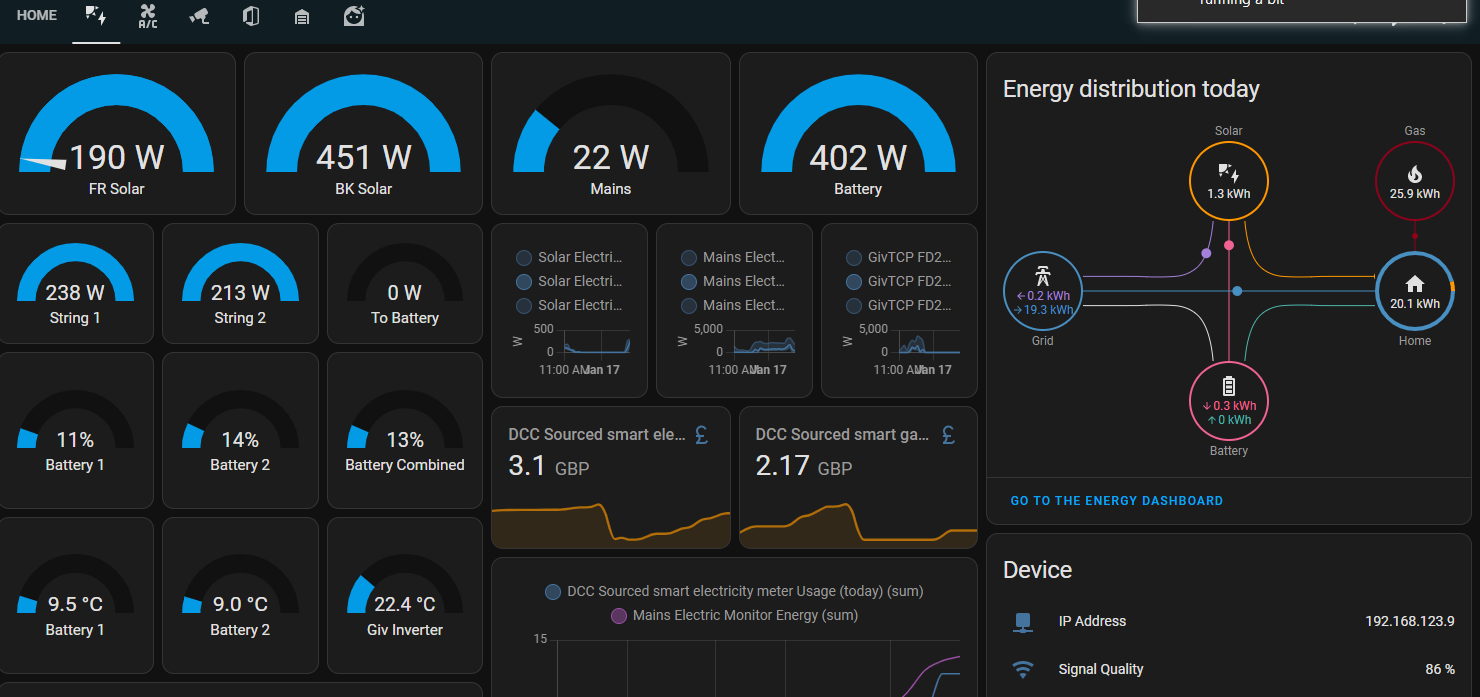
I have 2 solar arrays… 1 Givenergy + Batteries, and the other an older Solis installation… Home assistant monitors it all.
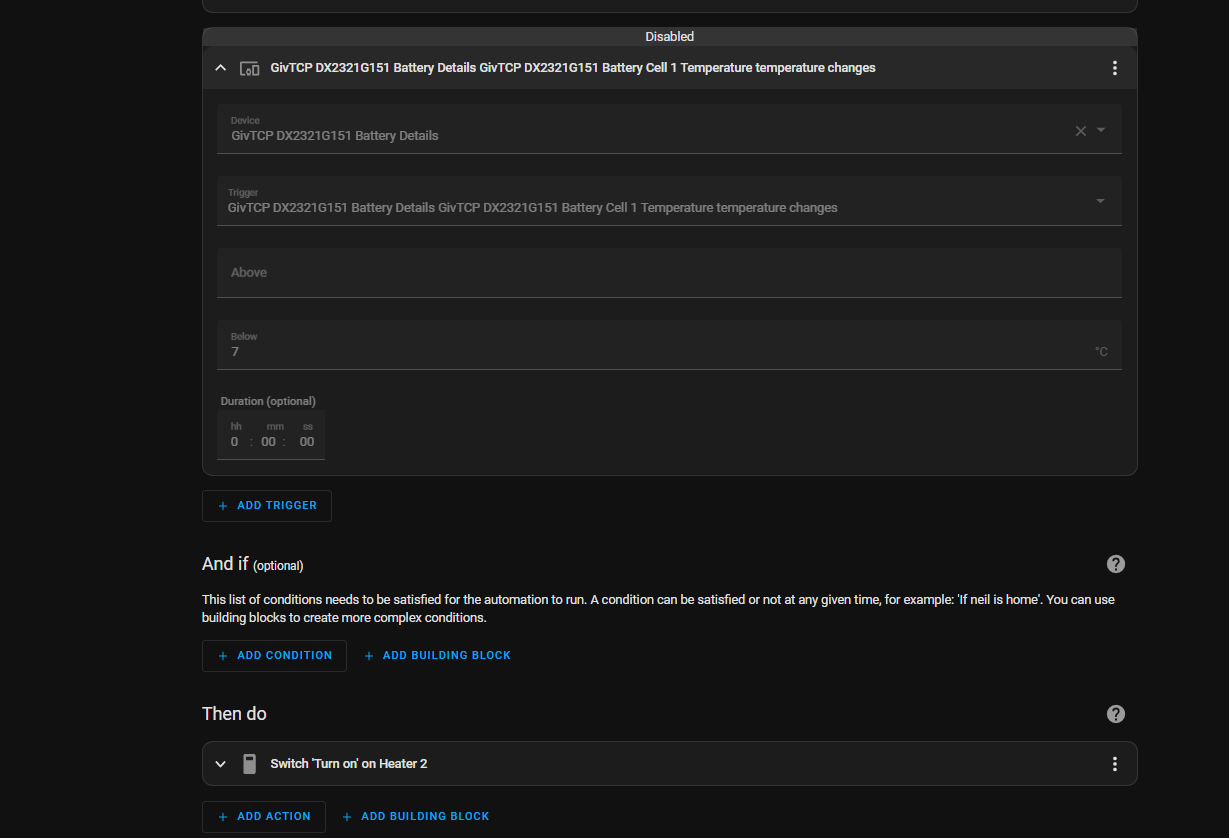
My Givenergy stuff was only installed 4 weeks ago and I have 2 x 9KW batteries installed on the outside of the house… what was really simple to do was setup an automation that monitors the temperature of the batteries and if it gets 2 cold I installed heating pipes below them that turn on.
Home automation is the way forward - and also the information you get in 1 dashboard is awesome !!!
4 Likes

Hi yah, I know this is an old post, but just incase you wanted to share or go down the HA and Predbat route (I have just done this), here are a few links to get you started.
Then join this group
1 Like
Hi Dave. Fellow predbat user here. Your links didn’t work for me unfortunately. Could you repost them?
(I went down the predbat route as I found the octopus givenergy automation rubbish. I’m now with tomato and I’m really happy with predbat running my battery. Apart from yesterday when it stopped and it turned out an update meant predbat needed a key to communicate with home assistant, that it didn’t need before).
2 Likes
Hi yah, I just tested the links and they all work. They take you to the GE Thread which is different to the GE community-beta thread.
Try this one to the main thread.
https://community.givenergy.cloud/d/4954-how-to-use-predbat-from-scratch/171
1 Like
That page still doesn’t work:) I was curious to understand predbat too as I just went to a intensive learning curve on HA and Automation, made a post about it.
2 Likes
Think it’s because you have not signed up to the other community. The link works and goes to the correct Post if your signed up 
1 Like
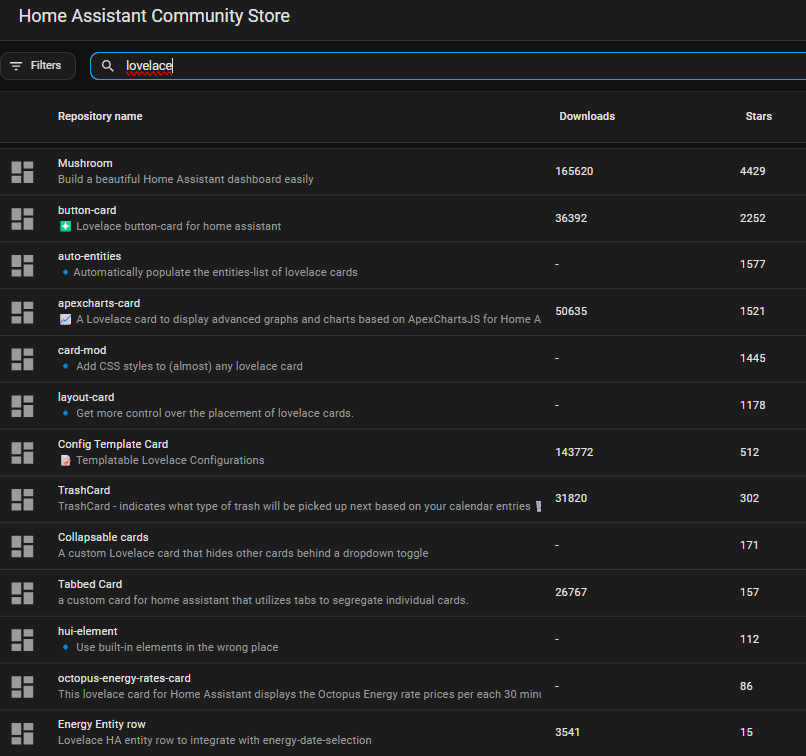
Can I ask how you got the nice meter display-my display is just numbers and line chart
1 Like
You might also need to install HACS and install one of the lovelace enhancements ( not sure which one as have had it in place for ages )
But here is my YAML for the dashboard, just find anything that starts with <Your and replace the details with yours. I also have a few Sensors you don’t have so see how you go.
type: sections
max_columns: 4
title: Solar
path: solar
icon: mdi:solar-power
sections:
-
type: grid
cards:- square: true
type: grid
cards:- type: gauge
entity: sensor.solar_electric_monitor_power
name: FR Solar - type: gauge
entity: sensor.givtcp__pv_power
name: BK Solar - type: gauge
entity: sensor.solar_total
- type: gauge
- square: true
type: grid
cards:- type: gauge
entity: sensor.givtcp__pv_power_string_1
name: String 1 - type: gauge
entity: sensor.givtcp__pv_power_string_2
name: String 2 - type: gauge
entity: sensor.givtcp__solar_to_battery
name: To Battery
- type: gauge
- square: true
-
type: grid
cards:- square: true
type: grid
cards:- type: gauge
entity: sensor.givtcp__solar_to_house
name: Solar to House
needle: false - type: gauge
entity: sensor.givtcp__discharge_power
name: Battery Usage
needle: false
max: 4000 - type: gauge
entity: sensor.energymon_01_power_ab
name: Mains Monitor
max: 10000
min: -10000
needle: true
- type: gauge
- square: true
type: grid
cards:- type: gauge
entity: sensor.givtcp__battery_soc
name: Battery 1
needle: false - type: gauge
entity: sensor.givtcp__battery_soc
name: Battery 2 - type: gauge
entity: sensor.givtcp__soc
name: "Battery Combined "
- type: gauge
- square: true
-
type: grid
cards:- square: true
type: grid
cards:- type: gauge
entity: sensor.givtcp__invertor_temperature
name: GivEnergy Inverter - type: gauge
entity: sensor.solis_temperature
name: Solis Inverter
- type: gauge
- square: true
type: grid
cards:- type: gauge
entity: sensor.givtcp__battery_temperature
name: Battery 1 - type: gauge
entity: sensor.givtcp__battery_temperature
name: Battery 2
needle: false
- type: gauge
- square: true
-
type: grid
cards:- type: horizontal-stack
cards:- graph: none
hours_to_show: 24
type: sensor
detail: 2
icon: mdi:currency-gbp
entity: >-
sensor.octopus_energy_electricity_<Your_Octopus_Elec_Details>_previous_accumulative_cost
name: Elec Cost Yesterday - graph: none
hours_to_show: 24
type: sensor
entity: >-
sensor.octopus_energy_gas_<Your_Octopus_Gas_Details>_previous_accumulative_cost
detail: 2
icon: mdi:currency-gbp
name: Gas Cost Yesterday
- graph: none
- type: horizontal-stack
cards:- graph: none
hours_to_show: 24
type: sensor
detail: 2
icon: mdi:currency-gbp
entity: >-
sensor.octopus_energy_electricity_<Your_Octopus_Export_Details>_export_previous_accumulative_cost
name: Exported Yesterday - graph: none
hours_to_show: 24
type: sensor
detail: 2
icon: mdi:currency-gbp
entity: sensor.daily_energy_cost
- graph: none
- show_current: false
show_forecast: true
type: weather-forecast
entity: weather.home
forecast_type: hourly
forecast_slots: 6
- type: horizontal-stack
-
type: grid
cards:- type: grid
cards:- type: gauge
entity: sensor.iboost_import
name: iBoost Mains Monitor
max: 6000
min: -6000 - type: gauge
entity: sensor.iboost_power
name: iBoost Diverting - type: gauge
entity: sensor.iboost_boost_time_remaining
name: Boost Remain
needle: false
- type: gauge
- type: entities
entities:- entity: button.iboost_manual_boost_cancel
- entity: button.iboost_manual_boost_start
- entity: sensor.iboost_mode
- entity: number.iboost_manual_boost_time
- graph: line
type: sensor
entity: sensor.sonoff_1002180e38_temperature
detail: 1
hours_to_show: 12
limits:
max: 65
min: 0
grid_options:
columns: 12
rows: 2
- type: grid
-
type: grid
cards:- type: entities
entities:- entity: sensor.solcast_pv_forecast_forecast_today
name: PV Forecast today - entity: sensor.predbat_pv_tomorrow
- entity: sensor.solcast_pv_forecast_forecast_day_3
name: Forecast in 3 days - entity: sensor.solcast_pv_forecast_forecast_day_4
name: Forecast in 4 days - entity: sensor.solcast_pv_forecast_forecast_day_5
name: Forecast in 5 days
- entity: sensor.solcast_pv_forecast_forecast_today
- type: entities
-
type: grid
cards:- show_current: false
show_forecast: true
type: weather-forecast
entity: weather.home
forecast_type: daily - title: Energy distribution today
type: energy-distribution
link_dashboard: true - type: custom:power-flow-card-plus
entities:
battery:
state_of_charge: sensor.givtcp_soc
entity:
consumption: sensor.givtcpbattery_discharge_energy_total_kwh
production: sensor.givtcpbattery_charge_energy_total_kwh
grid:
entity: sensor.mains_meter
secondary_info: {}
solar:
entity: sensor.total_solar_daily_kwh
display_zero_state: true
secondary_info:
decimals: 0
color_value: false
color_icon: false
invert_state: false
individual:
- entity: sensor.myenergi_zappi_energy_used_today
secondary_info: {}
clickable_entities: true
display_zero_lines: true
use_new_flow_rate_model: true
w_decimals: 0
kw_decimals: 1
min_flow_rate: 0.75
max_flow_rate: 6
max_expected_power: 2000
min_expected_power: 0.01
watt_threshold: 1000
transparency_zero_lines: 0
sort_individual_devices: false - type: custom:power-flow-card-plus
entities:
home:
entity: sensor.home_consumption
color_icon: solar
fossil_fuel_percentage:
entity: sensor.fossil_fuel_percentage
icon: mdi:pine-tree
color_icon: true
display_zero: true
name: Non Fossil
state_type: power
grid:
icon: mdi:ab-testing
name: Provider
entity:
production: sensor.grid_production
consumption: sensor.grid_consumption
solar:
icon: mdi:solar-panel-large
entity: sensor.solar_production
battery:
name: Bateria
icon: mdi:bat
entity:
consumption: sensor.battery_consumption
production: sensor.battery_production
individual:
- entity: sensor.car_power
icon: mdi:car-electric
color: “#80b8ff”
name: Denim Flash
color_icon: false
- entity: sensor.motorbike_power
name: Qivi
color_icon: true
display_zero: true
color: “#ff8080”
icon: mdi:motorbike-electric
w_decimals: 0
kw_decimals: 2
min_flow_rate: 0.9
max_flow_rate: 6
watt_threshold: 10000
clickable_entities: true
title: Power Flow Card Plus
- show_current: false
-
type: grid
cards:- type: heading
heading: zappi- - type: tile
entity: sensor.myenergi_zappi__plug_status - type: tile
entity: sensor.myenergi_zappi__status - type: tile
entity: select.myenergi_zappi__charge_mode - type: tile
entity: sensor.myenergi_zappi__pwm - type: tile
entity: binary_sensor.myenergi_zappi__update_available
cards:
header:
layout: center
badges_position: top
badges_wrap: scroll
- type: heading
2 Likes
OK, so I gave up trying to make any sense of those links, there are hundreds and hundreds of of pages, it’s exactly how someone send me this long winded email chain, asking me to do what’s requested in there, and I have to read 30 e-mails to get to the bit I am supposed to do. If only the sender would have just asked me the relevant stuff, I could have saved so much time.
I will try and look for a simple guide to get Predbat going, but my setup is simple, OIF which I was fighting but then just gave up and let it do its thing, so no need for predbat, and in winter, due to heat pump I use Cosy. I don’t think Agile would do me any good. I had a look at their rates, and besides very few times when they were paying you to use electricity, I don’t think it would have been better. Last time one of my friends was on - cost, it was so sunny outside, his solar panels were providing free energy anyhow.
Still experimenting, so made a lot more automations and things, also trying to work out and decode Samsun’s API for the Heat Pump (which I did but found out for whatever reason I needed a new API Keys every few days in order for the system to function, so I gave up on that too, besides the information through the Samsung API was the same as the SmartThings Integration, which also requires deleting and re-adding every now and then).
there are comprehensive installation instructions for predbat, and as long as you have some basic familiarity with Home Assistant you should be OK.
I’ve been using predbat for 2 years now, initially on Flux, then Agile for 15 months, then Cosy. Was on Agile this summer and now Cosy again for the winter as Agile rates are not consistently cheap any more
1 Like