The IOS app used to provide the facility to manually discharge, manually charge, and revert to normal operation. I can’t find it on the latest version of the app. Please let me know if this is still available somewhere. Thanks
This was the “Quick Settings” feature.
I think the easy way is to use your scheduling options. I keep slot 1 empty and then use that for any quick import or quick export.
Thanks, but I haven’t used that facility and don’t want to have anything go wrong!
Have you tried using the Battery Scheduler? This gives you the option to Buy (Import), Sell (Export) or Pause.
Thanks, but I haven’t because it’s just when I have surplus energy. In the early days I used the export schedule to export down to 20% but it then imported from the grid to maintain the battery at 20%.
By using the Battery Scheduler you can start an Export whenever you want. Just press on the Battery Scheduler time you want to export. If now press the House Icon with the arrow head beneath it until it says Sell then use the Apply button. The export will start immediately. If you want to export for more than the current 30 minute slot you will have to set the following icons as well. You can stop the export at any time by selecting the export slot until it says Use then press Apply. If you stop the export early make sure that you reset all the icons to use and press Apply.
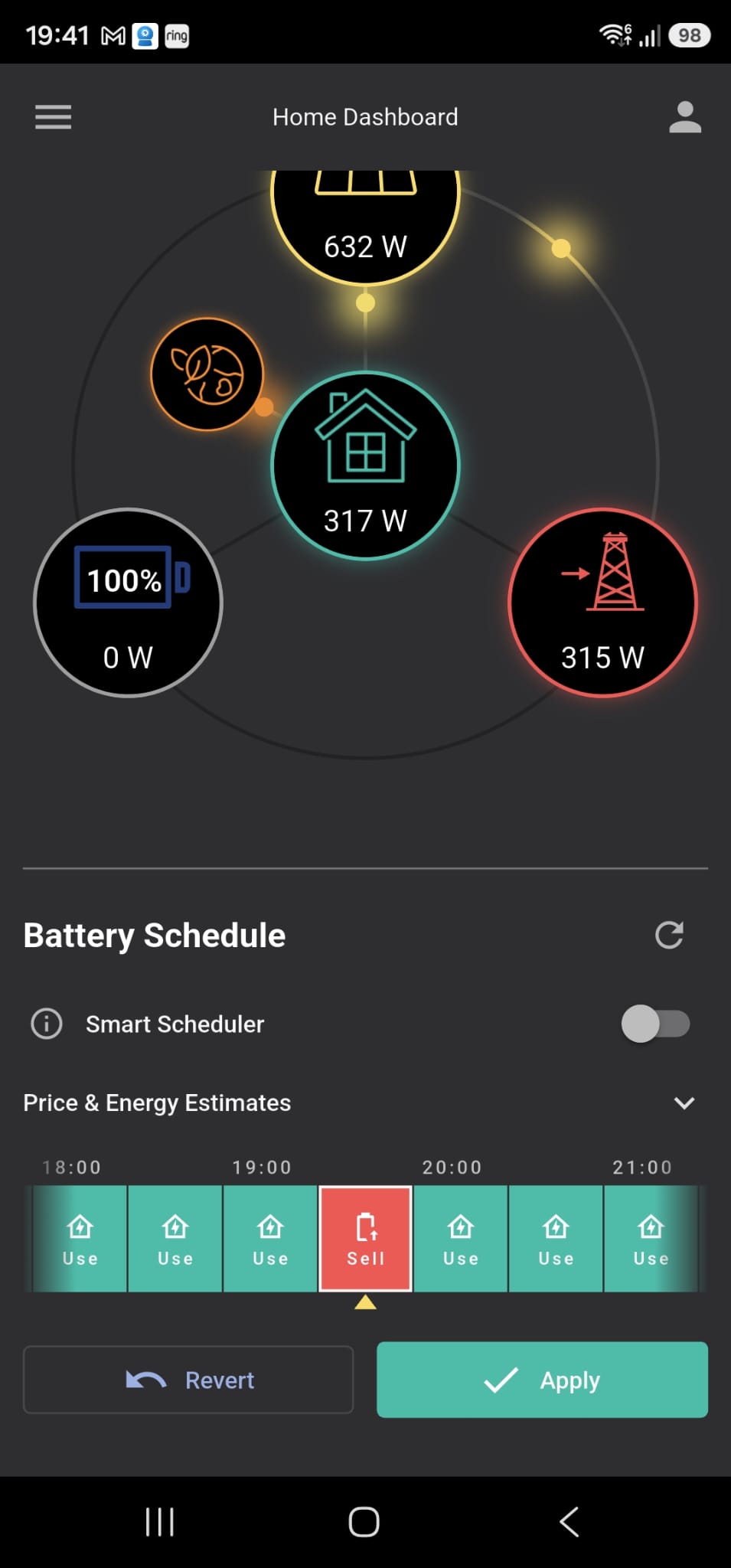
If you press the three line menu at the top left of the screen, this gives you a list of options. Near the bottom is Inverter Settings, using this you can set up timed charge and time export. However to get it to work properly you have to turn off the Smart Scheduler. Connect via cloud servers and turn off Smart Scheduler then disable the cloud server connection. Now timed charge and timed export when setup will remain and you can see it on the schedule. That is how I do it, I hope it helps.
Thanks, but the amount I have to export depends on the weather so it’s difficult to have a schedule. It’s such a shame that the “quick settings” feature has disappeared. That could be used to temporarily override the schedules without changing them.
You could try downloading the BBC Basic App by Richard Russell from the App Store or the Play Store.
There are also versions for the following:
Windows: https://bbcbasic.co.uk/inverter.exe
MacOS: https://bbcbasic.co.uk/inverter.dmg
Linux: https://bbcbasic.co.uk/inverter.zip
Raspberry Pi (32-bit): https://bbcbasic.co.uk/inverter-rpi.zip
Raspberry Pi (64-bit): https://bbcbasic.co.uk/inverter-rpi64.zip
Source code: https://www.bbcbasic.co.uk/inverter_source.html
It will need the IP address of your inverter. By pressing the left arrowhead twice you will get to this screen.
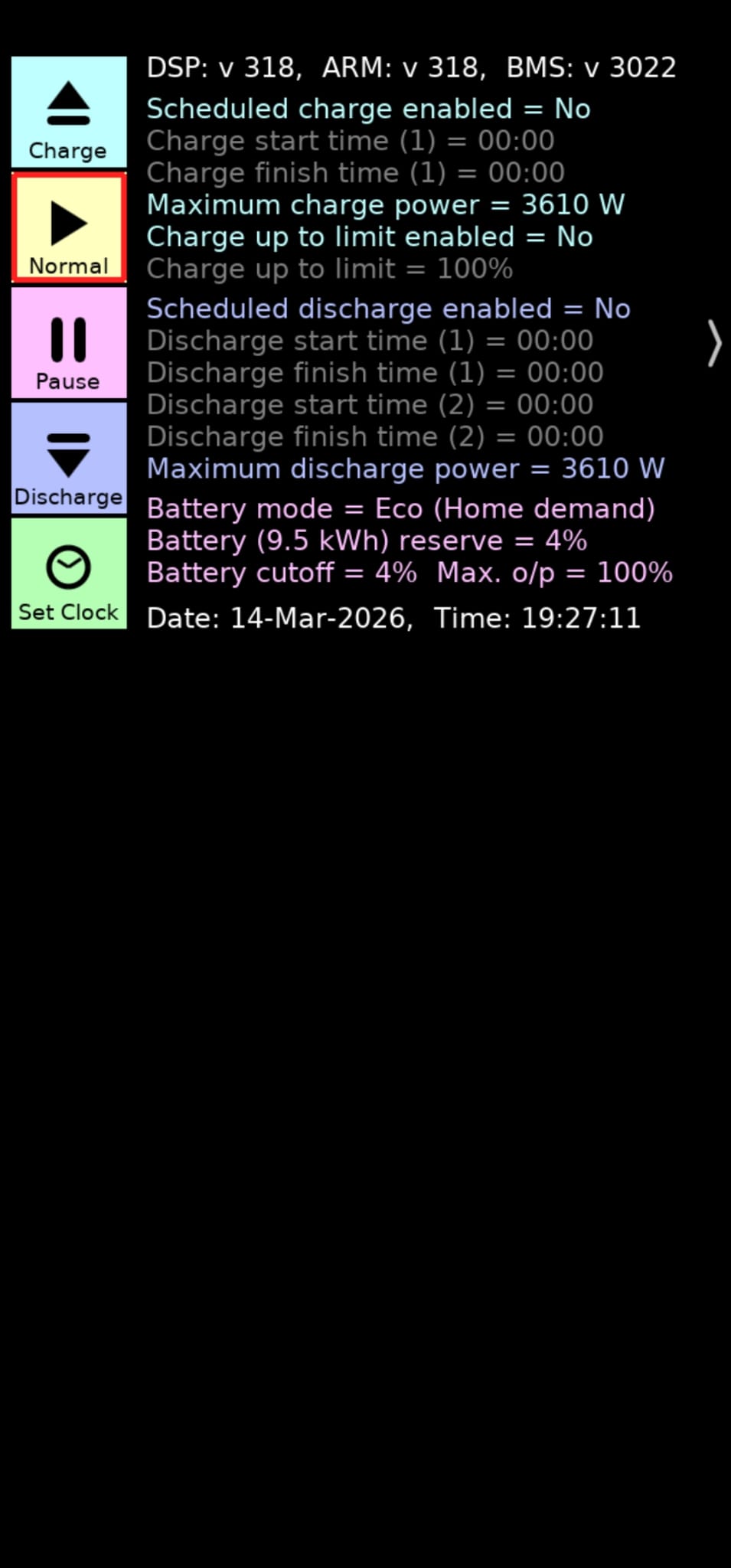
If you long press to the right of the Quick Settings options it will reveal more settings.
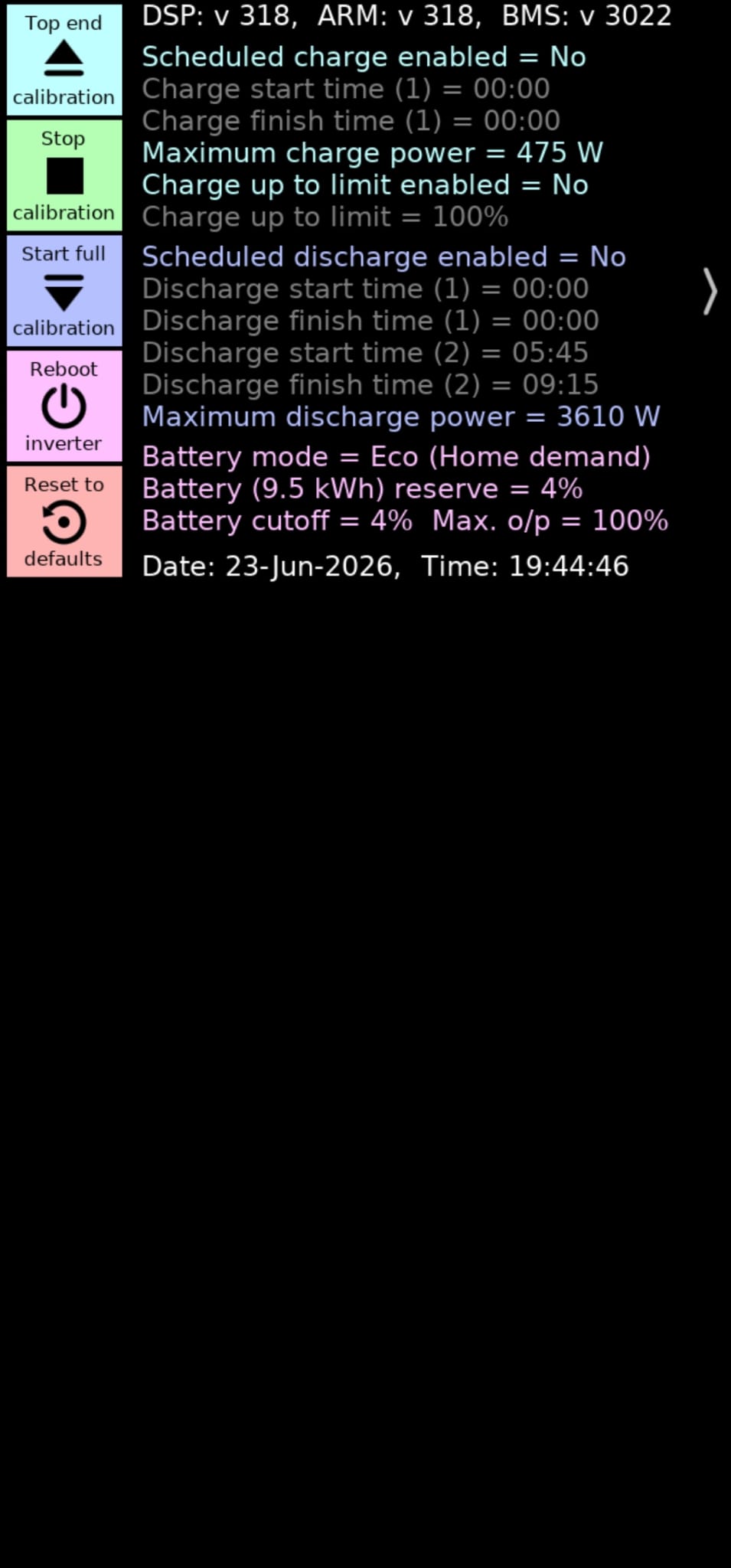
The app now has a Direct Control option. I don’t know how this works but it might be what you are looking for.
Thanks. I tried this and it seemed to work but last night it screwed up my inverter schedule so that the battery didn’t charge overnight.
On the latest version of the app, if you have the Battery Schedule enabled on the Home Dashboard, you should be able to scroll down and use the quick settings.