From another forum rather than experience:
Yes if fitted correctly (parallel) it looks like a singe 27.
Technically you could export to the grid at 12kWH but that is subject to getting the ‘upgrade’ approved. Internally you have 12 to use at will with short (30 sec) of 15.
I’ll be interested to see what you get quoted: my second AIO quote was so high I assumed the original installer didn’t want the job.
Thanks for the feedback. My interest is more with the charge rate and from what you are saying, that should be 12kw. We have 10.5kw of solar and I would rather use all of it to charge the batteries than export. Also, on the agile tariff, we get quite a few negative rate periods (the Highlands - we have so much RE, that the rates go very low as soon as it is a windy day).
I am still in extensive (and long running) discussion with the DNO. Even though we have a 5kw export permission, the network is constantly running at (average) 250v and trips the solar as soon as the grid goes above 253v (very often). Exporting just exacerbates the voltage issue.
Regarding the install cost, I do not see that it will be more than the original AIO. All the hard stuff has been done and it should just be a case of adding the second AIO and plugging it into the gateway. Our installer is quite responsive even though they are 90 odd miles away.
It should be about £6k for an additional one. As you say, just power connection to the original gateway, a network connection, either cable or WiFi to the internet. Then 2 network connections from the original AiO. One from Gateway out to Gateway in. The other from Parallel out to Parallel in.
They’re amazing. 12kW charge/discharge. Covers pretty much anything.
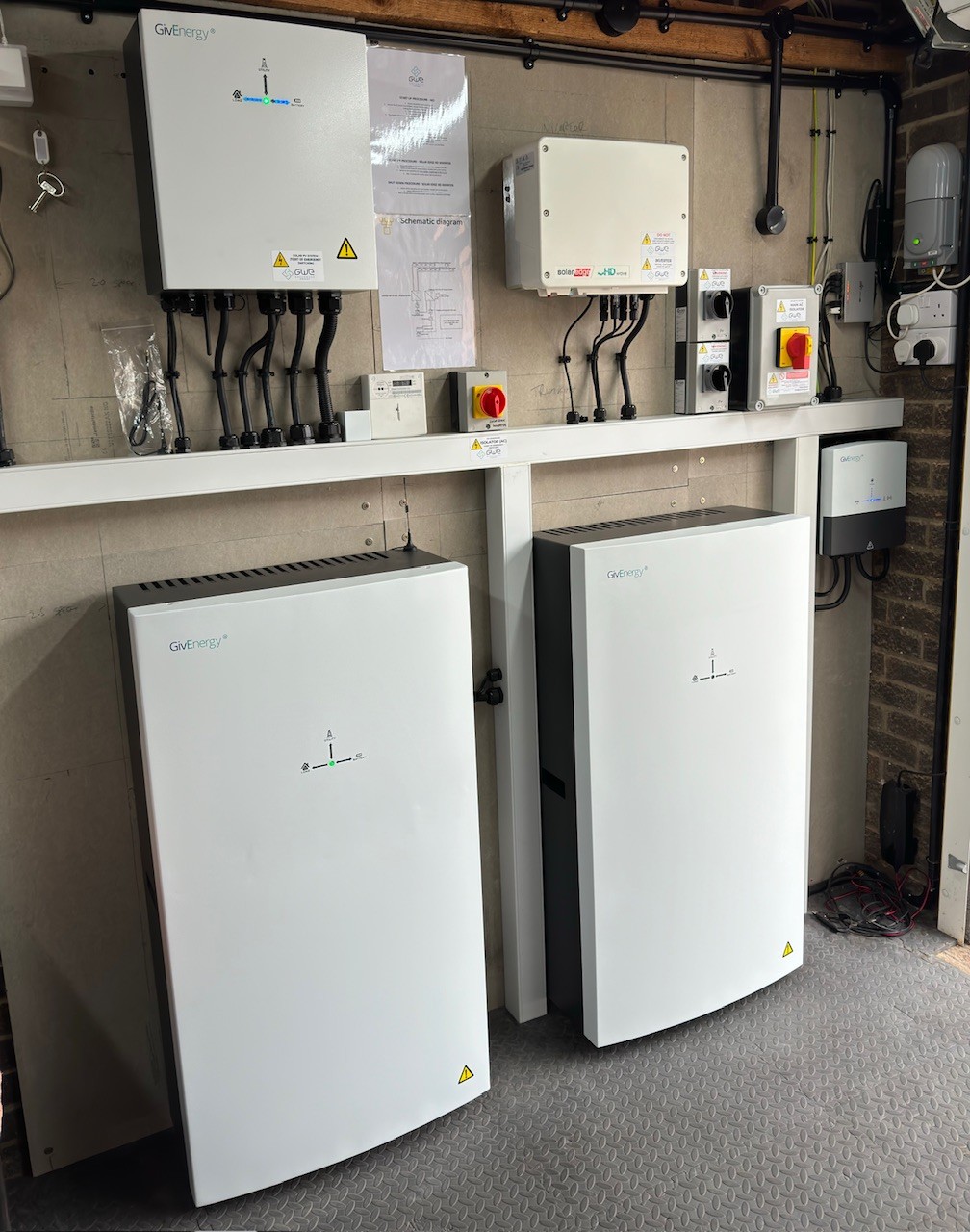
We had an additional AiO added in August this year.
Cost wise it was cheaper for the kit than the original as you don’t need the gateway.
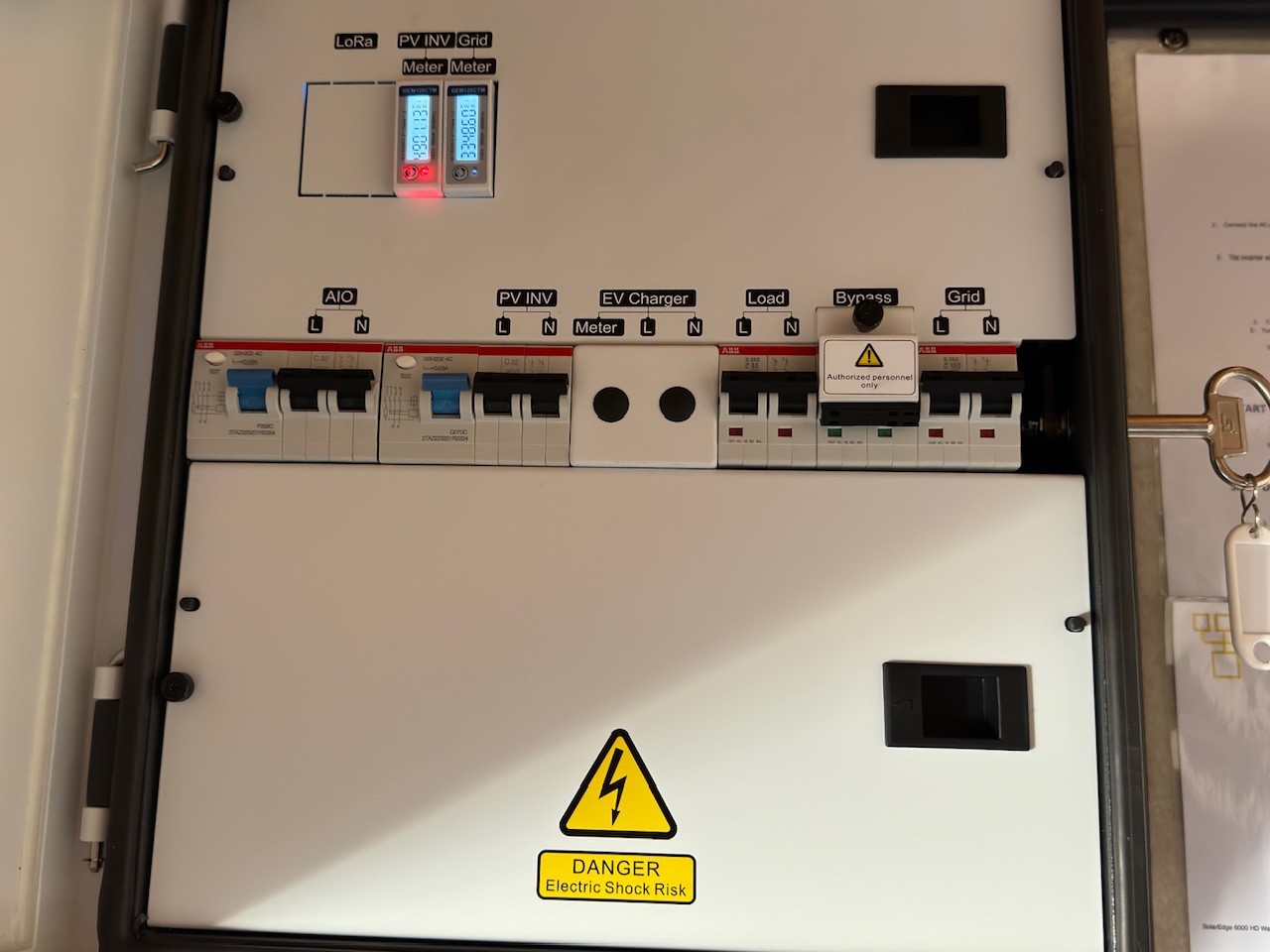
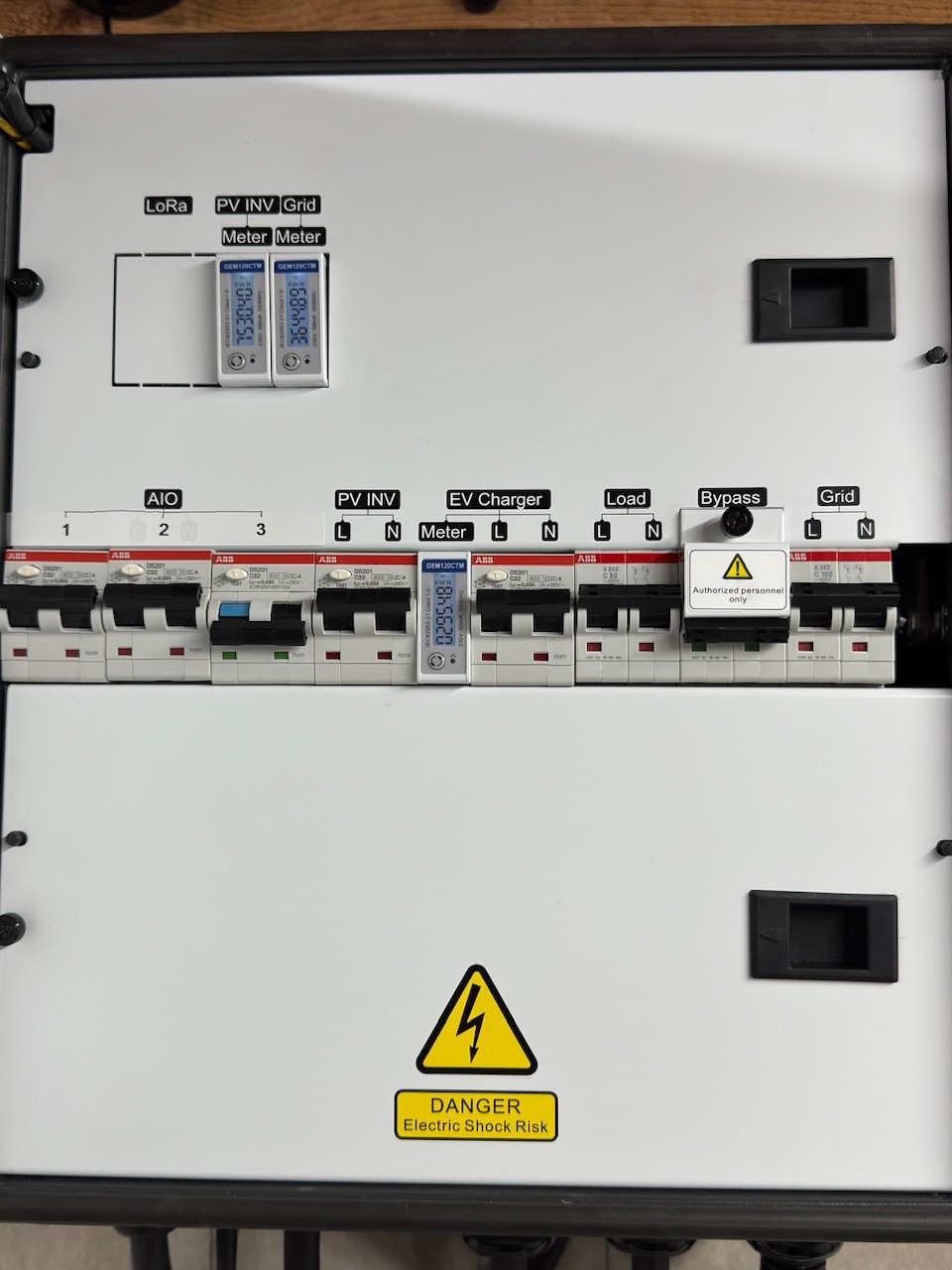
Only change to install was to change the AC isolator to a twin RCBO and obviously the additional cabling to the Gateway and Cat5 to the router. Took a few hours.
The only issues we’ve had has been that if you allow the full charge amount you come perilously close to your main fuse rating if you then run anything else major on your system. This was causing problems with the system and we now only charge at 50% of capacity, which is fine for us on IoG.
We had an issue with one or another of the RCBOs tripping when the system went into island mode which turned out to be earth leakage rates being too high for individual RCBOs as opposed to being spread over many in the consumer unit. Swapped the RCBOs for 100mA ones solved the problem. Not quite sure why Giv want RCBOs to isolate the AiOs from Gateway, but that’s what they told the installer.
Once installed the system looks as if it just has one battery on the App and Portal and you do all the settings through the Gateway, not the AiO. You also have to get old data through the cloud when using the App as Local view is not available at the moment.
Thank you very much for the information. Our meter is rated 100A so I would hope that the 12kW would not be an issue (we have definitely pulled a lot more than that during negative rate sessions on Octopus Agile*). Also, due to a slightly longer run to the grid supply, we have a doubled up supply cable to the house.
The main benefit will be being able to dump all of our solar generation into the battery without having to resort to exporting or finding another dump (hot water, car etc).
I have 2 X AIO’s Gateway and GE EV charger installed in March this year. The going rate for a second AIO installed is £6k-£6.25K. It’s a great system when working correctly but you can have problems if you are not careful. If you don’t use the full range of the batteries 10% to 100% at least weekly and 4 to 100% at least once a month you will suffer from SOC sync issues between batteries and very poor round trip statistics. I found out the hard way I left my batteries for 6 weeks or so during the summer just charging and discharging from solar. I then started to experience SOC collapse below 50% where one minute the SOC would be 50% then next it was as 35%. I contacted support and they had me do various export tests from 100 to 4% on the first test AIO1 was as 50% and AIO 2 was at 4% and the maximum exported was 19.5kWh rather than the expected 25kWh. Paul.L from GE R&D told me that on his dual AIO system he uses the full range once a week. These days I charge my baterries from about 8% to 100% daily. Since I started doing that my SOC % errors and SOC Sync between AIO’s have disappeared and a full discharge now exports between 25.5 and 25.4kWh.
The other issue with having Dual AIO’s is that because it has a Virtual 27kWh battery. The portal an API commands to specify a charge or discharge rate are not supported. These commands are used extensively in the GE EV software and as a consequence of this Dual AIO owners who also have the EV Charger cannot take advantage of the Solar and Hybrid options or the option to not discharge the house batteries when charging the EV.
I am glad now that I purchased a dual AIO system but be aware other than Paul.L NO ONE at GE support knows anything about Dual AIO’s so getting any useful support from GE is really difficult. I have open support tickets going all the way back to May.
I also noticed this same huge imbalance discharge SOC on a dual setup. Do you perform your full discharge/charge using the calibration setting or just manually run them down?
Regarding charge/discharge rates… There seems to have been a change where the charge/discharge rate can no longer be set in watts but now seems to have to be set with Inverter charge power percent and inverter discharge power percent, so 5000w is now set as = 42 (12000w x 42% = 5000w)
Hi yah, I have 2 x AIO, and a GE EVC, plus a SolarEdge PV all going to the GW. The reason I did this was because I was never going to have more than 2 or 3 AIO’s.
The other option is to have a CU with the AIO’s wired onto that (up to three).
So the first decision is what you would like. Once decided you can then instruct your installer to set it up correctly.
The next issue it RCD’s v RCBO’s. Loads of people have had issues with RCD,s. My installer recommended removing all the RCD’s in the GW and having RCBO’s. I went one further and had my home CU changed to RCBO”s and have had no issues.
The last thing to get right is for your installer to test the Backup and ensuring nothing trips, by isolating the Grid. I test this one every month’s now.
I wanted a hands off solution as I have got better things to do with my time than Micromanage a battery system. I import to 100% every day by 05:30 I then Pause charge the battery and send all solar generation to the grid. This fulfils house load and trickle charges the batteries at about 188 watts. I use Wonder Watt for scheduling and use a series of Export schedules that (search mr messy cheat sheet) depending on SOC% gradually exporting down to 8-10% by 23:30 where the daily cycle starts again. The Wonder Watt system is second to none and they were good enough to amend the scheduling system to use the Power Percentage Commands, so that dual AIO systems owners could take advantage of all the features offered. However, the percentages to Watts calculations that you mention become more complicated depending if your DNO limits your export for instance.
I have just thought of something which may be very important for you and you may need to do additional research. In a single AIO system the Gateway is passive, however in a Dual AIO system the Gateway controls the show and issues commands to the AIO’s. The Gateway has a maximum limit of 85amps. If you exceed this and trust me it is easy to do then the Gateway will crash (and it is a nightmare to get going again) If you load Gateway V13 Firmware an AIO Firmware AO68 then GE support can set a Limit on your Gateway mine is set at 80amps. This then works in conjunction with AIO firmware and the AIO’s automatically throttle any battery charging up and down to keep you within the Gateway limit that has been set.
So installing a second AIO is going to limit you to a maximum 80 amps or so, as all generation as well as house load and charging is effectively limited by the Gateway limit.
Thank you for the GE support limiting of the gateway. Yes, we have had issue with tripping the gateway due to load. Further complicated due to having Octopus Intelligent Go that constantly changes the schedule of when the car will charge. Having moved from an oil Aga to an electric Aga + and EV and charging the batteries, our big worry is the 100A main fuse hence we are scheduled to have three phase installed towards the end of January. The first thing will be to move the car charging to a different phase as we always charge the car and the battery at the reduced rates (7p/KWh) and export the solar (14p/KWh).
I will contact my installer re the Gateway limit to auto throttle the battery charging. Great tip thanks. PS, do you know the Gateway setting that needs to be set by name (to avoid any communication confusion).
Scroll down the page to Firmware > Batteries > AIO Complete
Download the package and extract it to a folder. The latest complete firmware for the AIO which includes Gateway Firmware V14 and AIO Firmware AO.620 are included as is the Dongle firmware.
Remember when upgrading the Gateway turn on the bypass before starting the upgrade and the house power will remain on when the Gateway reboots after the upgrade
if you didn’t know, 100A is not a hard limit for a house fuse in that the fuse blows at 101A (for example).
If you search, there are articles on this, the house fuse is a thermal fuse so it will blow when above 100A for an extended period of time. I can’t remember the times or the limits but you can exceed 100A for several hours or something like that