Hi there. I’ve had my AIO installed for about a year now and have been trying different Octopus tarrifs to try to get my bills down as low as possible. I recently changed to Octopus Flux as some calculations suggested it might be better than Agile that I was on. I set up new schedules, charging to 100% 2am-5am, charging to 100% 2pm-5pm (in case solar hasn’t topped up before peak window), timed export from 5pm-7pm to sell off excess to a min of 25%. I also have timed discharge set 5am to 2am. Eco is on. Probably not the best setup and maybe I’ve done something wrong, but I’m tinkering and still learning. Ever since I’ve done this, my 2am charging slot only ever charges for 30 minutes and then stops every night without fail and it only gets to around 21-22% meaning I don’t take advantage of the cheap window. Any ideas why this might be happening. I’ve tried changing/setting things up via the web portal and the app but nothing will make the nighttime slot go past 30 minutes? The daytime charging slot works for the full window. My installer doesn’t want to even acknowledge I exist and attempts to contact GE via WhatsApp have so far not got past “were busy”. Any ideas? Thanks
Hello, I had my AiO installed last December, so at similar time as you. What struck me about your post was that you have charging enabled between 2 am and 5 am, and you also have discharging enabled for the same time period. I am not at all sure that you can grid charge and force discharge the AiO (or any battery) at the same time. If you disable the discharging between 2 am and 5 am, then you would be able to see if the AiO will charge continuously during this time period.
My mistake, discharging is 5am until 2am.
I suggest you try one thing at a time rather than multiple charges and discharges
And also I would be very careful with setting charge / discharge % limits because they operate exactly as specified, which may not be what you want…..
If you discharge to a percentage SoC, e.g. 25% then as soon as the battery reaches that level the inverter stops discharging. But if it’s still within the discharge period (i.e. not reached the end time) then any house load will be satisfied by grid import (at peak rate).
I’d also look at what the import and export rates are carefully and work out the savings you are making when including 10-20% round trip conversion losses. You may find that the afternoon import actually costs you money. Especially if it extends into the 4-7pm peak rate on flux.
Here’s a thing that I discovered the other day, that I’m sure that not many people are aware of, and I suspect it is catching you out.
There is actually no such thing as a timed discharge with GivEnergy inverters!
A timed discharge setting of 5am to 2am actually results in a timed PAUSE of 2am to 5am. Try it yourself by changing the timed discharge settings on the settings menu and observing the changes to the pause timings on the remote control page.
So by setting a timed discharge of 5am to 2am and a timed charge of 2am to 5am, you are effectively pausing the inverter at the same time as you are charging it. Not sure why you are getting 30 minutes charge up until 2:30am as you report.
My advice would be to disable ALL discharge schedules, set Eco to ON and only use timed charge and timed export using the schedules of your choice. Also note, as others have stated that the use of target % results in the inverter pausing, which means that any house load must come from the grid.
In summary: Don’t use Timed Discharge, and use target % with care.
Thanks, thats really helpful. Will give it a try tonight and report back. I’ve removed discharge and for now export schedules and just left the two charging slots. Fingers crossed.
the issue was easy to spot
Charge slot 1 1400-1600 to 100%
charge slot 2 0200-0500 to 100%
charge slot 3 0230-0600 to 0%
So 0200 to 0230 slot 2 in play
0230, slot 3 comes ctive, but its target is 0%, so the SOC is already over this, so it stops charging
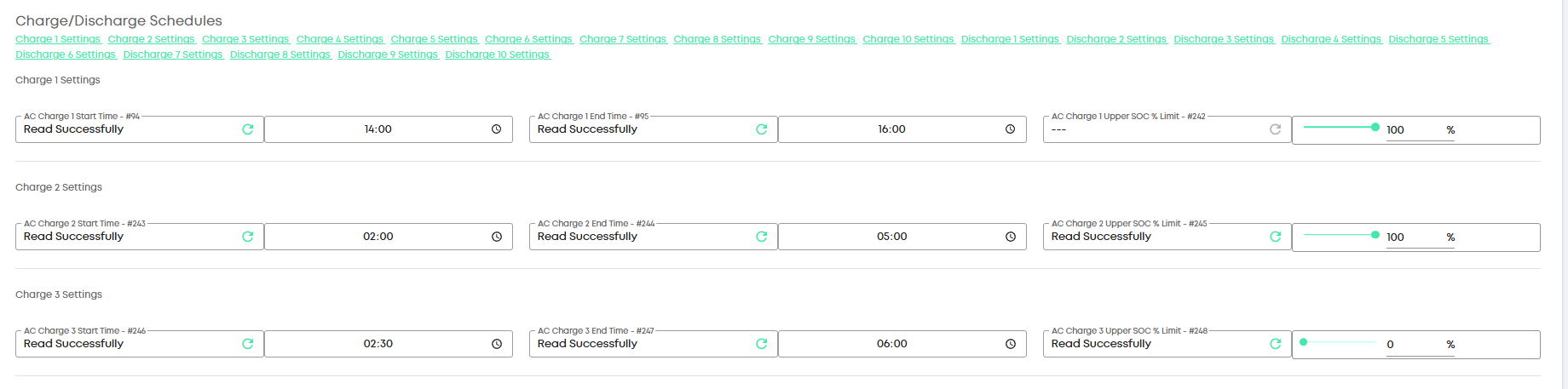
Slot 2 and 3 are conflicting
Thanks for this. I had factored in the conversion, but it seemed with export rate I have it was still worth it from the spreadsheet I pulled together, but maybe I’ll go check I didnt make a mistake given what you’ve said.
I’m absolutely certain this is not what was in either my app or the web portal until I’ve just looked again now. I checked the charging schedules multiple times over the past few weeks and have only ever had two? I did try setting up the smart tariff integration a while back and then turned it off as it didn’t behave as I’d have hoped and that might coincide with when it started playing up.. I assume you work for GE to be able to see that? Could it be something wasn’t coming through on my end until you poked it? There’s no way I missed a rogue schedule.
I do work for giv
You can yourself poke the inverter schedules too
if you hit the reload button on each.
Also, while on the portal version
update your firmware, its around a year old now
Thanks. Will do.
So have updated the firmware for both the battery and gateway (I have a SolarEdge inverter as it’s set up with panel monitoring). About 30 minutes after the update, the electrics went out but is probably coincidental as the battery circuit had tripped on the gateway. This has happened probably getting on for 10 times in a little over a year since installation. There’s nothing obvious going on. When my installer did respond to me, he spoke to GE and was told it might be earth leakage which they told me would be on the consumer unit side of things so was nothing to do with them. I’ve had the house side of things tested and no problems found. Could this be an issue with the gateway or do you have any ideas what else might be causing it or what to tell another electrician to look for? Thanks
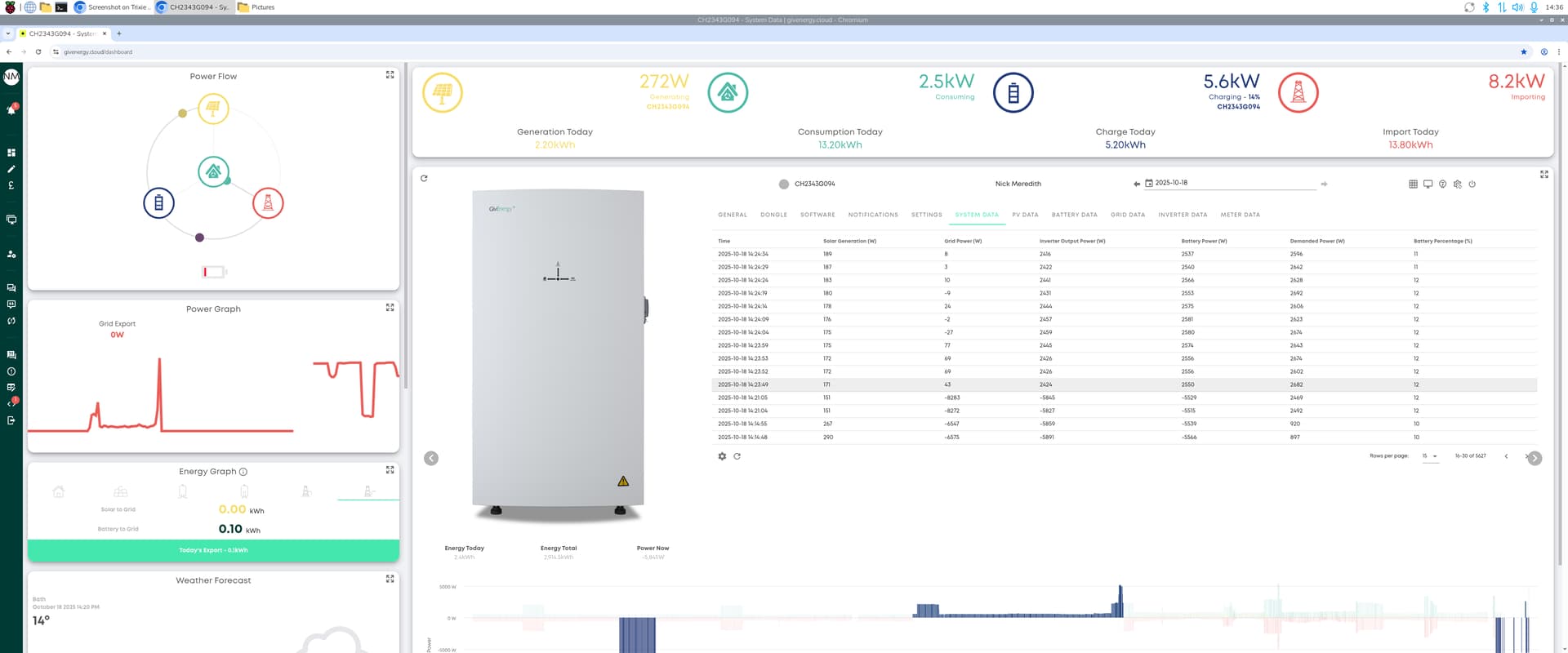
Updating the Firmware on the Gateway will drop power to the house for a few mins as the gateway reboots.
Your other trips, are likly to earth leakage. The RCD in the gateway is rated at 30mA
If your home itself has 30mA RCD or |RCBOs then the one on the gateway for the AIO can be upgraded to 100mA
Is there any way of keeping uninterrupted power to the house while updating the gateway? Put the gateway in bypass?