I had one AIO 13.5kw battery installed about 1.5 years ago that worked on cloud and locally. I have just had and additional 13.5 kw AIO installed in parallel. I stiil only have one Gateway ie the only additional item is the new battery. I now have no local communication after the installation of the new battery !
Can anyone advise me or tell me if this is normal?
Thanks
Hi I have two AIO’s and Gateway mine only works via the Cloud no local access with a Dual Setup.
Thank you.
I have asked GivEnergy if they are going to change this in the near future with new app software. Also asked if the Raspberry Pie / Home assistent would work. I like the option of been able to program my batteries independantly from the internet! Awaiting a rewply from them.
Home Assistant running on a Raspberry Pi (not edible) using GivTCP to talk to the gateway works perfectly with multi-AIO setups, lots of people using it.
Thanks for this Geoffrey.
The communication problem (Off line showing in the cloud) is now resolved. The Gateway AIO isolation had tripped; LIVE NEUTRAL !
I have a little knowledge of electrocics but may struggle setting the Raspberry Pie up. Where would I find more info on this and is there a ready made program to access the battery parameters or is that in the Gateway?
A setup of a Raspberry Pi, Home Assistant and GivTCP is relatively straight forward, but its not for everyone.
If all you want to do is to control your inverter locally then there is an excellent GivEnergy Inverter app on the android play store. Just search for givenergy. You can do basic setup on the app, and for a one-off £10 fee it unlocks all features including multiple charge slots, etc.
Just get a cheap Android device (phone/tablet), must be Android 5 or above, to run it
Iam looking for a solution that does not rely on the internet and I am not sure why but local control still appears to require the internet. I tried the basic function of this (the app you advised) after your advice and without paying the £10.
Does the raspberry pi need the internet, or just the router?
I dont really understand what local control on GivEnergy means if it still uses the internet like GivEnergy cloud?!
Local control is exactly what I said it is, its direct control on your home wifi to your inverter with no reliance nor communication over the internet.
There are at least 3 ways to get local control of a GivEnergy inverter:
- The Android app I mentioned by RubicCube
- The ‘BBC Basic’ Inverter app on both iOS and Android (shows inverter status and can charge/discharge the inverter, but not set times or anything else)
- Home Assistant running on a Raspberry Pi or similar with either the GivTCP or GivLocal addon
The GivEnergy app is NOT local control. All commands you issue on the GivEnergy app go via the GivEnergy portal to control the inverter. You can set the app to locally monitor your inverter, but commands go via the portal.
Just one thing to highlight, it is a condition of your GivEnergy warranty that the inverter is connected to the internet and the GivEnergy Portal.
Having local control is a useful backup and can run alongside the GivEnergy Portal/app.
Personally I use Home Assistant and GivTCP and the BBC Basic app. I never use the GivEnergy app and I don’t have an Android device so can’t use the RubikCube app
I have the same problem apparently Givenergy techs are working on a solution?
No mention of this when they sold me the 2nd AIO battery  funny that?
I think I may just order the Home assistant and Raspberry Pi and try setting it up.
Home Assistant is free. The Raspberry Pi isn’t! If you do go down the Pi route, please do buy an external hard disk for the Pi (either a Pi 4 or 5 is fine). You can get started with an SD card in the Pi but with the Home Assistant database being written to regularly the SD card can (and do) fail after a period of time.
Alternatively you can buy a Home Assistant Green which is a pre-packaged mini PC, very similar to a Pi, but with Home Assistant already installed which will save you some setup work
Thank you for your advice
I have this on iOS and MacOS, and I can set charge / discharge schedule times - it’s one screen left of the starting screen.
1 Like
you’re right ! Thanks, I never noticed I could change the times, battery pause mode, etc
I’ve only ever used it to display what the inverter is doing and to change between charging, eco and export.
cheers
2 Likes
Same problem here. It has been 5 months since my install and I still can’t communicate with my 2 x 13.5kWh AIO batteries.
I am told they are working on it.
Have given up over a week of leave to assist techs so far, have rewired and replaced my entire intranet because originally they blamed my hardware, and last thing was that they took some of the control boards away to study them.
I’m very keen to integrate them with Home Assistant myself, but I can’t do that if I can’t talk to them on the intranet.
1 Like
Sorry I don’t follow. Whether the GivEnergy app and Portal properly work with a twin AIO setup is one thing, and that’s a question for GivEnergy.
But twin AIO setups work fine with Home Assistant using the GivTCP addon. You send all commands via the Gateway not the AIO’s, and that’s it. Plenty of people using that setup right now. All it requires is your AIO’s to be connected on your home network, either wifi or LAN connected.
1 Like
Hi guys, I have 2 x AIO’s & use HA and Predbat. I have not been into the GE cloud portal for ages, so thought I would check. I can see my all my kit?

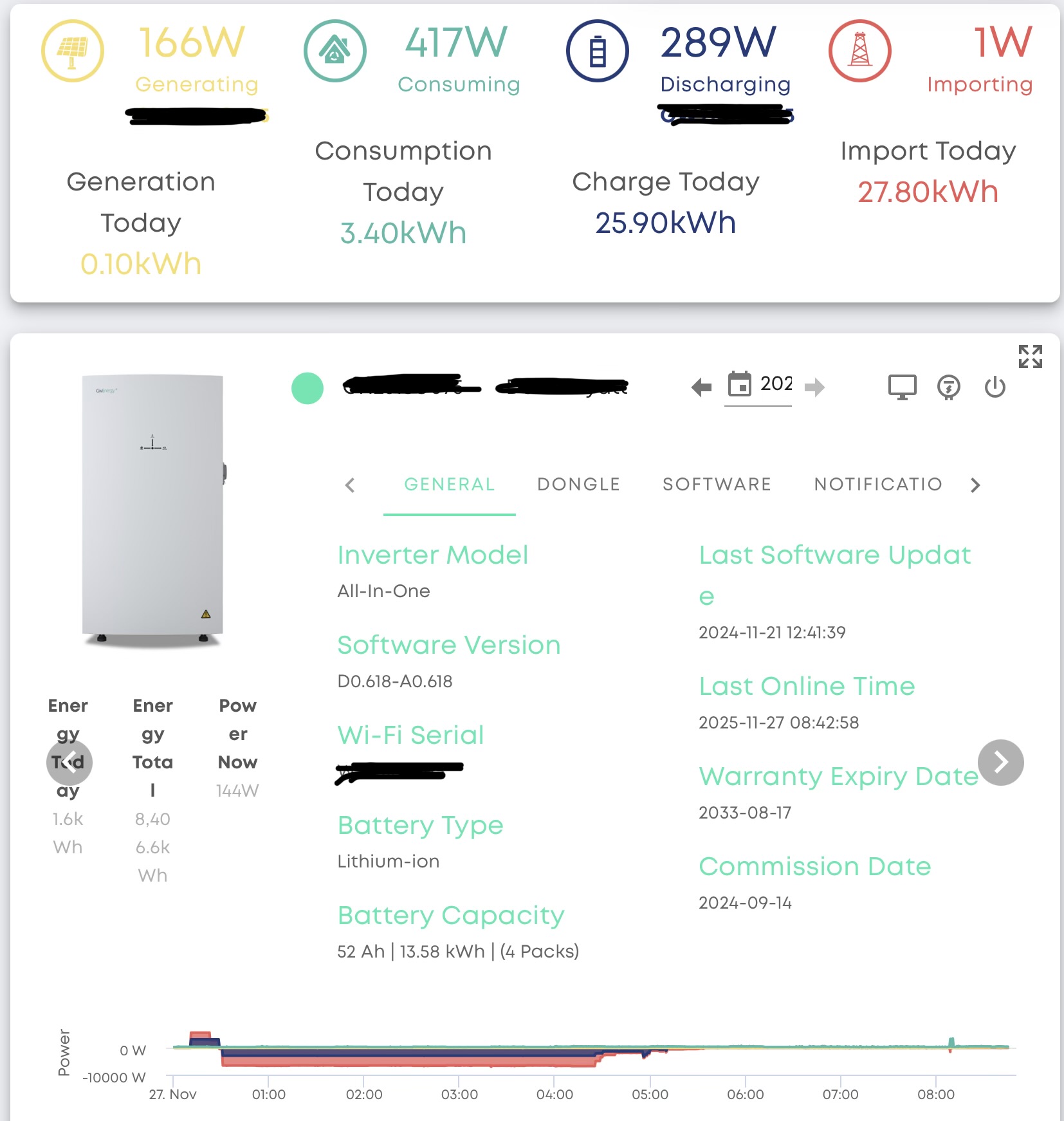
1 Like
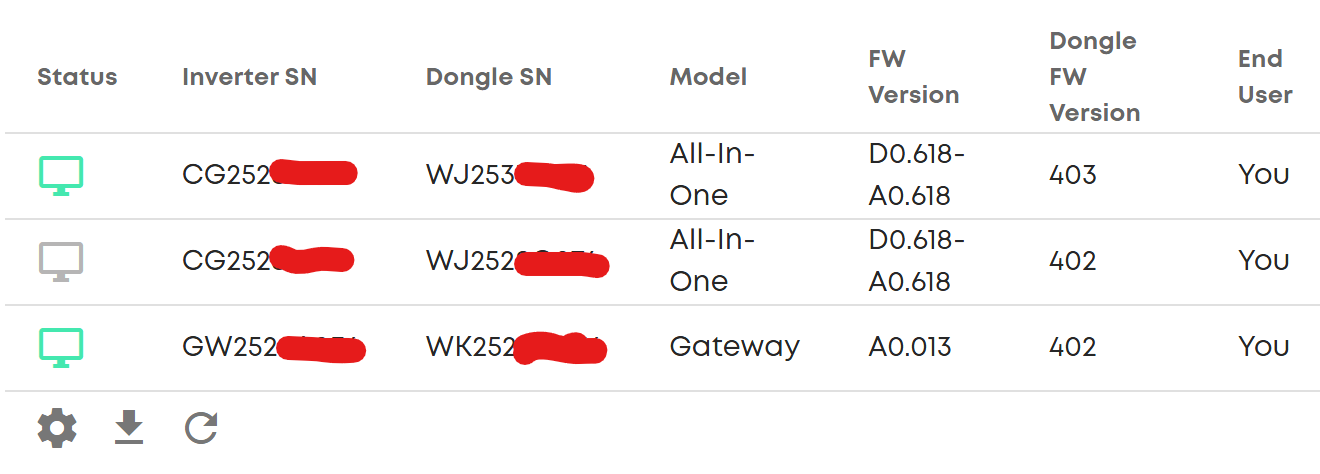
Not me.
At least I can see one battery this morning.
Usually it is none.
Sometimes it is the other one.
It is never both.
1 Like
I think connection is my problem.
They are hard wired RJ45’s at significant extra expense.
The cables have been tested 100 times.
The network was an Asus AI Mesh, now upgraded to Unifi UDM Pro Enterprise level gear.
Over 100 clients running at 100% connection rate with no losses or down time.
…but GivEnergy’s cloud only sees them every once in a while, and Home Assistant can’t seem to see them ever.
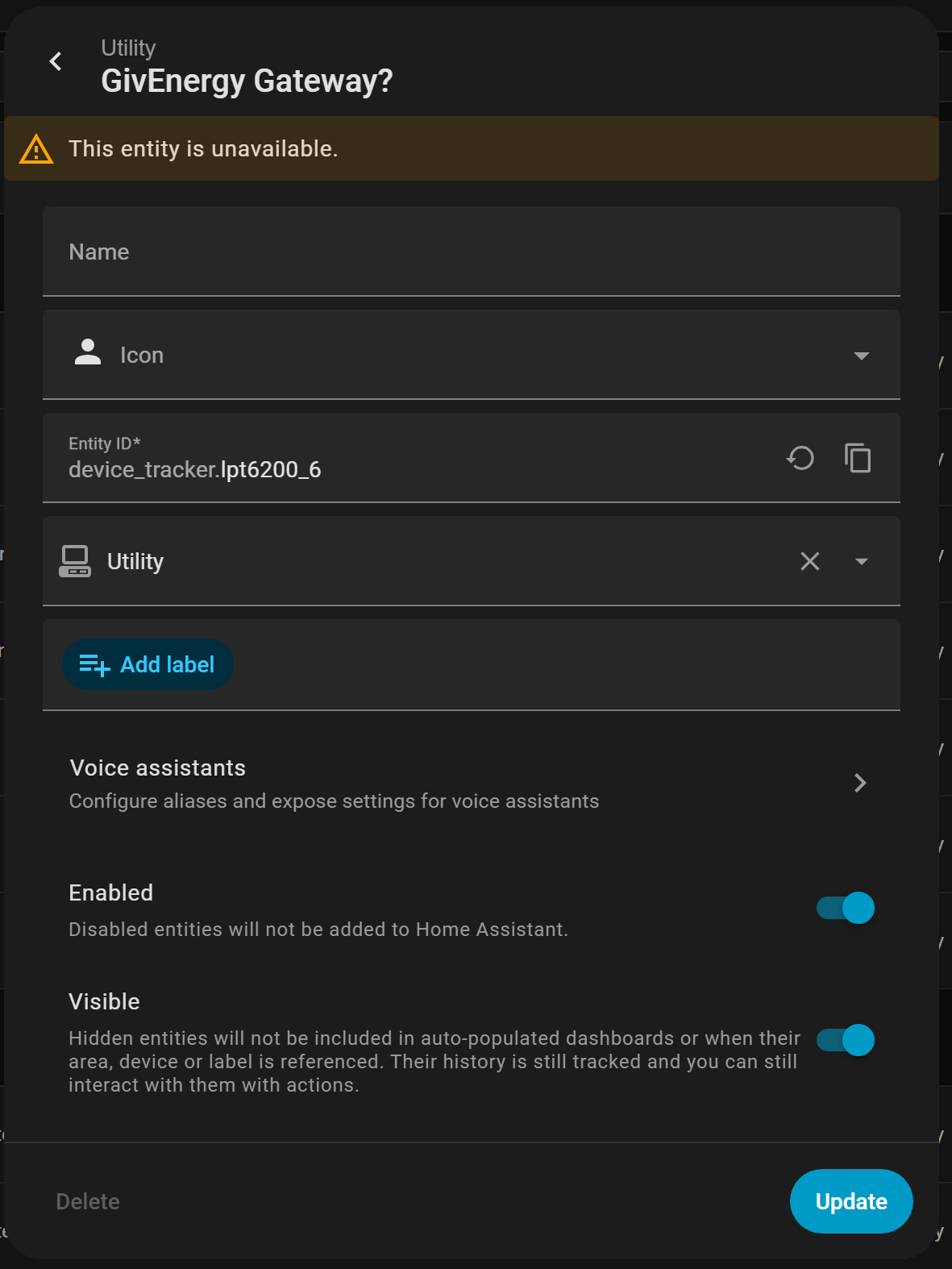
1 Like
You need to update the dongles to 206. 4xx is the default FW that comes with the devices when the manufacturer is setting them up. It’s not the latest version even though it is 4xx you may think it’s the latest version.
There is a ytv on how to do it.