Norm you’re being an MVP - thank you.
Great to know about the legacy graph thanks @NormC - that returns my figures to believable numbers like I had for last year.
Do you know if there is a way to get at this data via the API? When I call the energy-flows API, it only seems to return the latest (incorrect version). Can’t see anything in the documentation that indicates how to request the legacy energy-flows. I’ll have a hack at the portal to see if I can work out what it is calling.
I do most of my analytics programmatically, so although I could manually download the legacy data and point my analytics to that, it’s a bit of unnecessary faff.
Yes I agree the base inverter data has always been correct throughout this whole data debacle, and the Power Graph in the Portal (which is based on this data) always looks good for me at least. It’s a bit cumbersome to use for analytics though, as data points are inconsistently spaced - they are mostly 5 minute intervals, but sometimes longer gaps, and sometimes several data points per minute.
This makes the conversion to 30 minute interval energy flows quite tricky (I guess more so across all the possible versions of the inverter), which I suppose is why GivEnergy struggle with it (I’m trying to be generous!).
Hi. I’ve never used the api for retrieving data. I use HA with GivTCP. You could have a look at the api scripts @geoffrey has linked to above. Hopefully they may help.
I don’t know if this helps but……today
I had a similar problem with large numbers in kw for generation and consumption showing in the App graphic.
I updated the inverter dongle using the Giv Installer App to see if that helped and then updated the inverter firmware.
Now back running with the numbers that I’m used to
Thanks it’s useful to have someone else’s code to look at. From what I can see, both the scripts and GivTCP wrap the GivEnergy published APIs, so they also can’t access the legacy data directly. GivTCP does do some of the hard work of interpreting the inverter data.
In the mean time I have sniffed out the API call that GivEnergy makes from the portal to access the legacy data. It’s an internal API, so not documented, but I will have a hack and see if I can make it work!
1 Like
That’s interesting - my dongle, battery and inverter firmware are all up to date, but I guess your update would have rebooted the system, so maybe I’ll try that and see if it kicks it into shape
No the scripts and GivTCP work in quite different ways.
The scripts call published GivEnergy API’s to read information that the inverter has already pushed to the portal. So they retrieve the same data as you get in the ‘meter view’ in the portal.
GivTCP sits on top of a custom GivEnergy modbus adapter to listen to (and send) data directly to/from the GivEnergy inverters, in fact directly reading and writing the inverters memory registers. The register allocation isn’t widely published because if you were to write to the wrong registers you could brick the inverter worst case.
The inverters don’t retain any historic data, so once the data is published, its gone forever, but its this real time data that GivTCP polls (by default every 30 seconds).
Ah thanks - my bad re: GivTCP. Am I right in thinking this would still have the same limitation in terms of getting historical half-hourly energy flow data programmatically, since it is dealing with Inverter raw data?
Apologies, this is probably off-topic from the original post - easiest thing would be (for met at least!) for GivEnergy to expose the legacy data API.
Yes you couldn’t use GivTCP to access any historical data, its only live data access from the inverter.
The inverters push data to the portal every 5 minutes, but if they can’t connect for any reason there will be a data gap. If you are running the GivEnergy app in local mode which polls the inverter every minute (30 seconds?) then you’ll also get these more frequent pushes sent to the portal.
I have just pulled the data from the API’s into a spreadsheet and summed it up into hourly (because that’s what I needed) chunks. Most of the time I was using the total figures so you just need to sample the entry nearest the top of the hour/half hour and subtract it from the prior value if you want hour/.half hourly data
If your using the GivEnergy app in Home mode it updates every 10 seconds. It also updates the meter data every 10 seconds. I have also noticed that when GivTCP fetches updates every 30 seconds it updates the meter data every 30 seconds.
That behaviour certainly isn’t universal. I’m running GivTCP polling every 30 seconds, and when I was using GivTCP v2 it was polling every 20 seconds, and my meter data in the portal is only captured every 5 minutes.
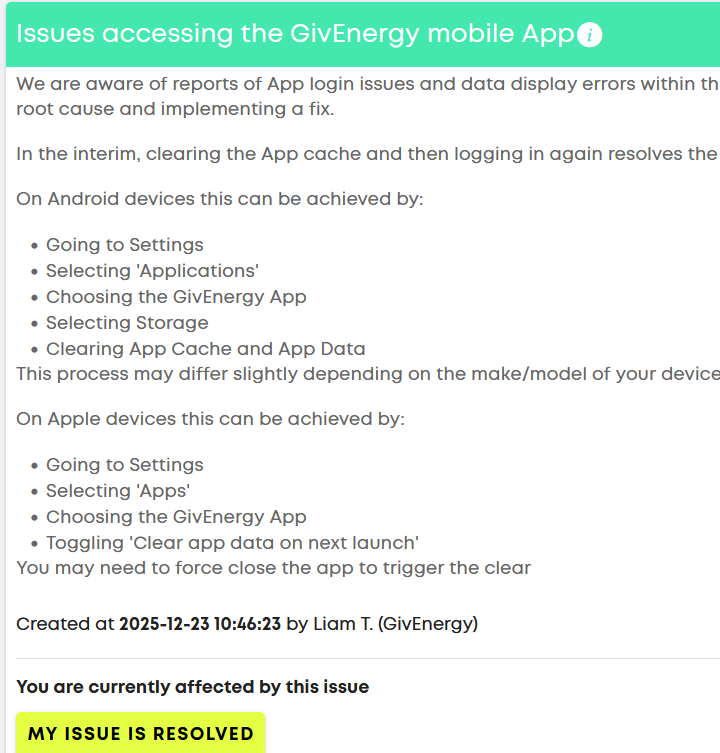
new “known error” in the portal - I’ll try the “app cache” clear fix as suggested - interesting if this is what it is? but given it’s on the portal too it seems unlikely as this is cloud data.
Hopefully a sign they are fixing it though
1 Like
unsurprisingly this app fix does not work for me with the android app. I think there is something much bigger involved
Yeh it didn’t fix it for me either. Interestingly the bug seems to have morphed - no longer I’m getting massive “generation” spikes around 00:30 instead I’m seeing bars representing the likely accurate generation but now an incorrect total.
So shoddy.
I had 2 days when my energy figures and bar chart looked correct but today (8/1/26) it is again telling me that in half an hour around 8 am I generated more that is physically posable, other data also nonsense. They were told they were giving out nonsensical data over 2 months ago and I was told it was in hand but still no fix. A very poor show. I am petrified I could get the same service if the equipment failed.
yes this issue has been going on since the end of october. it’s really poor that their app and portal are just making up numbers. now idea how new customers are finding this.
@TheDragon do you have any information on this long-standing issue?
There is a trial of new calculations on the Energy flows.
I moved to them last week and so far they look more realistic.
If you want moving over, i can ask teh portal team to addd your data to the trial.
1 Like
That’s great news. Yes please, that would be greatly appreciated. App and portal was showing 29kwh of generation before sunrise this weekend.
Please let me know what info you need from me for this.