Hi everyone,
I have just downloaded the new app and opted for Standard for now, how can I see the SOC of my battery. Any help would be appreciated. Alan
If you look on the left hand side of the 4 circles of information on the home page. Below the KW figure, you can see a small percentage figure. Is this what you mean?.
Thank you Steve that’s great. Is there any way that the information written in the four circles can be enlarged? Thank you Alan
1 Like
I’ve just tried it on my samsung mobile and tablet. I couldn’t get it to 2 finger zoom, and I’m not aware of a way of making the display larger.
Thank you for trying, I’ve had the same problem on my iPad and iPhone. Maybe someone out there has the answer!
email premium@givenergy.co.uk use “Bug Report” in the description line
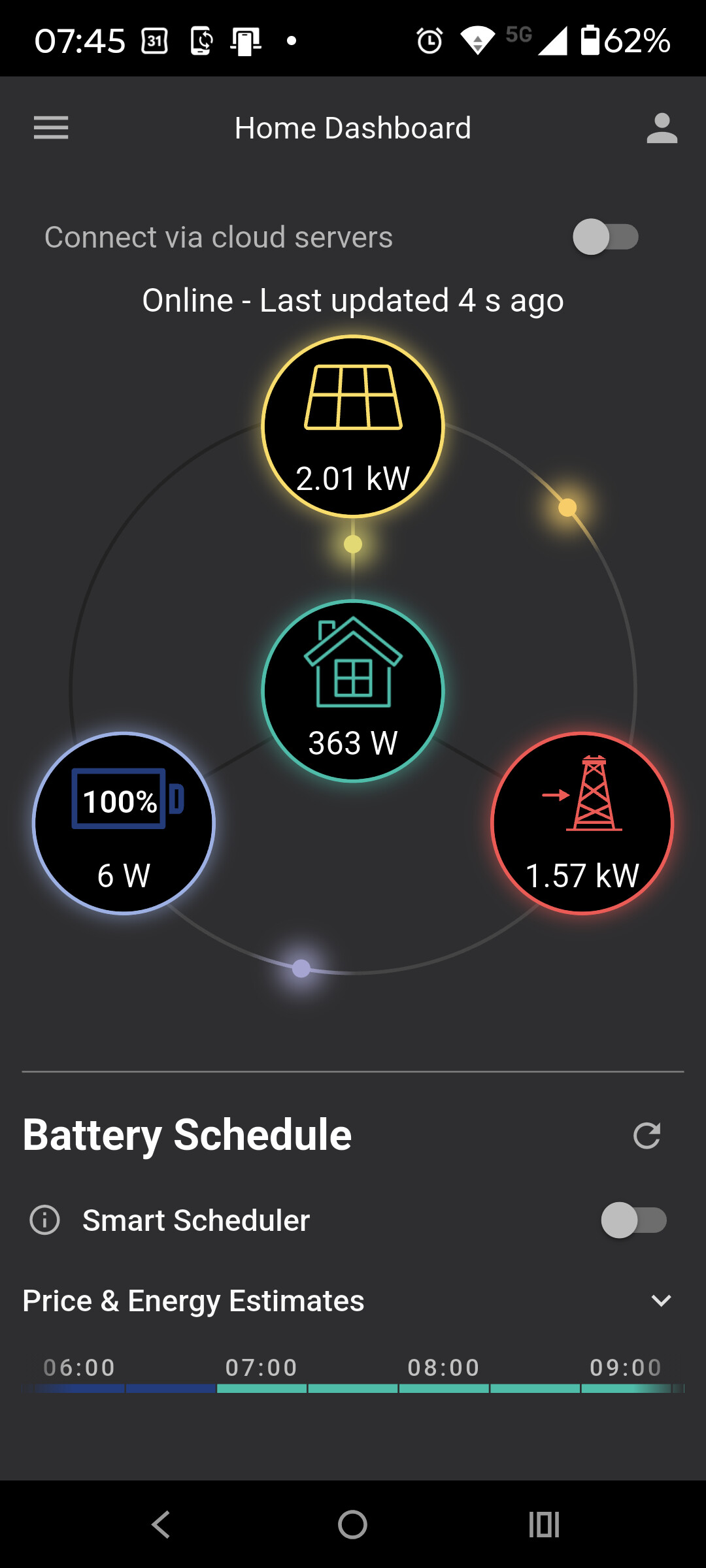
Hi Ericiw, Thank you for your message, how did you enlarge the circles so that you don’t require a magnifier to read the information?
There’s been an update to the App today. The new version has much clearer display.
Although this latest update is slightly better (I can now read the SOC %) it is still not great. Apart from the layout being corrupted on a Galaxy A11 tablet (the pre-change version was fine) it takes forever (no matter what platform) to find the invertor(s) and switching between the home dashboard and inverter settings (or anything off of the home dashboard); it is painful. The quick battery schedule would be better placed off of the home dashboard because of its size, but even then it does not provide much benefit over the original timed charge/export schedule settings. The simple half hour timeslots are not much use for Octopus Agile tariff users because each period starts and ends on the hour or half hour. The end times would be better if they were set to 29 or 59 mins to avoid the charge period going into the next Agile price period. This may seem trivial but considering the next period price could be as high as 99.99p/kWh Agile users would be well advised to revert to the old method of timed charge/export settings.
1 Like
I have just downloaded the new version of the app, at least now I can see the SOC of my battery. Thank you.
1 Like
@Alan ,
In case you were unaware, you can now get GivEnergy Premium for free if you sign up to Axle Energy to help balance the grid. See post here: Free GivEnergy Premium Subscription - Make Money with your GivEnergy Battery
2 Likes
I’ve done this very thing today. Sign up was very straight forward and only requires you to upload a energy bill from the last 3 months. Very quick to do. I tried the Givenergy App later and it had been upgraded from standard and all the information is available. I also had a quick peek in the Givenergy cloud and all is good. Whats not to like…
1 Like