Inverter Offline / Not recognised on Ethernet

Hello everyone

I’ve just set up an account after reading with interest the forums to try to get some support if I may please.

The issue I have is that my inverter has lost any connection to either wi fi or Ethernet

Firstly I can’t see the dongle in any network list and I have used three devices to check it out

Secondly I plugged an Ethernet cable direct from my router to the inverter but it was like it didn’t exist and didn’t pick up anything connected to the router . I specifically purchased a 50metre Ethernet cable just to try this!

I’ve also purchased a new dongle and plugged it int my laptop to config the text files to match my serial Number, however this also does not pick up on any wi fi checks or network lists once it’s plugged into the inverter

The inverter is still technically working , my battery is charging and in fact it hit full charge today as we enter spring which was very pleasing!

However the app shows the inverter as lost
The GivEnergy cloud shows it we offline five days ago.

It was working all fine before five days ago but it’s all gone offline and not comeback
I have tried to ring the helpline but had no joy with anything new nor have I managed to speak to somebody from technical support. I’m starting to believe the inverter is possibly fault and just not communicating at all

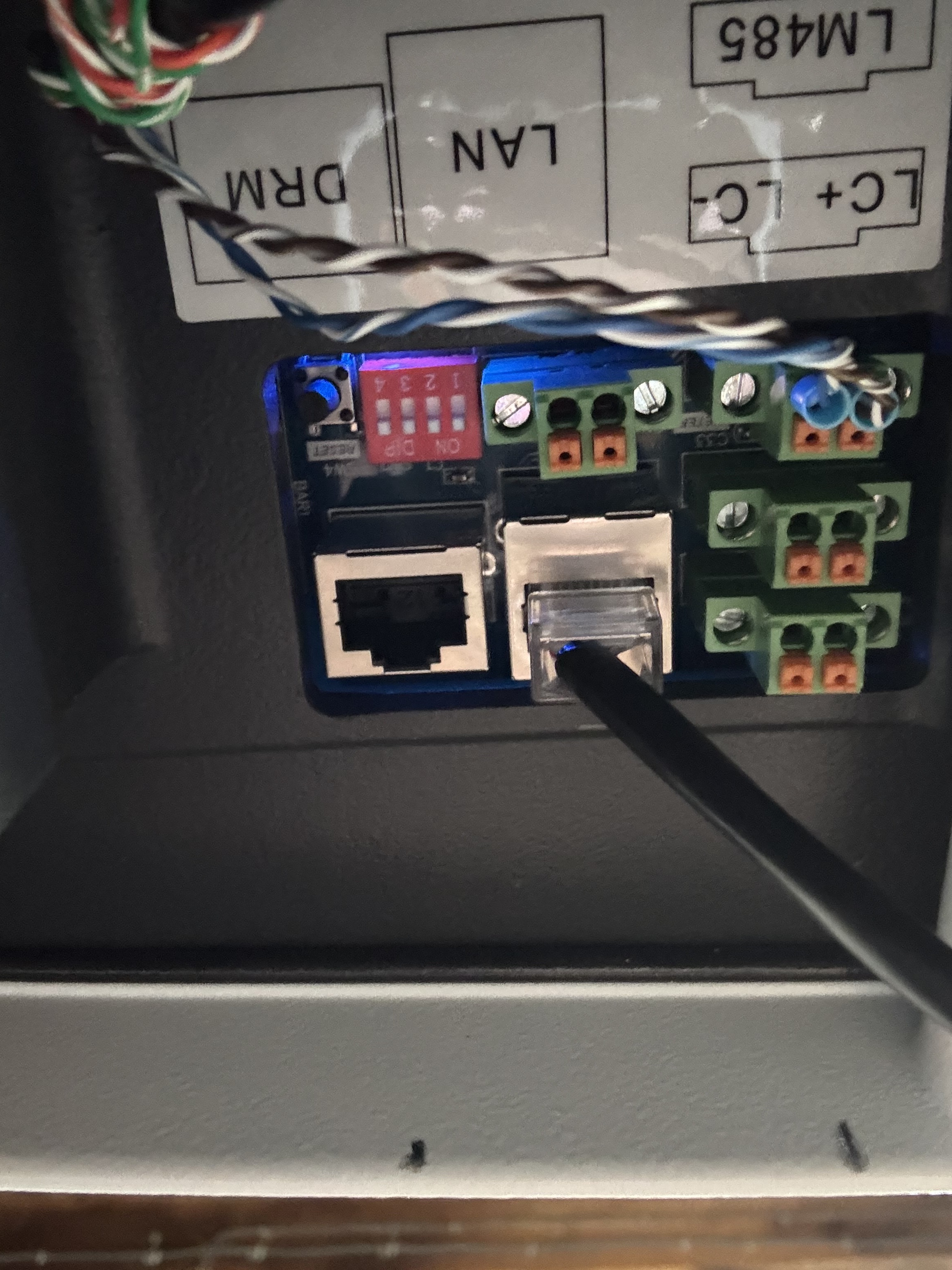
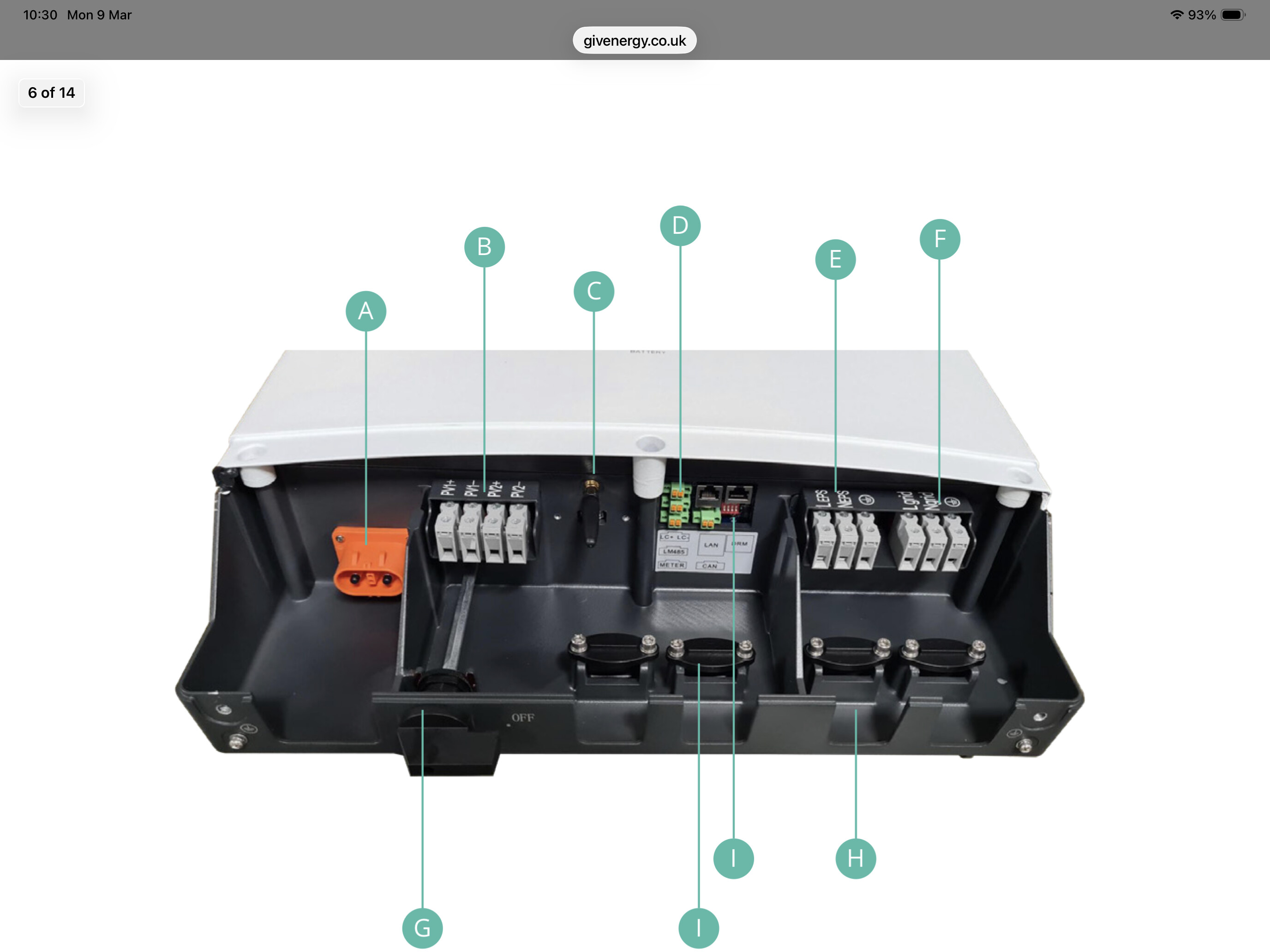
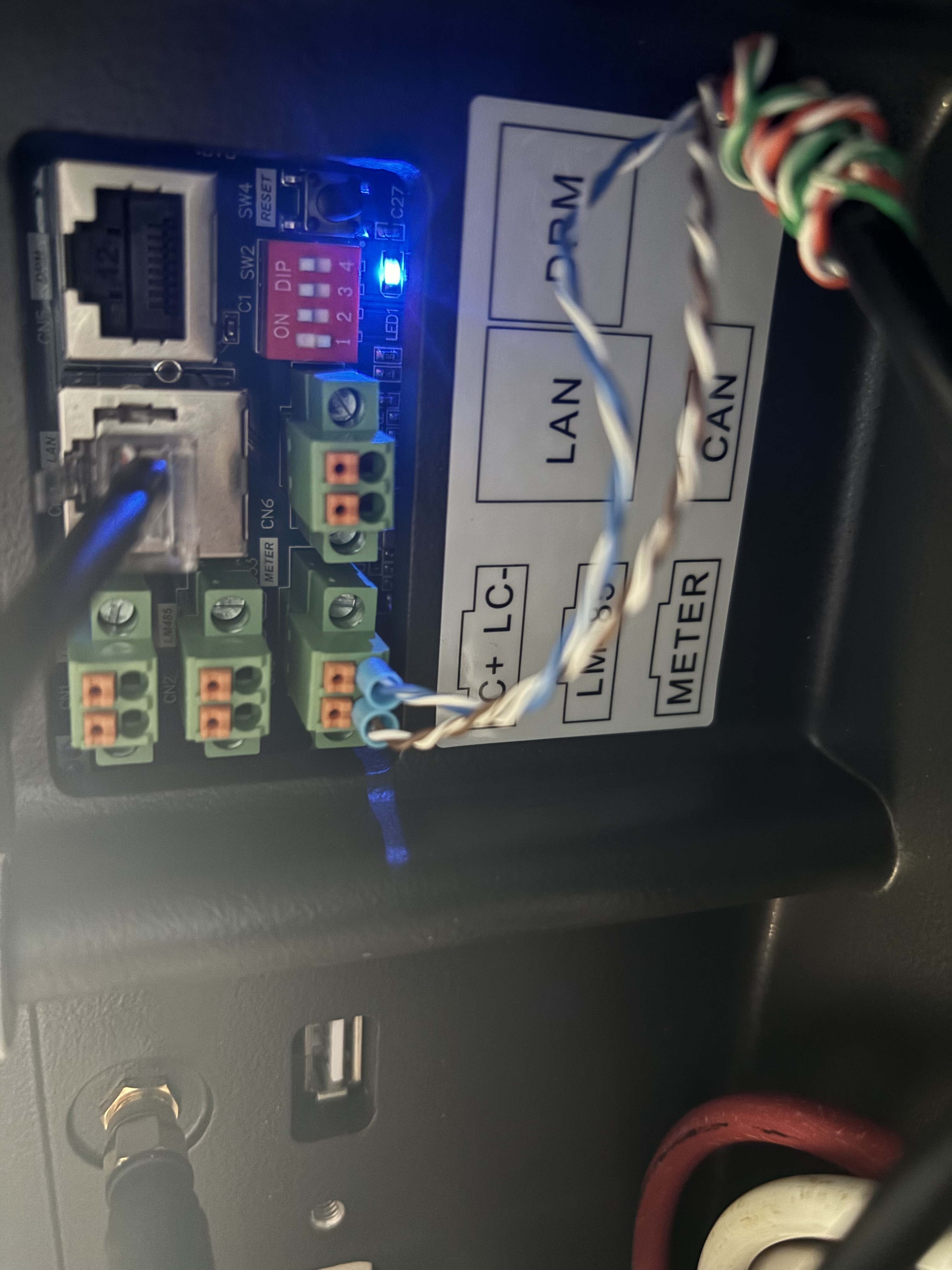
I’ve taken a photo of the underneath to show how things are connected.

I’ve also changed the dip switches to both LAN and wi fi (again from researching these forums)

I’ve also rebooted the router numerous times
Rebooted the inverter and battery numerous times

All things I’ve picked up from reading these forums but now I’m reaching out to see if there’s anything else I can do.

If anyone could offer some help or guidance I’d be really appreciative as I don’t know what else to do.

Thank you for reading :+1:t2:

2 Likes

Boson2939,
Oh how I feel for you. I wish I had the answer.
Just to let you know that I changed our internet provider November last year and since then have not had communication between Inverter and Wifi.
I have tried to contact GivEnergy on numerous occasions but only get as far as AI which is of no use at all.
I have had a computer engineer try 3 times and he could not fix it.
I have persevered and contacted Octopus Energy, my installer and energy supplier, who is very helpful. They sent out an engineer who was unable to connect it to no avail.
Since, involving Octopus, (who no longer use GivEnergy), and making online complaint, I have managed to get a response from GivEnergy who say that they are improving their technical help and they have given me a ticket number for the Octopus engineer when he comes.
I have passed this on to Octopus for their information.
I live in hope but am not counting my chickens.
Good luck.

3 Likes

Thanks for your response Steve, it sounds like you’ve got the same issue and have done for some time! Good luck to you getting it sorted it sounds like octopus are taking some pro activity to help you which is great news

1 Like

Hi guys, there are loads of posts about this topic. Have a read and you may get things going. I do not want to repeat things that’s already discussed.

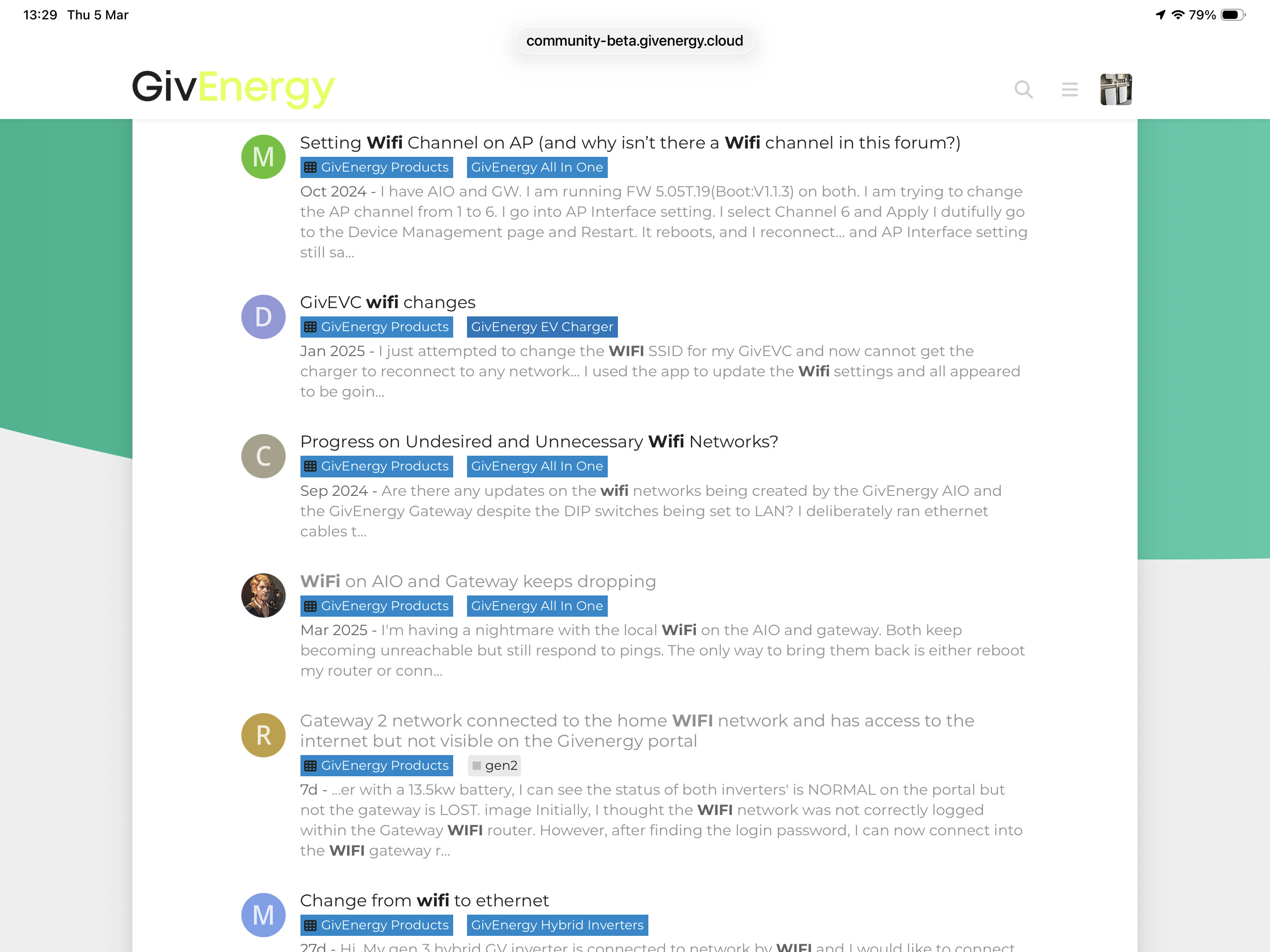
If you search to search and just put in WiFi you get these.

Hi Boson2939, I had the same issue when my Zen Internet router carried out an automatic firmware update and as a result I lost connectivity to the Givenergy cloud and local connection. After a few searches, I found this video very helpful https://youtu.be/1WgwhXTn19w?si=pPg9chEu3r37yr1d
I hope it helps to address your connectivity issue.
Regards, Jami

1 Like

We currently have no access to any of our info on the Givenergy app. We have solar panels and a battery, and a diverter for the hot water, none of which we can now see on the app. We are also with Octopus for our energy, but as we have an electric car charger, they have told us we cannot connect any other devices, ie a battery. Have you had this experience too?

1 Like

Sorry, no.
I don’t believe our situation is quite the same as we are not wanting to add extra items.
Our GivEnergy App. has not been working since November Last year and GivEnergy are useless.
It may be worth noting that Octopus no longer use GivEnergy products.
So far, Octopus Energy are being very helpful to us trying to get us reconnected.
Good Luck

1 Like

@Boson2939

Just an observation looking at your photo is that the dip switches are all set to ON with LAN connected
Don’t know what inverter you have, and what you changed from - to when it was working on wifi, but I seem to remember that off,on,on,on, or even on,on,on,off were options depending on kit involved when connected by LAN. Have you tried alternate settings?.
Regards.

1 Like

Thank you Steve for your input. We are thoroughly disillusioned with Givenergy, made all the more painful because in the early days of our using it, it was such an excellent app. We too are looking into whether we can navigate away from them when we are using quite a number of their products. Currently I’m regretting our green eco intentions!

1 Like

I am not sure.
I am aware that there are independent engineers that may do this. I accidentally came across one in Fleet, Hampshire who were kind enough to respond to a desperate email from me that I inadvertently emailed by mistake.
Obviously, they, or others would cost IF they could help.
I just Googled “Solar Energy Engineers”.
It would seem that many will not touch GivEnergy and have their own preferences.
So, so difficult how much more it could cost because of GivEnergy’s lack of Customer Care.
I am praying that Octopus Energy’s kind help will solve it for me and I do not have to get to that point. (I have considered it).

2 Likes

Hi

Yeah I’ve tried both the 0111 and the 1110 but no joy
OVO are going to ring me tomorrow to try
To diagnose over the Phone. I’m hoping they have direct contact with GivEnergy to try and help problem solve. I will post the results if it gets resolved and what the solution was!

1 Like

I have just noticed the dip switches as well now, what kit is this a picture of please? If you let me know I will try and find the correct dip switch combination to get the wired Ethernet working. You need LAN.

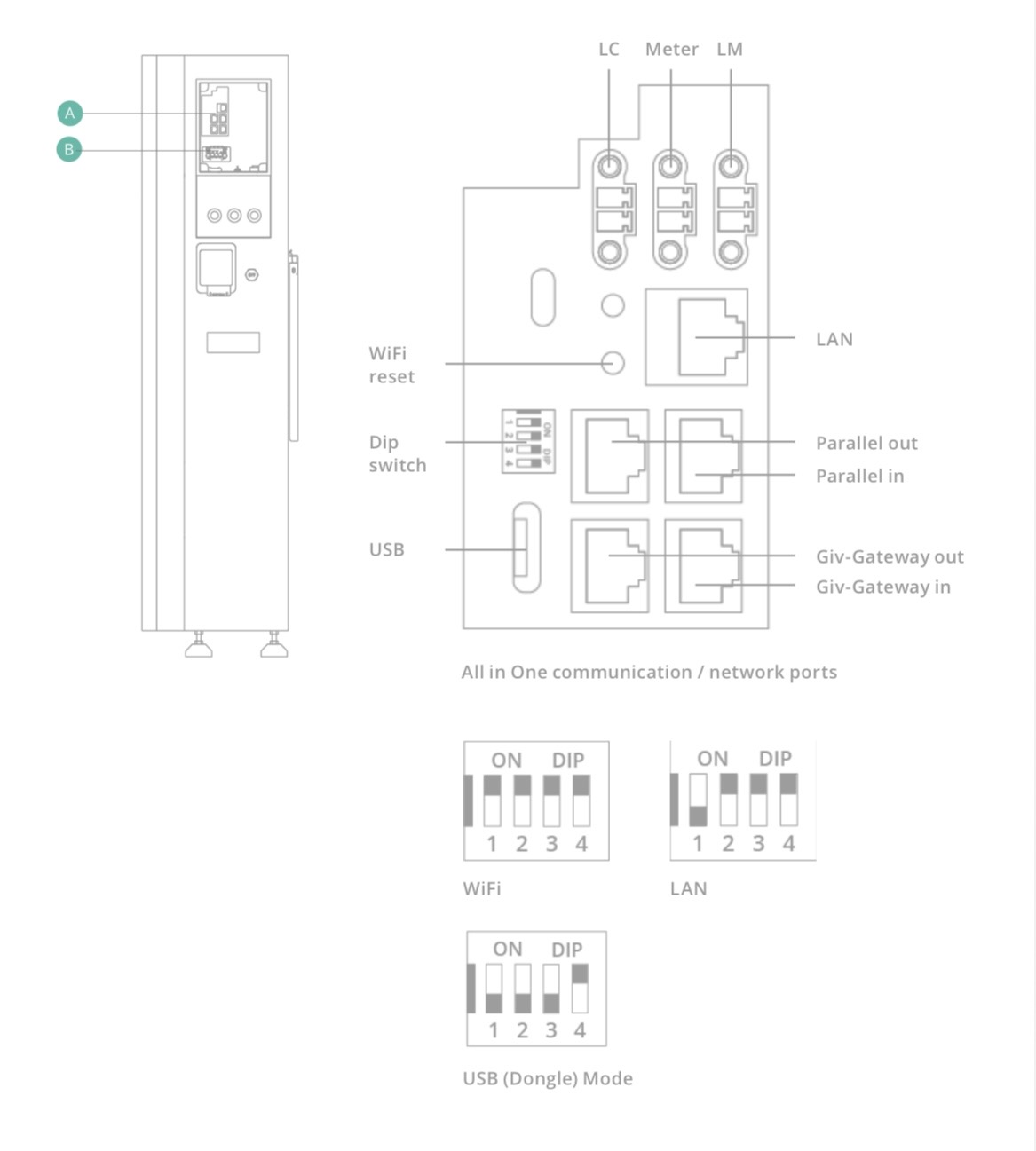
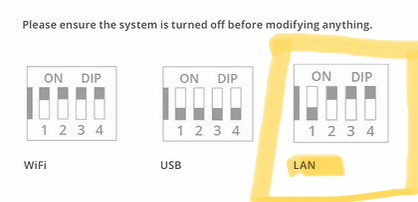
Here is an example for my AIO

It’s covered in the threads referenced above.
In a nutshell, I had the same problem with my AIO/Gateway. I found out that in some Gateways the board mounted LAN port is disabled.
Instead there is a male ethernet fly lead flapping loose inside the Gateway. You’ll need a female-female ethernet connector to connect your LAN lead to this fly lead.
Your dip switches need to be set correctly.
Mine connected within a few seconds and has remained connected since.

1 Like

So I looked at your install and you have GivEnergy Hybrid Inverter 3.6 Generation 3.

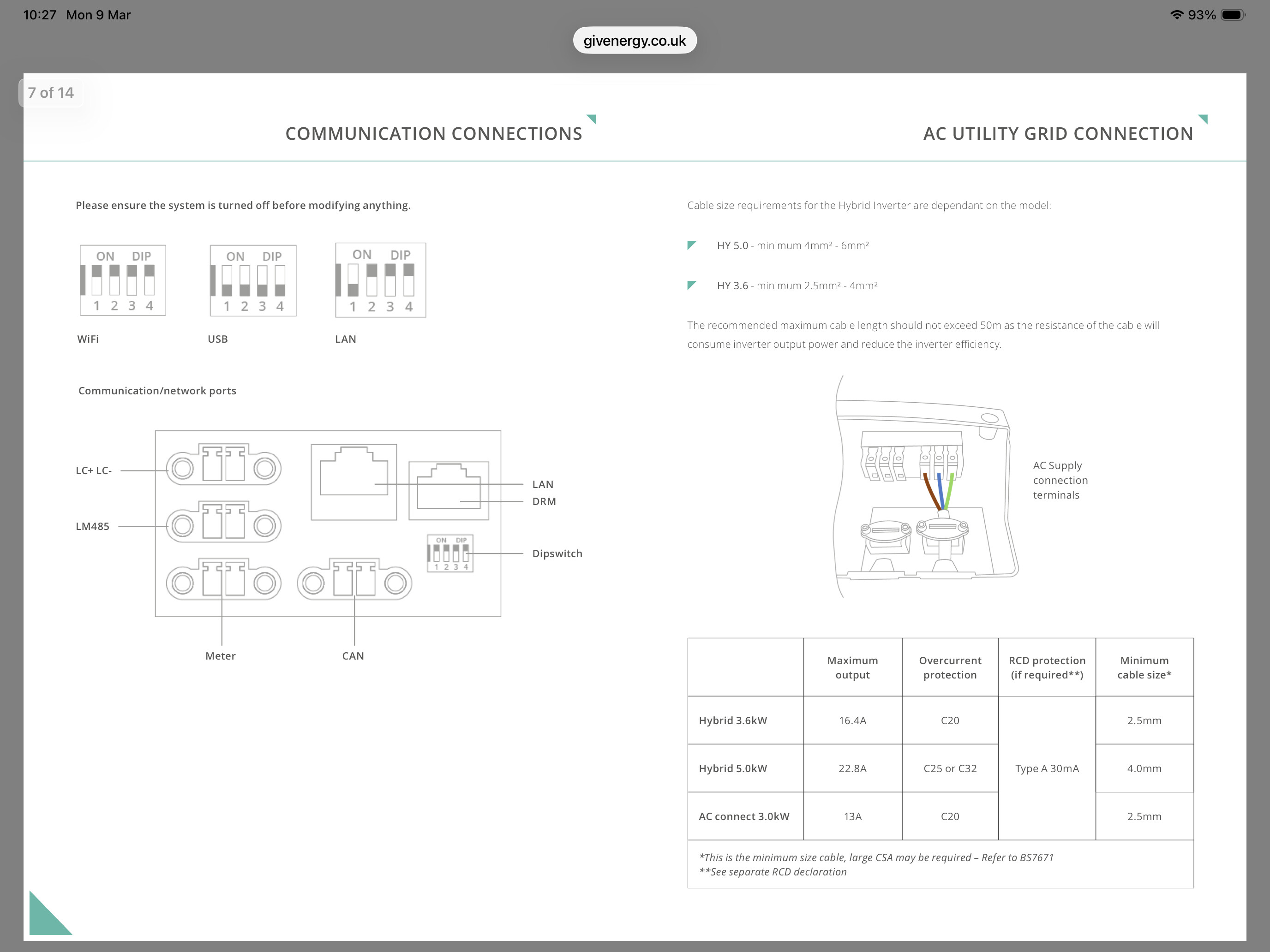
Here is the doc and the correct settings for the DIP switch. Your current position is set for WiFi. All down (on your aspect).

You need to move number 1 up. You then need to reboot the inverter as sometimes it’s not recognised unless you do.

Note:- this is important you have to make sure the dip switches are the correct way round. E.g if you’re looking from underneath and upside down, you have to take that into consideration.

Look at it from this angle


Hi Dave

This is what its been on for the last 3-4 days but unfortunately still no change

1 Like

Hi yah, this is wrong for LAN. It should be:-

1 - down
2 - up
3 - up
4 - up

All down is USB
All up is Wifi

The best way to understand the dip switch in relation to the numbers along the bottom. 1 2 3 4 is the bottom. (down)

The words ON & DIP is the top (UP)

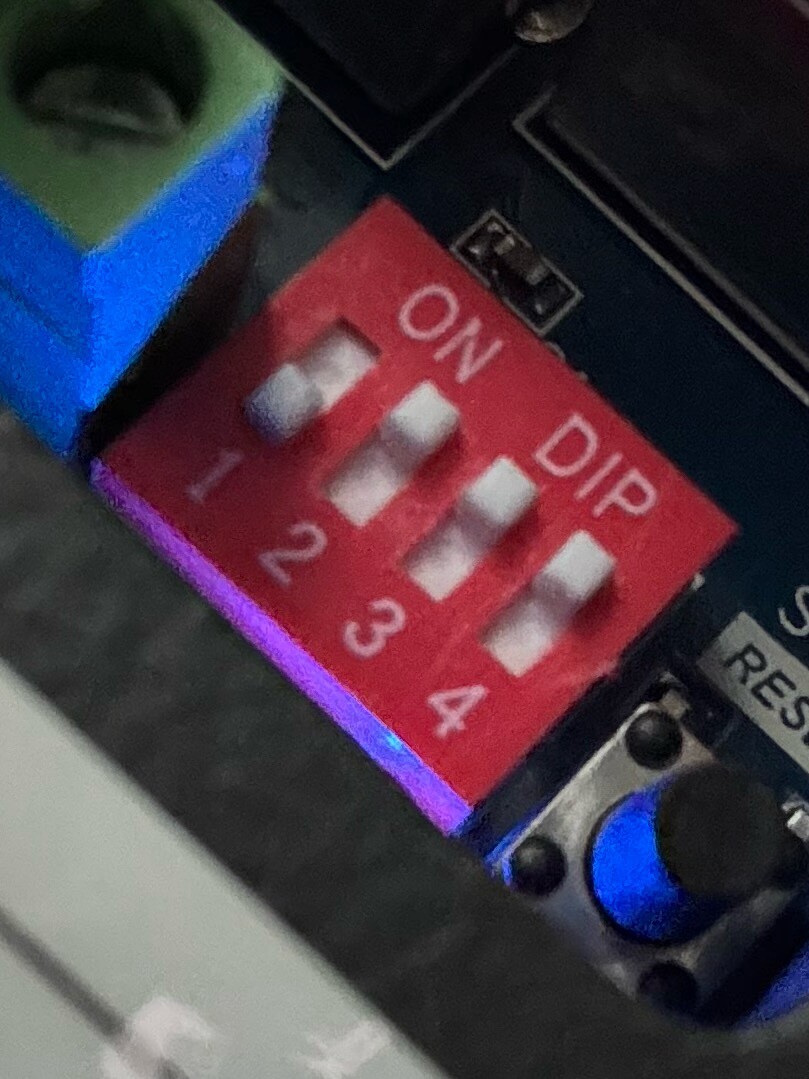
Sorry I got a better photo

Like this?

1 Like

Hi yah, that’s correct, sorry if I could not see the correct setting.
so have you rebooted the Inverter? As changing it does not always sort it out :+1:

The next thing to do is check and update the Firmware. You can do this via the Installer app, however the place where you get the files is down.

You could try and get someone from GE to update the Dongle fw etc.

Yeah I’ve restarted the system
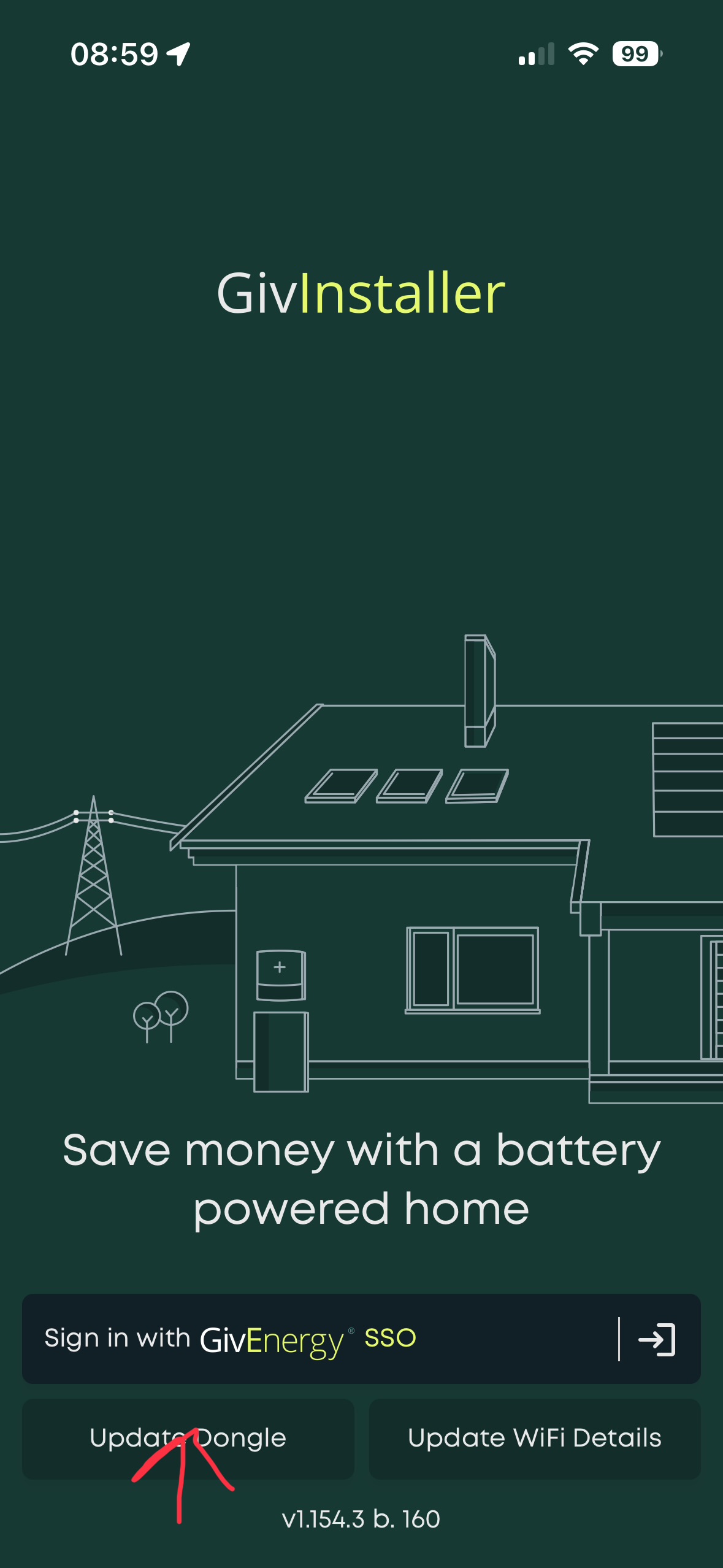
I can’t get on the GivEnergy installer app as it doesn’t find the dongle

Thanks for assisting though I appreciate it

1 Like

If you are technical, I would have a look at this as well.

As I have an AIO, I used that version. I have my AIO hard wired and the WiFi set to AP (access point) only with the added security settings and strong PW. I have not connected it to my Home WiFi.

The reason I have done AP is for emergencies and accessing the Inverter etc.

If you do this and then follow the Installer app (at the very bottom) update Dongle. You do not have to login as an installer.