Have you done this?
No as I can’t access any network on my wi fi relating to the inverter
The dongle doesn’t show after I reset on the network lists, I’ve constantly been pressing the reset button for the 15 seconds trying to hope it shows up
I did this about ten times in a row before my finger had a permanent implant on the tip haha
1 Like
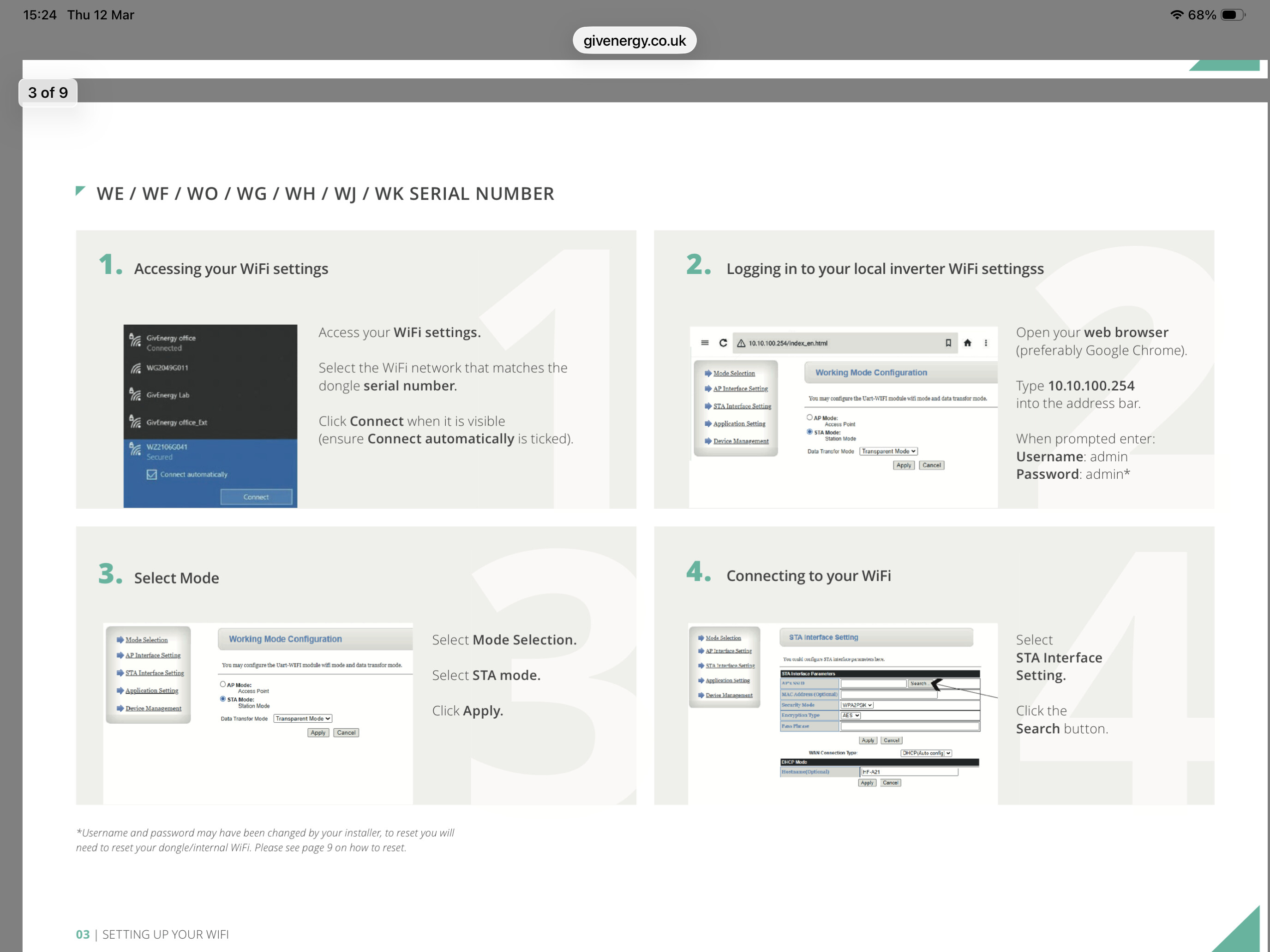
No you don’t do it via your network, you do it on your iPhone etc.
Press the reset button wait for it to flash blue.
Then connect your iPhone/ipad to the inverter WiFi as per the picture, (tick the auto connect. Check your iPhone has connected, then go to your iPhone browser and type in the ip address as per the picture.
You have showed me a screen shot, it just shows unable to connect so you’re nearly there.
Do you have a vpn running on your phone?
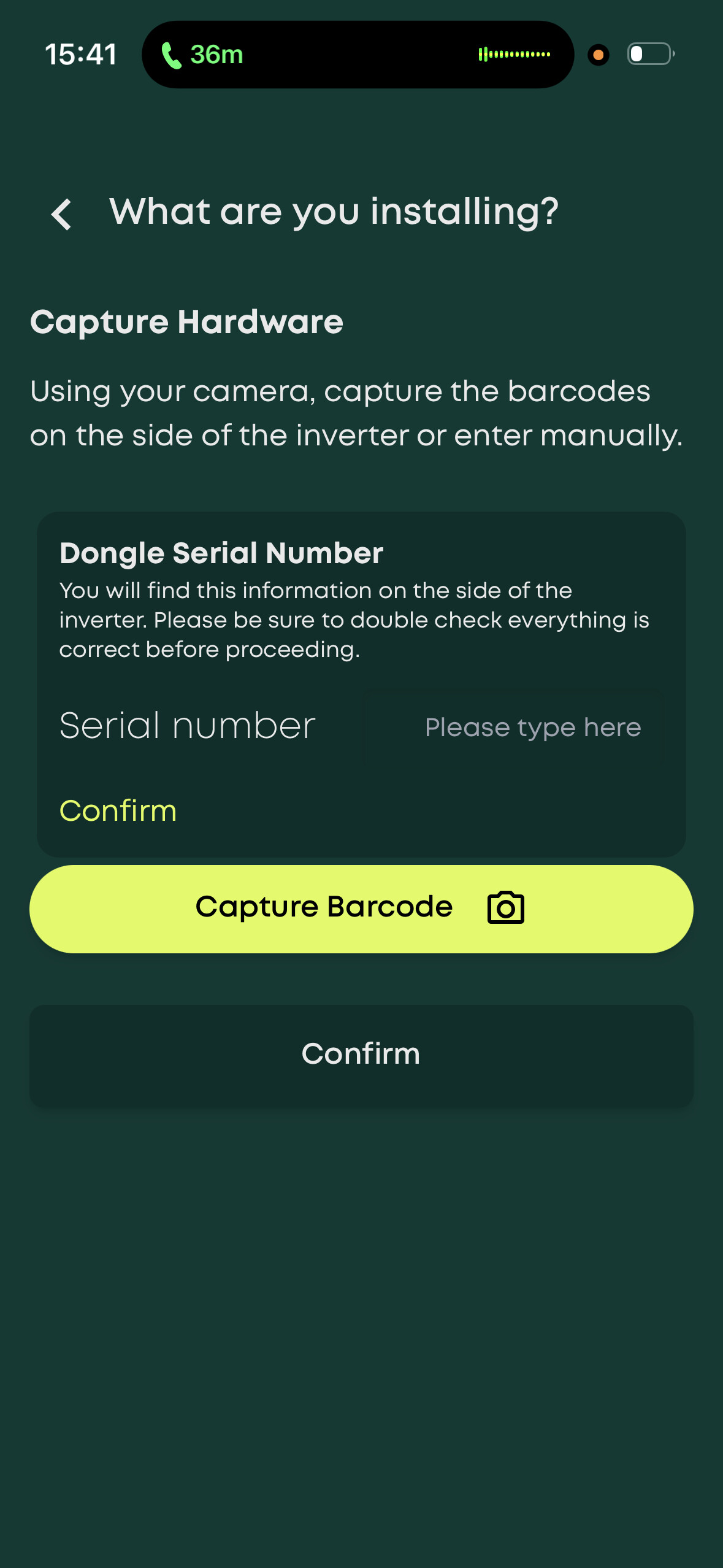
The screen I tried to connect through before was using the GivEnergy installer app to manually add in the serial number of the inverter into the wi fi details like this :-
The inverters wi fi doesn’t show on my phone at all on the list of wi fi networks
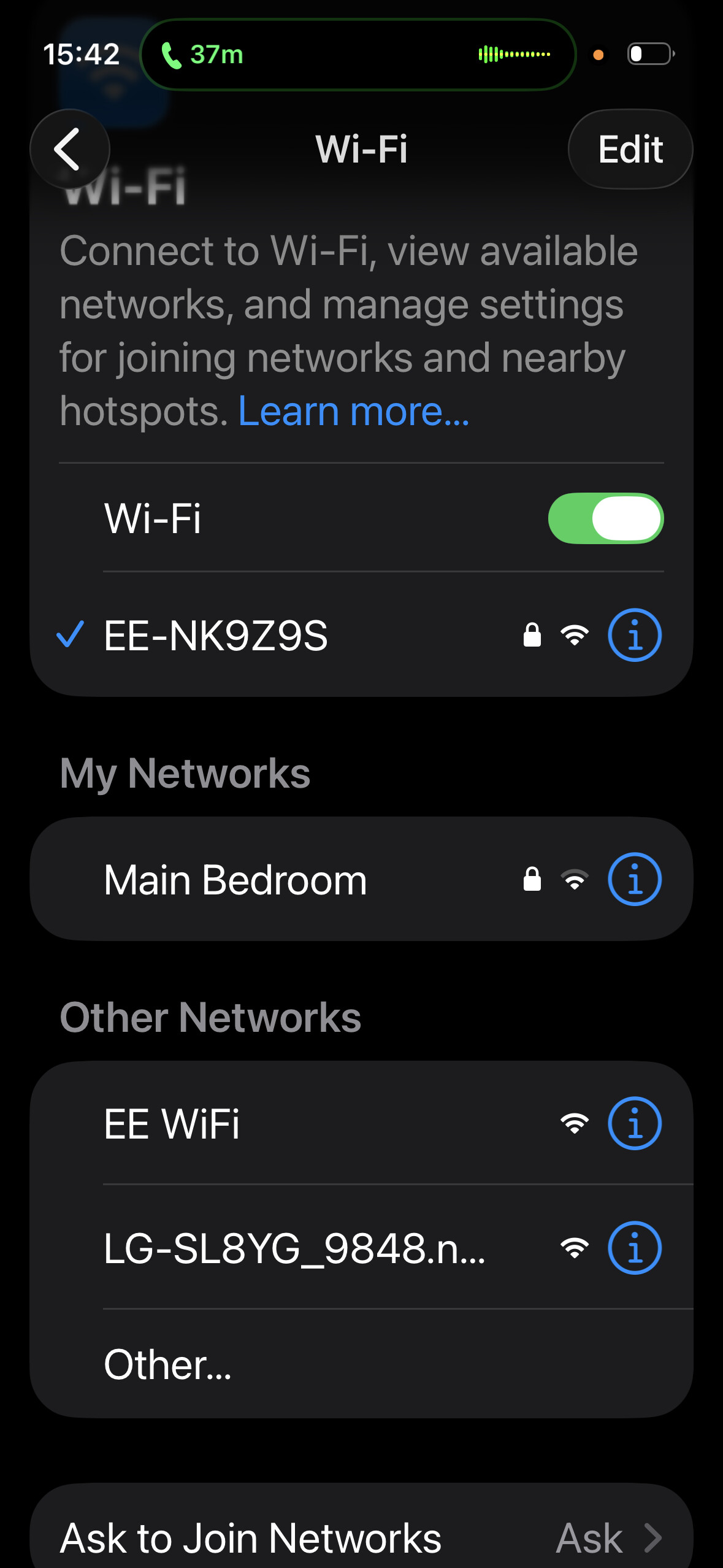
So for example this is my network list in the house
But when I’m next to the inverter I only get the nearby tp link extender wi fi
1 Like
If you can’t connect to the dongle/internal WiFi as the W###### network is password protected - try your inverter serial number, if not reset the dongle/
internal WiFi. This can be done by pressing the small button under the cover on the bottom of the dongle and holding down for 15 seconds. Please wait 30
minutes to allow the dongle to fully reset. Should the dongle not reset, repeat the process
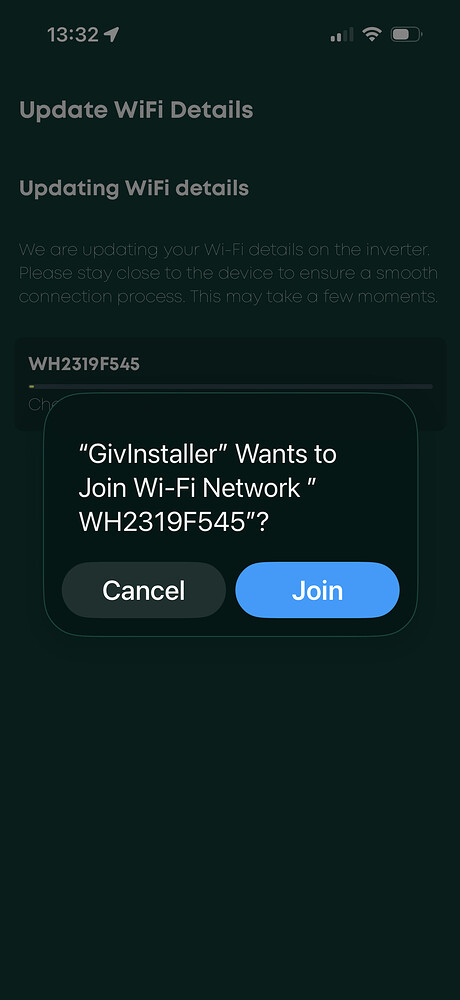
What happened to this screen?
I keep getting this info when I google it.
For the GivEnergy Gen 3 Hybrid Inverter internal Wi-Fi module (SSID like WHxxxxxxx):
After a Wi-Fi reset
• The Wi-Fi access point usually becomes visible within ~30–90 seconds.
• In some cases it can take up to about 2 minutes while the comms board reboots.
How long the setup Wi-Fi stays active
• The inverter broadcasts the AP continuously until it is configured to connect to a router.
• Once you successfully connect it to your home Wi-Fi, the setup SSID normally disappears because the module switches to station mode.
If it has already been configured
• The SSID may not appear at all because the inverter is trying to connect directly to the saved network.
• Performing another Wi-Fi reset forces it back into AP/setup mode, which brings the SSID back.
Typical sequence
1. Press/hold reset (~10–15 s).
2. Wait 1–2 minutes.
3. SSID like WH2319F545 appears.
4. Connect using the default password (commonly 12345678).
5. Configure router credentials → inverter joins your network → SSID stops broadcasting.
I’ve made a video to show you
I’ve used my work phone to try to pick up any network as obviously my own phone wouldn’t record the network list not showing
1 Like
So it can take up to 2 mins for the WiFi to appear, so wait a bit. 5 mins.
Please unplug the Ethernet. And can you confirm you have the dip switch set to WiFi?
Yes I’ve stayed by it since I sent the video and it still hasn’t appeared
I’ve also moved the Ethernet but it won’t broadcast any wi fi from the inverter
I’ve read somewhere that people have had issues with AF-21 adapter and maybe it’s that? If it is that’s something I wouldn’t be able to sort as it would void any warranty once you open it up
1 Like
Dip switch was all “on” which is wi fi according to the instruction manual and you tube vids
1 Like
How did you get to the WiFi screen last time with the correct inverter SN
Hi Boson. You may well be right that the system has given up the ghost and no matter what you do will be futile.
Dave has given comprehensive advice on trying to get the dongle to reboot which is worth following to the letter to be sure that there are no previous settings and allowing for complete system reset.
I would also remove that LAN cable before proceeding and checking the dims are correct. One last thing, are you 100% sure that your router is only using 2.4g and not broadcasting 5g, and your phone is connected to it and not the mobile network.
Despite the chatter there are still those around ( the dragon) who may help if you ask personally. All the best going forward.
Regards
Mole
You may be lucky
2 Likes
I’ll show you
Two videos below to protect my wi fi password
This is how I got by trying to use the GivInstaller app guys
1 Like
Dave’s been awesome to be fair, couldn’t of asked for more assistance but I think you’re right I think there could be hardware issues
Thank you
1 Like
This is trying it with the update dongle on the GivInstaller app too
1 Like
So you need to see the SSID in your WiFi settings on your phone. I have just asked ChatGPT and got this.
On the GivEnergy Gen 3 Hybrid Inverter communication board there is normally only one small reset button, which resets the internal Wi-Fi module. That is correct.
If you pressed and held that button and no SSID appears, use this sequence which reliably forces the module back into access-point mode.
Correct reset method
1. Press and hold the reset button for 15–20 seconds.
2. Release the button.
3. Wait 2–3 minutes for the communications board to reboot.
4. Refresh the Wi-Fi list on the phone.
The SSID should appear as something like:
• WHxxxxxxx (e.g., WH2319F545)
If it still does not appear
Perform a full communications reset:
1. Turn AC isolator OFF.
2. Turn battery OFF (if installed).
3. Wait 2 minutes.
4. Turn battery ON.
5. Turn AC ON.
6. Wait 2 minutes, then check Wi-Fi again.
Important detail
The Wi-Fi network only broadcasts when the module is in setup/AP mode. If it still has stored router credentials it may try to connect directly and not show an SSID.
Holding reset 20 seconds or longer normally clears those credentials and forces the SSID to broadcast again.
Quick diagnostic
Look at the small LED near the Wi-Fi module on the board:
• Rapid flashing → AP mode (SSID should be visible)
• Slow flashing → trying to connect to router
• Solid → connected to router
It seems the dongle is not going to AP mode.
Double check the dip switches are all up facing the ON/DIP not 1234.
Then check the flashing blue light if it is slow it still has the SSID previous. It needs to be fast flashing.
Confirm you have switched off 5 GHz.
If you can not get the inverter WiFi working in AP mode and see the SSiD.
The last thing I can think of would be to look at what happened on the 26th Feb? (Think that was the date it last connected to the cloud). What you may have done on the 26th Feb that stopped it working/connecting to the cloud. Please don’t think I am blaming you, it is a normal thing to look at next if it all stopped on that day. It could still be the inverter.
Did you change a setting on your network?
Did you have a power cut?
Did you try moving from WiFi to Ethernet, or was that after the 26th?
Anything else you can think of to pin it down?
Looks like the time is 18:41
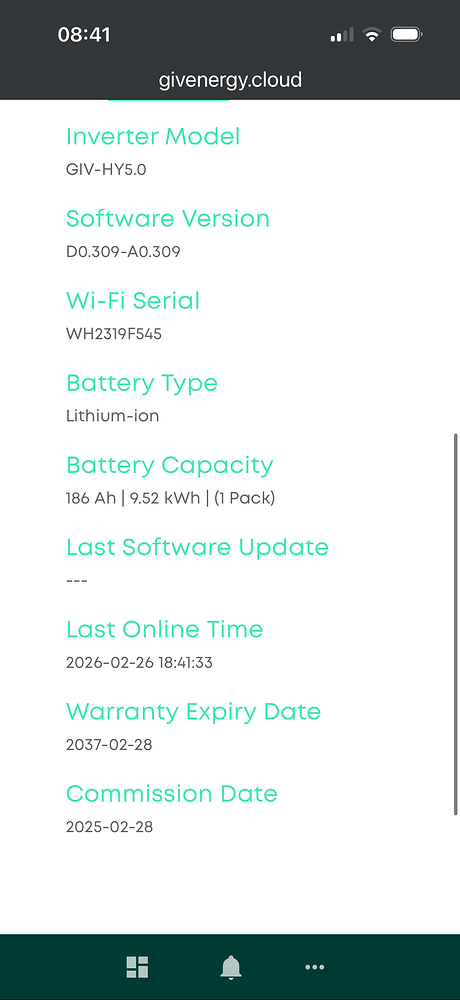
The only thing on that day was I lost connection to the baby monitor and I restarted the router
When it came back on everything else was fine as it didn’t impact the network name or password so I didn’t think it had any impact and I felt it wasn’t influential to the inverter not showing any network from them on
The tp extender that the inverter was connected to via Ethernet reconnected as normal and was broadcasting to the internet as normal
Do you think it could be something to do with that?
1 Like
Further update
The wi fi is only broadcasting 2.4ghz
I’ve done all of the above but the blue light mainly stays on a steady flash rather than fast flashing for set up mode
The wi fi of the inverter still does not show on my phones available network list
I even kept my finger on it for over a minute but still no change
Very strange
1 Like
So it would indicate that the inverter had trouble connecting to the router again after you rebooted. The slow blue light means the inverter is trying to connect to the WiFi it has in its records. So this should have worked because you did not change the ssid or PW.
The second thing is when you press the reset button it does not seem to be resetting the WiFi back to AP. And it continue to try to connect to the WiFi it knows and will not transmit the AP WiFi SSID.
So know we know this if we can get the dongle back to AP mode you should be able to connect and sort it. It’s up to you on the next steps. If it was me I would do the following, but if you don’t want to then connect your installer/GE. The reason I would do these steps is if it happens again and you have to reboot your router you know how to fix it?
- Switch of the PV battery and Inverter. Wait 5 - 10 mins
- Check the DIP switch is in the correct position for WiFi (all up)
- Press the reset button hold it for 30 seconds, if not thing happen (no flashing blue light) then move to 4. (Check there is not more than one reset button)
- Switch everything back on, when you turn on the inverter hold the reset button down to see if you get the fast flashing blue light
- Once everything is back, check the blue light, if it’s not fast flashing hold the button again for 30 sec. Check it is flashing quickly.
- Check to see if you can see the inverter AP SSID. (If yes follow the instructions)
- If not post your result here. I will have another look at the instal instructions for your inverter.
Good luck, hope this sorts it.